Freelancer.com vs Upwork which is better for freelancers?
Freelancer.com vs Upwork: Compare fees, user ratings, categories, and key features.


Summary
Both are free to join. Freelancer.com takes 10% or $5 per project and suits small, quick jobs. Upwork charges 0% to 15% per contract and draws larger, longer work from established companies.
On this page
Freelancer.com and Upwork both connect freelancers with clients, but the experience differs significantly. Competition, pricing, and workflow all play a role. Choosing the right platform can save time and effort. You don’t have to try anyway. This article will give you the comparison you’re looking for more quickly.
Welcome to the Freelancer.com vs Upwork debate!
What is Freelancer.com?
Freelancer.com is a popular freelance marketplace where freelancers and clients meet.
How does it work?
Freelancer.com has two account types: freelancer and client
- As a freelancer , you can register for free. Then showcase your portfolio and send proposals to client requests.
- As a client , you can also sign up for free. Then post a project request and get bids from dozens of freelancers.
Is the deal done? Now the project needs to be delivered within the specified time. After that, the payment will be transferred to the freelancer.
How can you join?
First, go to the website and click on “Earn Money Freelancing.” Create an account. You can link directly to your Google or Facebook account.

After you create an account, you can create your professional profile.
- Add a profile photo.
- Specify industry experience.
- Showcase your portfolio.
Quick Freelancer.com statistics
- 90.5 million+ registered users, employers and freelancers combined
- Users from 247 countries, regions and territories
- 2,700+ skills
- 80% of jobs get bids within 60 seconds, according to Freelancer.com
What is Upwork?
Upwork is one of the best freelancing sites and one of Freelancer.com’s biggest competitors. It connects corporate/individual clients and specialized freelancers.
How does it work?
Upwork is built on a bidding system. There are also 2 account types here: freelancer and client. Sign up for both without any fee.
- If you are a freelancer , make a bid.
- If you are a client , post a project.
Upwork has hourly/project-based jobs. However, freelancers can create fixed-price service pacts. Here to see: Project Catalog
How can you join?
Upwork has no registration fee. With simple steps, you can create an account as both a freelancer or a client.
After joining, you’re able to strengthen your profile by adding photos, portfolio, and work experience.
Quick Upwork statistics
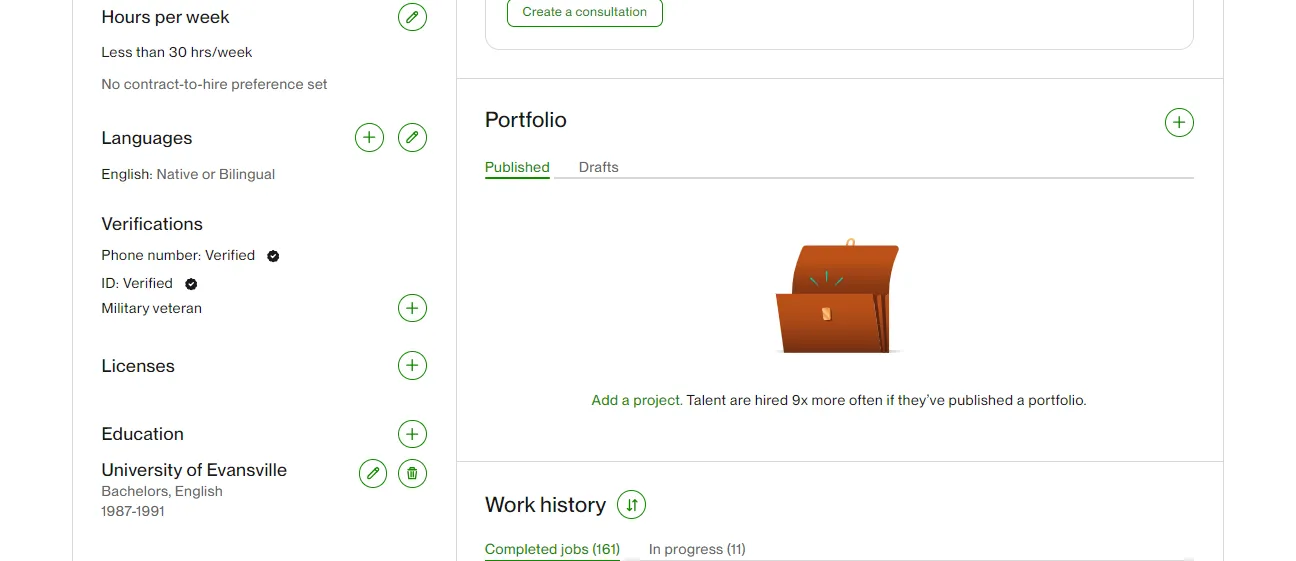
- 18 million+ freelancers
- 763,000 active clients (June 2026)
- Talent in 180 countries
- 10,000+ skills
- $4.03B in client spending in 2025
Freelancer.com
Freelancer.com is built mostly on bidding, but clients can also run contests and buy ready-made services. You can work hourly or on fixed-price projects.
Bidding
When you find a suitable job on the project page, you should read the detailed description. Project details include total budget, deadline, and description.
If you wish to apply,
- Enter the bid price (Ex: $250)
- Specify days for delivery (Ex: 3 days)
- Explain your proposal (Why are you suitable for this job?)
Bidding cost
Free members get 6 bids a month, and you need at least $20 in your account balance to place a bid. For more bids, upgrade your plan:
- Basic Plan: $4.99/month for 50 bids
- Plus: $9.99/month for 100 bids, with a one-month free trial
- Professional: $49/month for 300 bids
- Premier: $99/month for 1500 bids
Upwork
On Upwork, projects can be opened in one of two formats:
- Hourly
- Project-based
Also, two ways to make money:
- Undertaking projects through bidding, and
- Selling fixed-price service packages.
Bidding
Sending proposals is the most popular way to get work on Upwork.

The client publishes a post with a request (delivery time, project fee, and details). As a freelancer, you send a notification with your own proposal.
So is every post safe? Probably not. Look for “Payment verified” in a project request on Upwork.
In addition, you can view the client’s rating and reviews.
Bidding cost
“Connects” are necessary for making bids. New freelancers can earn a few free Connects by completing onboarding steps like profile setup and identity verification. After that, you buy them:
For more, you need to buy Connects:
- 10 connects for $1.50
Project Catalog
Want to post once and sell your service over and over? Upwork’s Project Catalog makes it possible.
You can think of it as a package of services that can be sold over and over again.
For example,
- “Logo design - $500 - 4 days delivery”
If the client purchases your service package, you must complete and deliver the project within the deadline you specify.

Payment structure & fees
Freelancer.com and Upwork both have in-site payment management, but their fees differ. Freelancer.com takes 10% of each project, or $5 if that’s more, and 10% of hourly payments. Upwork’s fee is set per contract, anywhere from 0% to 15%, and you see it before you apply. At 10%, you keep $900 of every $1,000.
Freelancer.com
How to get paid?
As a freelancer, after completing a project on Freelancer.com, you should wait for the client’s approval. Your money will be transferred to your Freelancer.com account upon approval.
Then you can withdraw your money by choosing one of the payment methods.
Payment methods for a freelancer
- Express Withdrawal to your local bank: $1 per withdrawal, 2 to 3 business days
- Bank wire transfer: $25 per withdrawal, minimum $500, 5 to 7 business days
- PayPal: $1 per withdrawal, needs a verified PayPal account
- Skrill: $1 per withdrawal, EUR and GBP only
- Payoneer: $1 per withdrawal, USD only
Every withdrawal must be at least $50 after fees, and your first one takes 15 days to clear.
Important note: The payment method may change according to the country you live in. When making a withdrawal, please check accordingly.
Payment protection
- When the client releases the milestone, the money moves to your Freelancer.com account, usually right away and sometimes within 24 hours.
- If the client doesn’t release it, you can request the release or open a dispute. Freelancer.com doesn’t release milestones automatically.
Freelancer.com cares about safe payment processes for freelancers and clients. Therefore, if you have a problem, you have the right to dispute.
Disputes
Have you encountered any wrongdoing? Or is the other party behaving inappropriately? You can start a dispute.
Go to the “Dispute” section on the project page and explain the dispute. In order to make the fairest decision, Freelancer.com officials will intervene.
Upwork
How to get paid?
Payment duration changes according to working type;
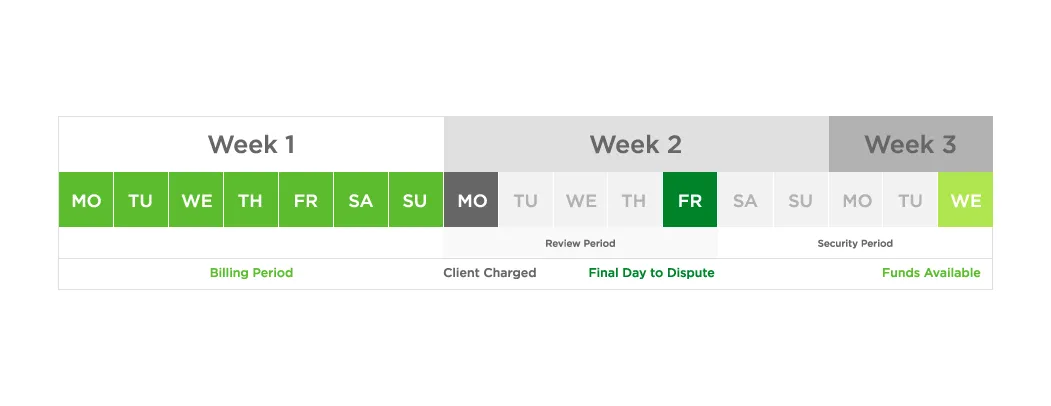
- Hourly: Your work week runs Monday to Sunday. Your client reviews the hours Monday to Friday, and the money is available the following Wednesday, 10 days after the week ends.
- Project-based: 5 days after project approval.
- Project catalog: 5 days after project approval.
If the customer forgets to confirm your payment, Upwork will auto-confirm within 14 days.
If you’d rather not withdraw by hand, set an automatic withdrawal schedule. Upwork can send your earnings weekly, twice a month, monthly or quarterly.
Payment methods for a freelancer
Upwork’s common payment methods:
- Instant Pay for U.S. freelancers: $2 per transfer
- Direct to local bank outside the U.S.: $0.99 per transfer
- U.S. dollar wire transfer: $50 per transfer
- Direct to Wallet: M-Pesa in Kenya, plus mobile wallets in Bangladesh, Indonesia, Pakistan and the Philippines
- Payoneer: outside the U.S. and India
- PayPal
Direct to U.S. bank by ACH is free with a U.S. tax address and costs $2.99 per withdrawal otherwise.
Disputes
You can open a dispute as a freelancer or as a client. The Upwork team will review your issue and take action to resolve it.
Payment protection
When a client makes payment, Upwork holds the money. After the client approves the project, the money is sent to the freelancer.
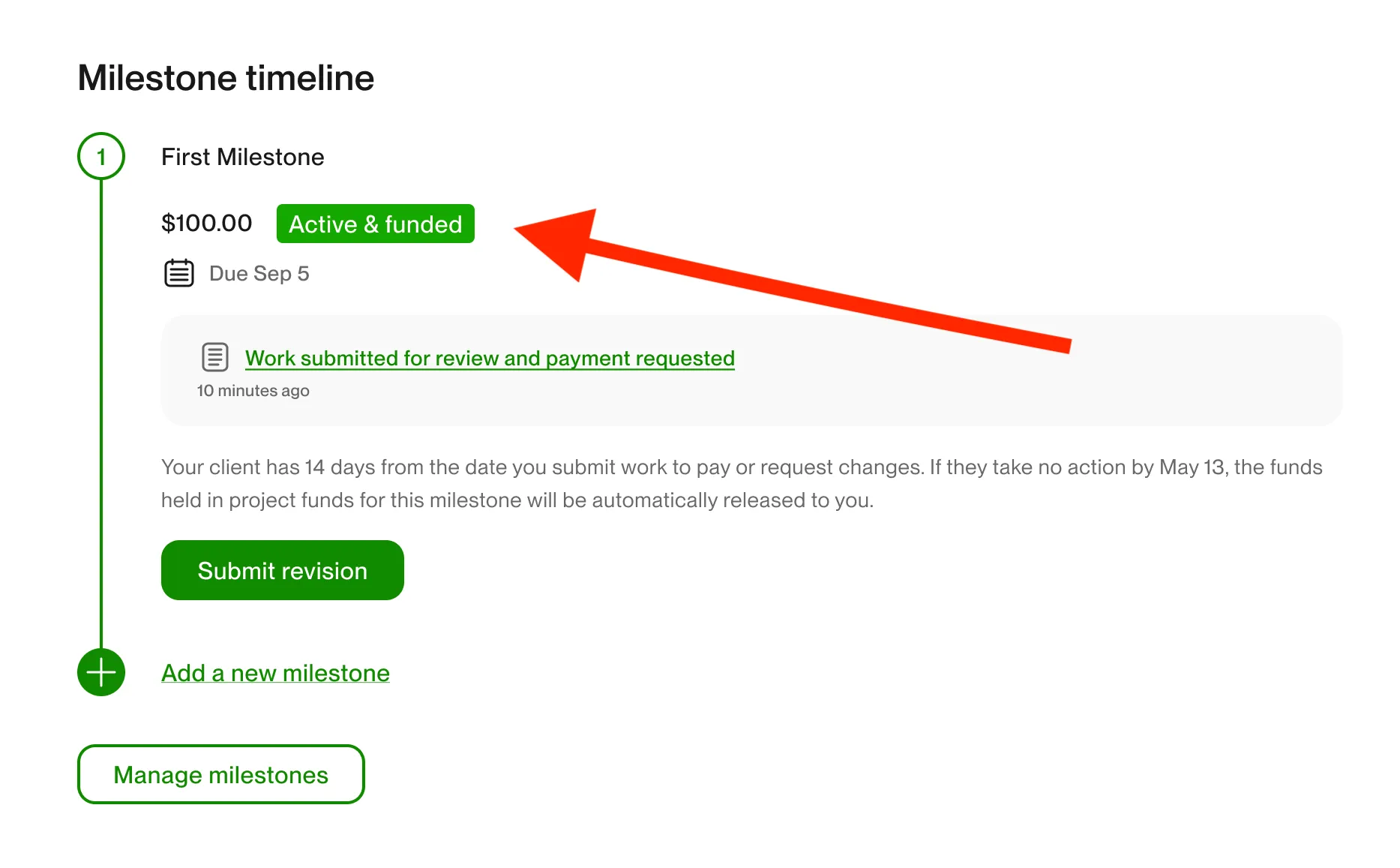
However, if the client does not approve the project, the money is released after 14 days. This creates a system that protects the rights of both the freelancer and the client.
Platform fee
Freelancer.com and Upwork don’t charge for registration. Fees come out when you get paid, and clients pay their own fee on top. For freelancers, Freelancer.com takes 10% or $5, while Upwork’s fee varies from 0% to 15% per contract. For clients, Freelancer.com charges 3% or $3, and Upwork’s Basic plan charges 5% plus a small one-time fee per contract.
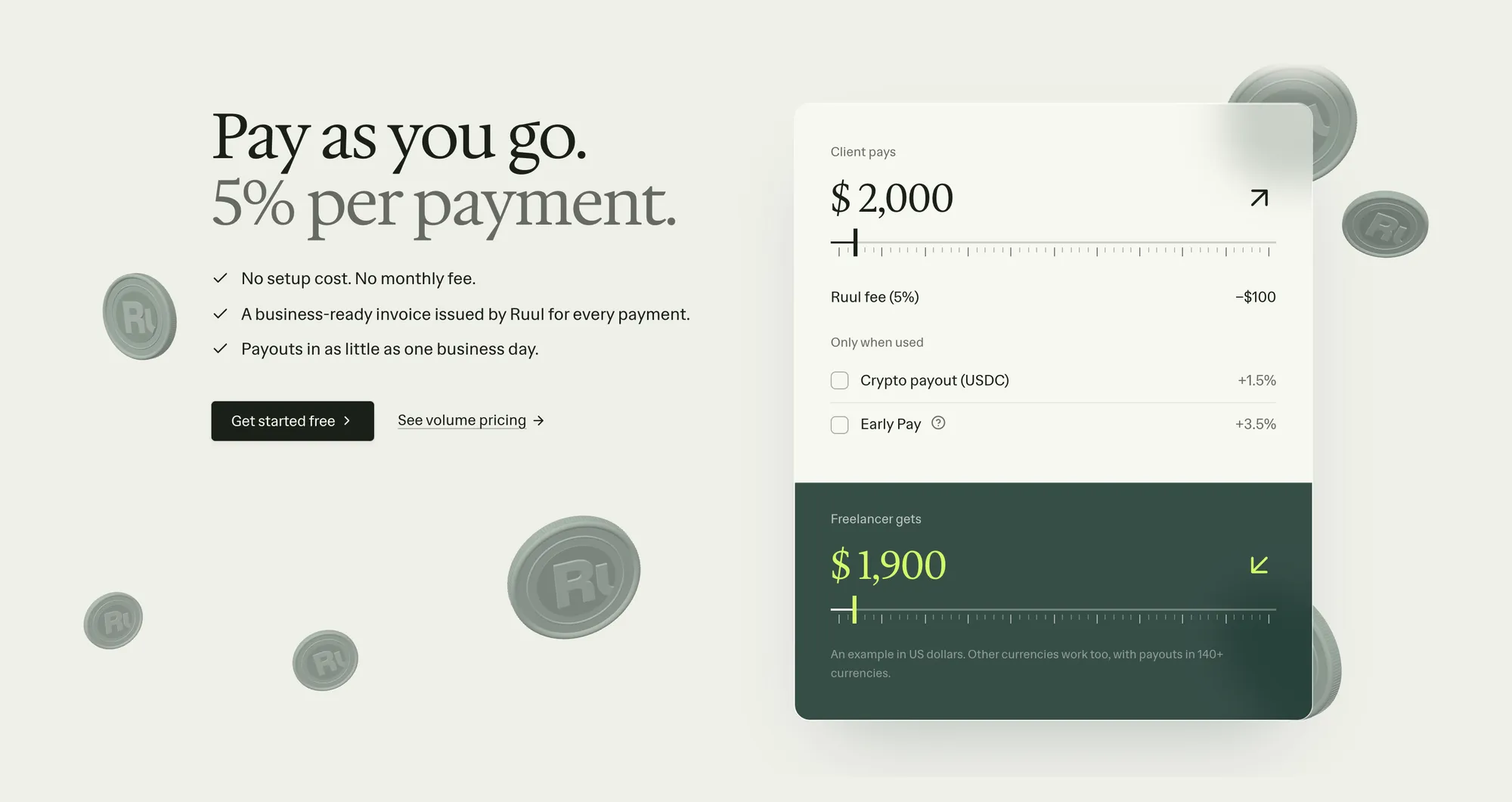
Another option is to find clients through your own network and get paid with Ruul. Ruul invoices your client under its own name as the legal counterparty. Your client pays by card or bank transfer, and you receive the money in 140+ currencies, or in USDC if you prefer crypto. Ruul takes 5% per paid invoice, with no monthly fees.
Types of clients & project size
Your experience as a freelancer and the size of your business as an employer will determine which platform you choose.
Freelancer.com
For quick jobs and smaller budgets, Freelancer.com is a good choice. You can target smaller, more frequent jobs, simply because the job rotation is intense.
Client types
- Start-ups and low-budget project seekers
- Small and medium business
- Individual Entrepreneurs
Project size
- Typically small and medium projects.
- One-off jobs or short-term projects are common.
Upwork
Upwork has a more corporate structure than Freelancer.com. In particular, if you are an experienced freelancer, you may want to choose Upwork for high quality work.
Some of the large companies that prefer Upwork:
- Microsoft
- Airbnb
- Automattic
- Bissell
- Nasdaq
Client types
- Corporate businesses
- Professional employers
- High-budget customers
Project size
- Both small and large scale projects are available.
- Long-term projects are common, and some clients offer contract-to-hire roles.
Competition
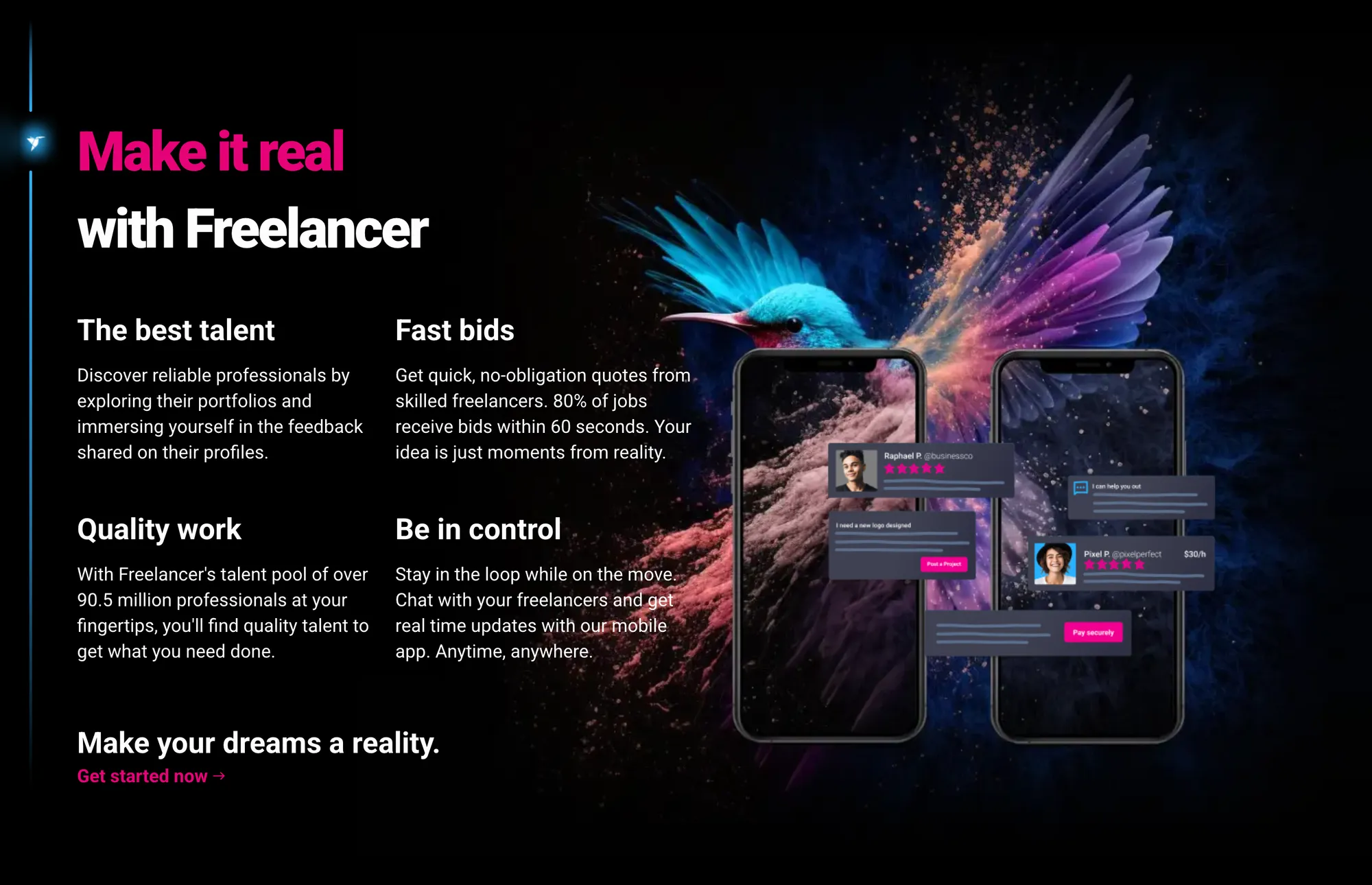
Competition is easier to judge by activity than by headcount. Freelancer.com has more than 90.5 million registered users, employers and freelancers combined, and says 80% of jobs get bids within 60 seconds. Upwork says it has more than 18 million freelancers. Either way, expect many proposals on every good job, so a fast, specific bid matters on both platforms.
Number of clients
Upwork had 763,000 active clients at the end of June 2026. Freelancer.com reports 90.5 million registered users and 25.9 million jobs posted.
Flexibility & workload control
Both Freelancer.com and Upwork have flexible solutions that facilitate freelancers’ workflow.
Messaging system: Thanks to the messaging panel, you can share information through the site.
Availability badge: Upwork’s “Available now” badge tells clients you’re ready for new work and puts you in their “Available now” filter. It costs Connects each week, up to a limit you set, and you can switch it off anytime.
Don’t forget to add an availability badge to your profile so employers can see your availability.
Payment system: Both platforms manage payments. Each takes a fee from the freelancer and from the client, and freelancers also pay a small fee when they withdraw.
AI features
Another place where AI has come into play. We are at the point where we compare Freelancer.com and Upwork’s AI capabilities.
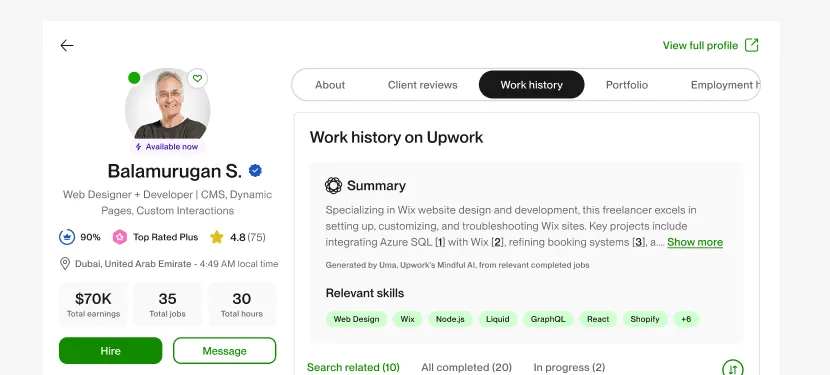
Upwork’s Uma AI
Uma AI is a new feature that helps both clients and freelancers.
How does it help users?
- If you are a freelancer, you can use Uma to write proposals, ask for project details, and get suggestions on how to write better proposals.
- If you are a client, you can make an automatic evaluation with Uma AI instead of manually reviewing the bids that come to your project.
Uma AI is integrated into Upwork with a modern interface.
Is Uma AI paid?
On the free plan you get about 10 messages with Uma a week. Freelancer Plus unlocks full access.
Freelancer.com AI
Freelancer.com also has AI help for writing proposals. Check which plan includes it before you upgrade. Plus costs $9.99 a month after a one-month free trial.
How does it help users?
The proposal text is the most important factor in getting a job after your profile. Therefore, proposal writing with AI is a savior for people with poor writing skills.
User reviews

Reviews say a lot. Now, let’s hear about Upwork and Freelancer from the users.
What do users say about Freelancer.com?
- G2 user rating: about 4.0
Positive reviews
- High reliability and worldwide accessibility.
- It offers a wide range of job opportunities.
- The review system helps to build trust.
- Cost-effective solutions can be found.
- It has an easy-to-use interface.
Negative reviews
- Platform fees are too high for small businesses.
- The platform can make unfair fee deductions.
- The support team often ignores complaints.
- It is very difficult for new users to find work.
- User accounts can be closed suddenly.
- Offers are often vague and unrealistic.
- It is hard to find reliable people.
- Fraud cases are frequent.
Source of comments:G2
What do users say about Upwork?
- G2 user rating: about 4.5
Positive reviews
- Possibility to work with clients from different sectors.
- Successful website and mobile app.
- Payments reported to be secure.
- It has a modern and useful feel.
- Support service is adequate.
Negative reviews
- Obligation to buy Connects is criticized.
- Upwork’s profit motive has increased.
- Regional job posting access issues.
- High competition and low quality.
- Full screen issues for Mac users.
- High fees for beginners.
Source of comments:G2
Mobile app user rating
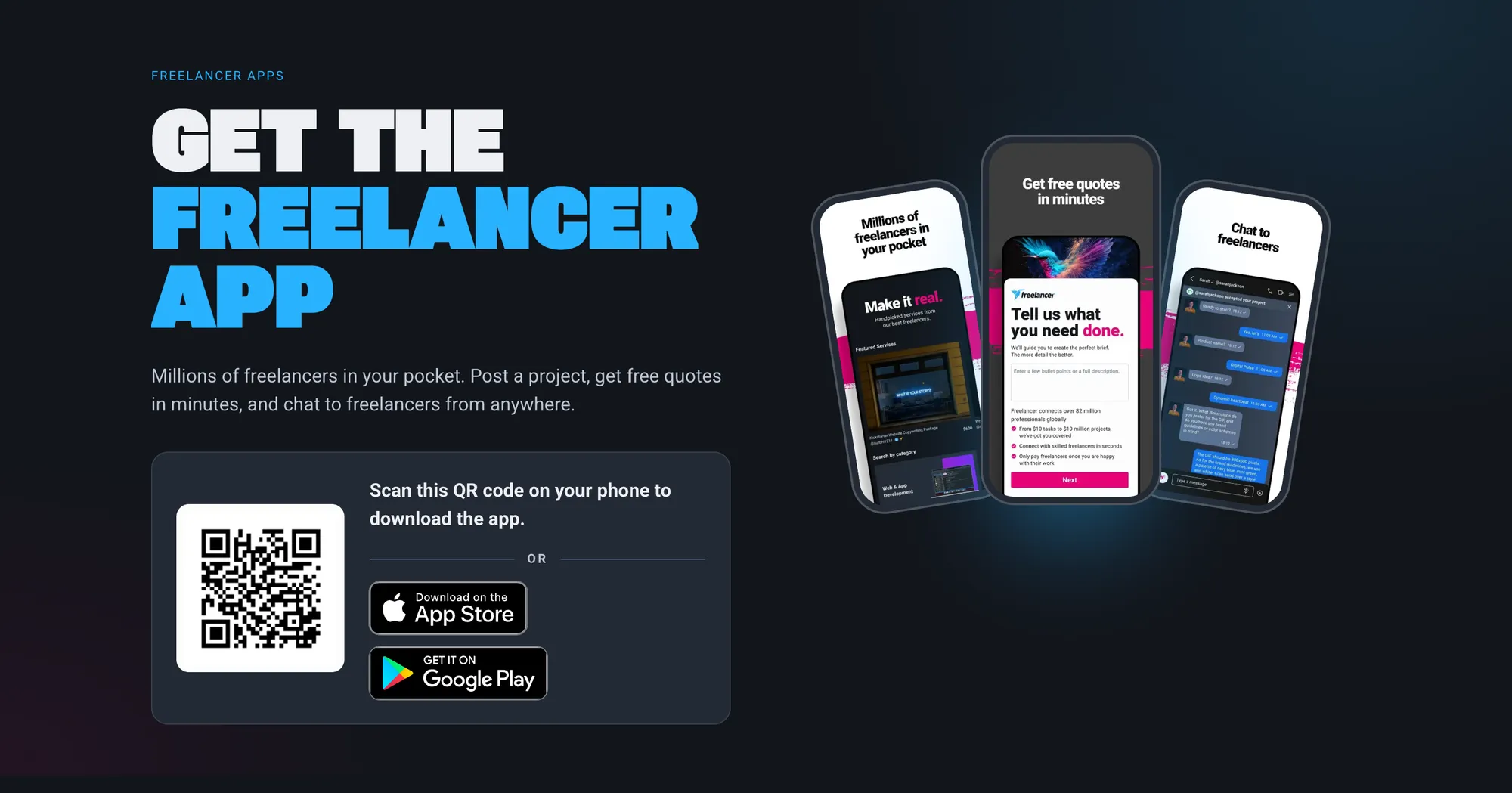
Your PC isn’t always at your knees so the mobile experience matters. Luckily, Freelancer.com and Upwork have iOS and Android apps.
But do the apps work well? Comparison of user ratings in app stores:
App Store:
- Freelancer.com - 4.7
- Upwork - 4.6
Google Play Store:
- Freelancer.com - 4.0
- Upwork - 3.6
Which one is better for you?
Freelancer.com and Upwork are two of the most popular platforms for freelancers. Both seem similar, but actually differ in a few important ways.
- Freelancer.com is a good choice for small to medium sized projects. Especially for those looking to work faster and on a smaller budget. However, there are so many users on the platform. Competition is high.
- Upwork is more suitable for large companies and long-term projects. The platform tends to offer jobs with higher budgets and is preferred by more professional employers. Upwork also allows you to offer fixed-price service packages.
Neither platform charges to join, and both handle payments securely. Freelancer.com takes 10% or $5 per project, while Upwork’s fee varies by contract from 0% to 15%. Upwork rates higher with G2 reviewers, while Freelancer.com’s iPhone app rates slightly higher.
In summary, Freelancer.com may be a better option for small jobs and quick projects, while Upwork may be a better option for long-term and large projects.
If you are hiring freelancers
We have business and individual employers in mind. How to hire freelancers on Freelancer.com and Upwork:
Hiring with Freelancer.com
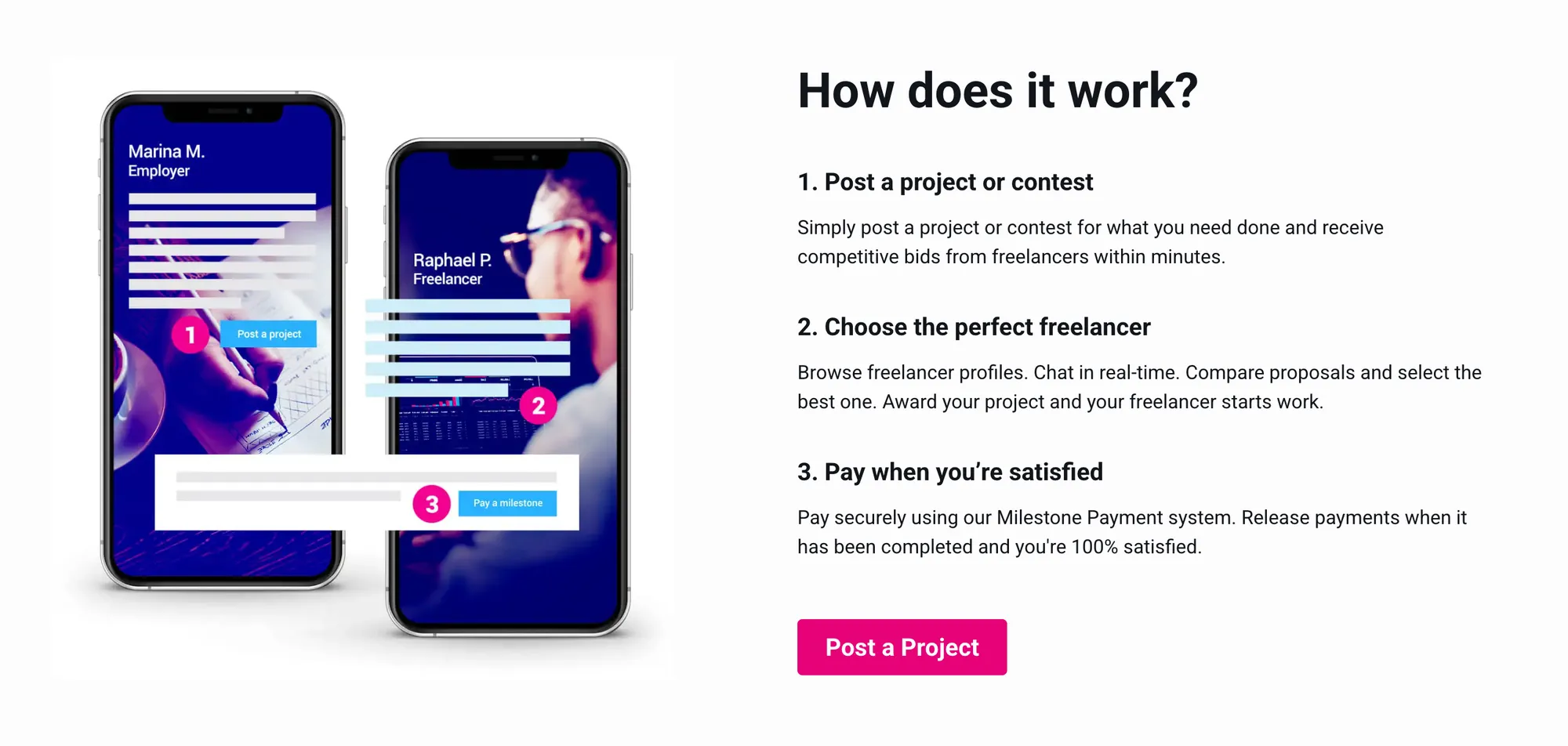
You can create a client account right from Freelancer.com’s homepage by clicking Hire a Freelancer.
Next, you will need to create a project request. You can create the project on an hourly or project basis.
Provide details:
- Project title
- Project description
- Delivery time
- Total project budget
Wait for freelancers to send offers.
The offer includes:
- Freelancer’s project completion time
- Freelancer’s requested rate
- Freelancer’s offer description
Afterwards, you can easily hire someone from dozens of offers.
Hiring with Upwork
To hire freelancers on Upwork, create a client profile. Then follow similar steps on Freelancer.com. After creating a project request, you will receive a lot of offers.
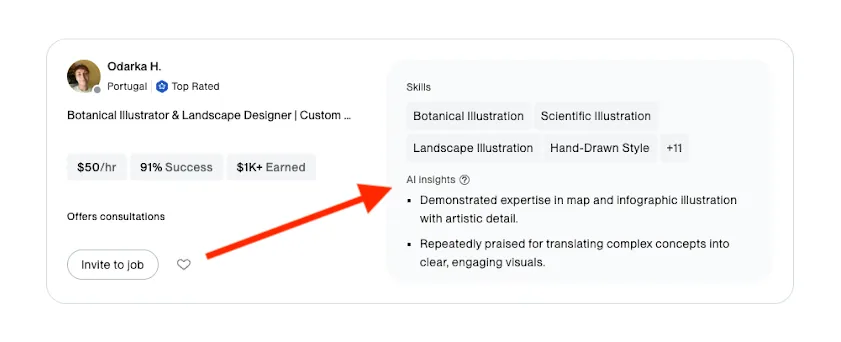
Quick freelancer analysis with Uma AI
Uma AI provides a very unique convenience for clients. Have you received offers from 40 freelancers? You can leave the analysis to Uma.
It does all the analysis and compares freelancers. Thus, it saves clients the trouble of going through candidates’ profiles one by one.
Full time hiring
If you have a good deal with a freelancer, you can offer them a contract-to-hire role on Upwork. And companies like Airbnb and Microsoft already find the best talent here.
Frequently asked questions
Which site is better than Upwork?
Although it is a controversial issue, there are users who say that Freelancer.com is better than Upwork in terms of job range. User experience is more important for an accurate comparison.
Is Upwork the same as freelancer?
No, they are not. Even though they are used for the same purpose, their systems and user bases are different. So it would not be accurate to say that Freelancer.com and Upwork are the same thing.
Which is better, Freelancer.com or Upwork?
From a commission perspective, they differ: Freelancer.com takes 10% or $5 per project, while Upwork’s fee varies by contract from 0% to 15%. There are also significant differences in the user experience. Many users say Upwork has a more modern system.
Written by · Senior Product Marketing Specialist