How to get paid as a freelancer
Set clear terms, pick the right payment method, and follow up without the awkwardness, so client money lands when it should.


Summary
Agree on price, terms and a deposit in writing before work starts, and invoice the day you deliver. PayPal and Stripe take about 3% on a card payment at home and over 4% from abroad, while an international wire costs $15 to $50.
On this page
- Why payment setup should come before the first task
- Decide how you want to get paid (pricing models and structures)
- Set clear payment terms before you start working
- Choose your payment methods
- Match payment method to client, project, and location
- Getting paid through freelance marketplaces
- Use invoicing as the trigger for payment
- Recurring, subscription, and retainer payments
- If you don’t have a registered company
- Handling payment friction, delays, and currencies
- Using AI and automation to get paid faster
- Staying organized and ready for tax season
- FAQ: Practical questions about getting paid as a freelancer
- Your freelance payment checklist
- Get paid for your work without the infrastructure overhead
- Freelancers can accept payments through various methods and platforms, including those offered by companies like PayPal, Stripe, Wise, as well as bank transfers, credit card payments, marketplaces, crypto, and escrow. Each method affects your fees, payment speed, and risk exposure differently.
- Setting your pricing model, payment terms, and invoicing rules before starting any project prevents most disputes and cash flow gaps.
- Getting paid without a registered company is possible through Ruul: as the legal counterparty, it invoices your client in 190 countries, collects the payment and pays you.
- The right payment method depends on client location, project size, currency, and how fast you need the money. Managing multiple payment options helps you suit different clients and project needs. Our payment platforms and tools comparison goes into the details.
- This guide walks you through a step-by-step path: set pricing, define terms, choose methods, send invoices, handle delays, and use Ruul to simplify the entire flow.
Why payment setup should come before the first task
A developer finishes a $3,000 web project. The client is happy, the work is solid, and everything looks great. Three weeks later, they are still chasing payment because no one ever defined when or how the money would arrive.
Getting paid as a freelancer is not only about choosing which payment platform to use. It is about having a clear, repeatable process that runs from your first client conversation all the way to funds landing in your account, including how you manage international transactions and payments. Without that process, you end up reacting instead of controlling.
Payment setup is a pre-work activity: something you decide, communicate, and confirm before a single deliverable is touched. Clients who have already received work have less urgency to pay, and you have less leverage to enforce terms.

In this guide, you will learn how to choose your pricing structure, set payment terms that protect your cash flow, pick the right payment options for different clients, send professional invoices, and reduce friction when things go sideways. If you do not have a registered company, you can still invoice and get paid professionally with Ruul.
Decide how you want to get paid (pricing models and structures)
Before you choose where the money goes, decide how you charge. Your pricing model shapes everything: your payment schedule, which methods make sense, and your cash flow predictability. A freelance rate calculator can help you work back from your income goals and costs to a sustainable rate.
Common pricing models:
- Hourly rate: You charge a set amount per hour (e.g., $75/hour for a 40-hour project = $3,000). Works well for uncertain scope; can cap upside and expose you to scope creep. Many freelance marketplaces offer hourly contracts, which provide flexibility, weekly invoicing cycles, and payment holds, often supporting multiple currencies.
- Fixed project fee: A single price for the entire project (e.g., $1,500 for a 5-page website). Best for clearly defined scopes. Fixed price contracts are standard on freelance platforms, often structured with milestones and set payment schedules to ensure predictable payments.
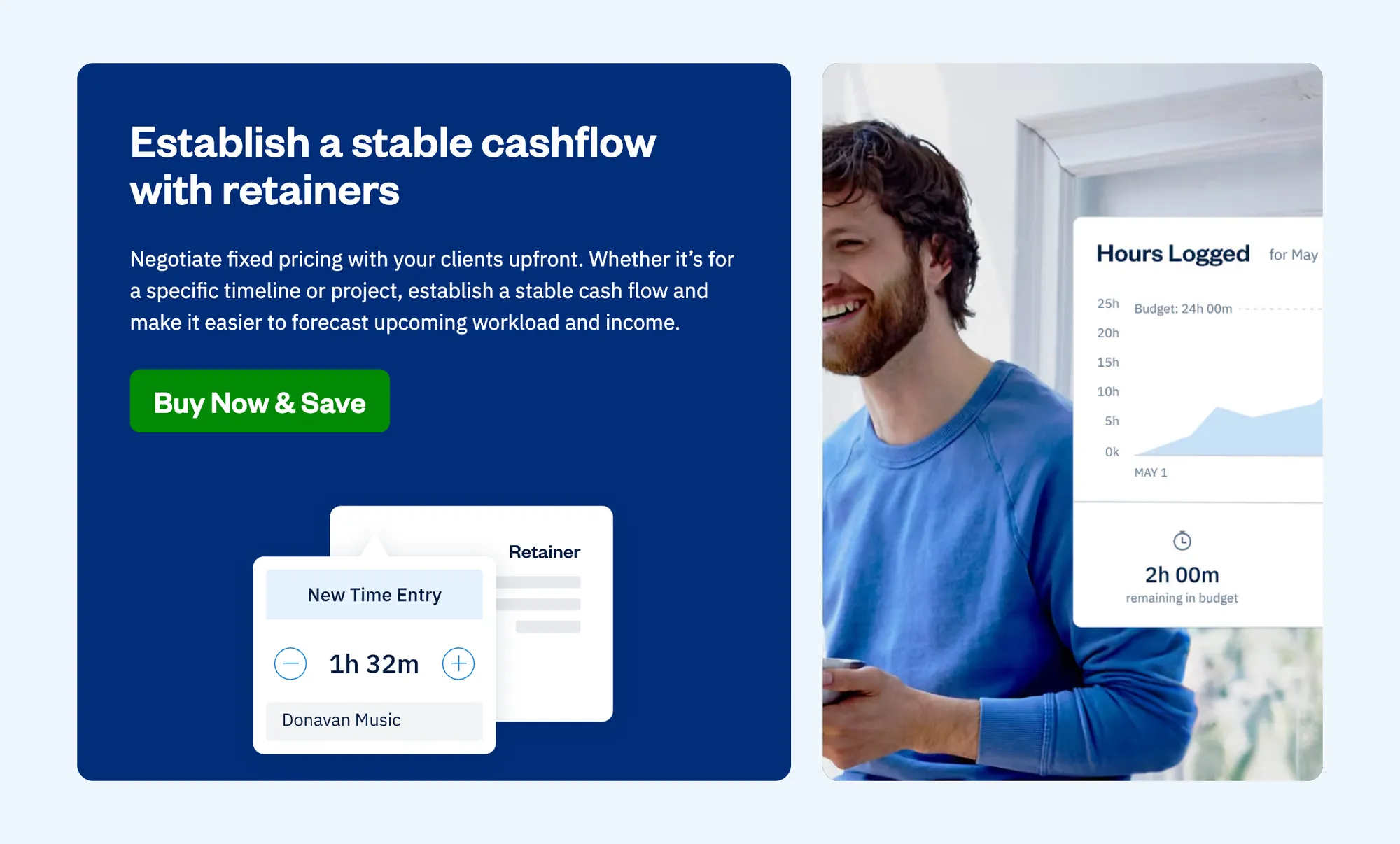
- Monthly retainer: A fixed amount each month for ongoing work (e.g., $1,000/month for 20 hours of support). Stabilizes income and reduces client acquisition costs.
- Per-unit pricing: Charged per deliverable (e.g., $200 per article). Scales with output; suits high-volume work.
- Value-based pricing: Priced on the outcome you deliver. A sales funnel might be priced at $10,000 because it is projected to generate $100,000 in revenue. Requires proven results and negotiation skills.
Freelancers often use 50% upfront deposits, milestone-based payments, or monthly retainers as pricing models.
For larger projects, milestone payments reduce risk for both sides. A $10,000 development project might split into 20% at wireframes, 30% at development, 30% at testing, and 20% at launch.
Set clear payment terms before you start working
Payment terms define when and how you get paid. Agreeing on these in writing before work starts prevents most payment disputes.
The most common structures:
- Due upon receipt: Payment expected immediately when the invoice is sent. Standard for small gigs or established clients.
- Net 15: Payment due 15 calendar days after the invoice date. Standard for small-to-medium projects.
- Net 30: Payment due 30 days from the invoice date. Common in corporate environments; can create cash flow strain.
- 50% upfront / 50% on completion: A deposit model that significantly reduces non-payment risk on new client relationships.
Example contract clause:
“The total project fee is $2,000 USD. 40% ($800) is due before work begins via bank transfer or online payment link. 60% ($1,200) is due within 14 days of final delivery.”
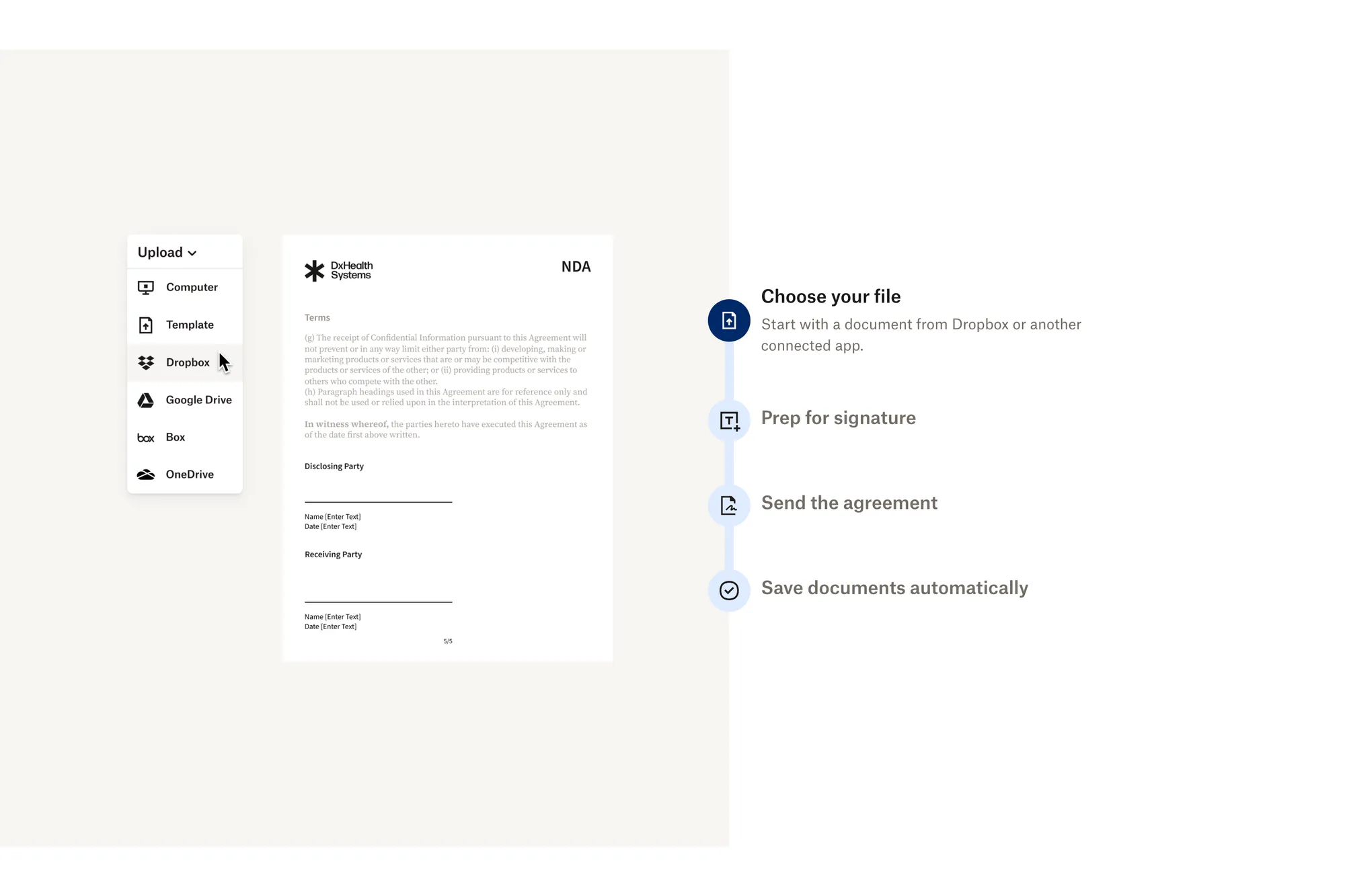
Terms should appear on your invoice and in a signed agreement before work begins. They should also specify late fee consequences (e.g., 1.5% per month) or a pause on deliverables. If your client is a business in the EU, late payment interest applies by law even when your contract says nothing: in euro countries, at least 10.40% a year for the second half of 2026, plus €40 per late invoice. Our late payment guide covers how to set your own. For a closer look at deposits, milestones and standard clauses, see our freelance payment terms guide.
Choose your payment methods
Freelance payment methods fall into two main groups: traditional ones like bank transfers, and online platforms that offer more flexibility. Each affects payment speed, cost and convenience differently, so it is worth comparing the best payment methods, platforms and tools for freelancers before you commit to a setup.
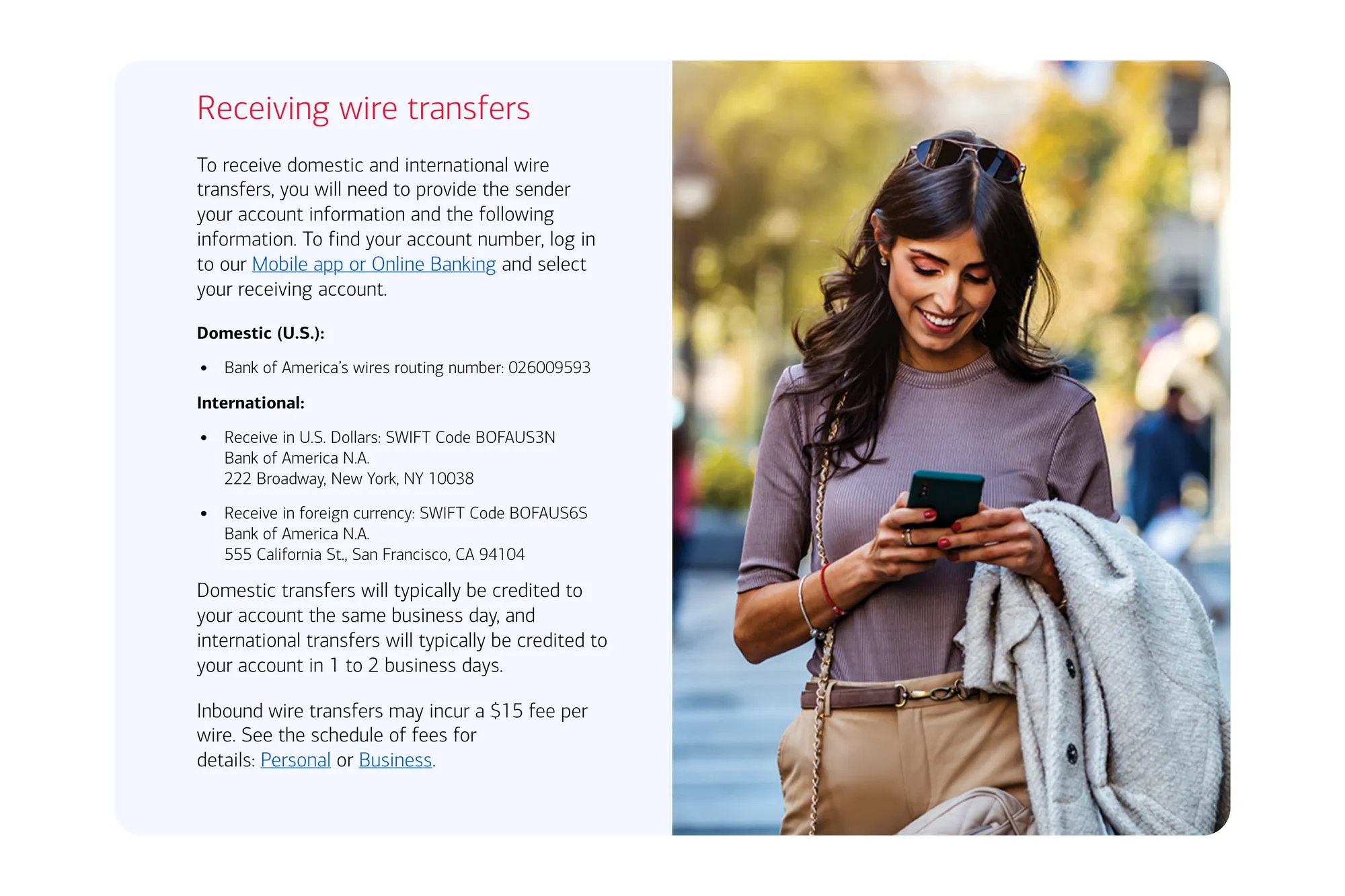
- Bank transfers (ACH, SEPA, wire): For U.S.-based freelancers, ACH transfers are often the most cost-effective method: they cost little or nothing, and Nacha says 80% of ACH payments settle in one banking day or less. International wire transfers are among the most expensive ways to get paid. Bank fees usually come to $15 to $50 per transfer (Bank of America, for example, charges $45 to send a wire in US dollars and $15 to receive one), and converted money carries an exchange-rate markup.
- Online payment platforms: Fees differ more than you might expect. In the US, Stripe charges 2.9% plus 30¢ for a domestic card, plus 1.5% for an international card and 1% if the currency has to be converted. A PayPal invoice costs 2.99% to 3.49% plus $0.49, plus 1.5% when your client is abroad, and PayPal converts currency with a 3% to 4% spread. Wise is built for conversion instead: about 0.3% to 0.5% between major currencies plus a small fixed fee, and local payments in nine currencies, including USD, EUR and GBP, arrive free (as of November 2026; check each provider’s pricing page). When choosing a platform, consider support for multiple currencies, the exchange rate you get, and overall conversion costs, especially for international payments. Wise also offers a debit card linked to your account for spending abroad.
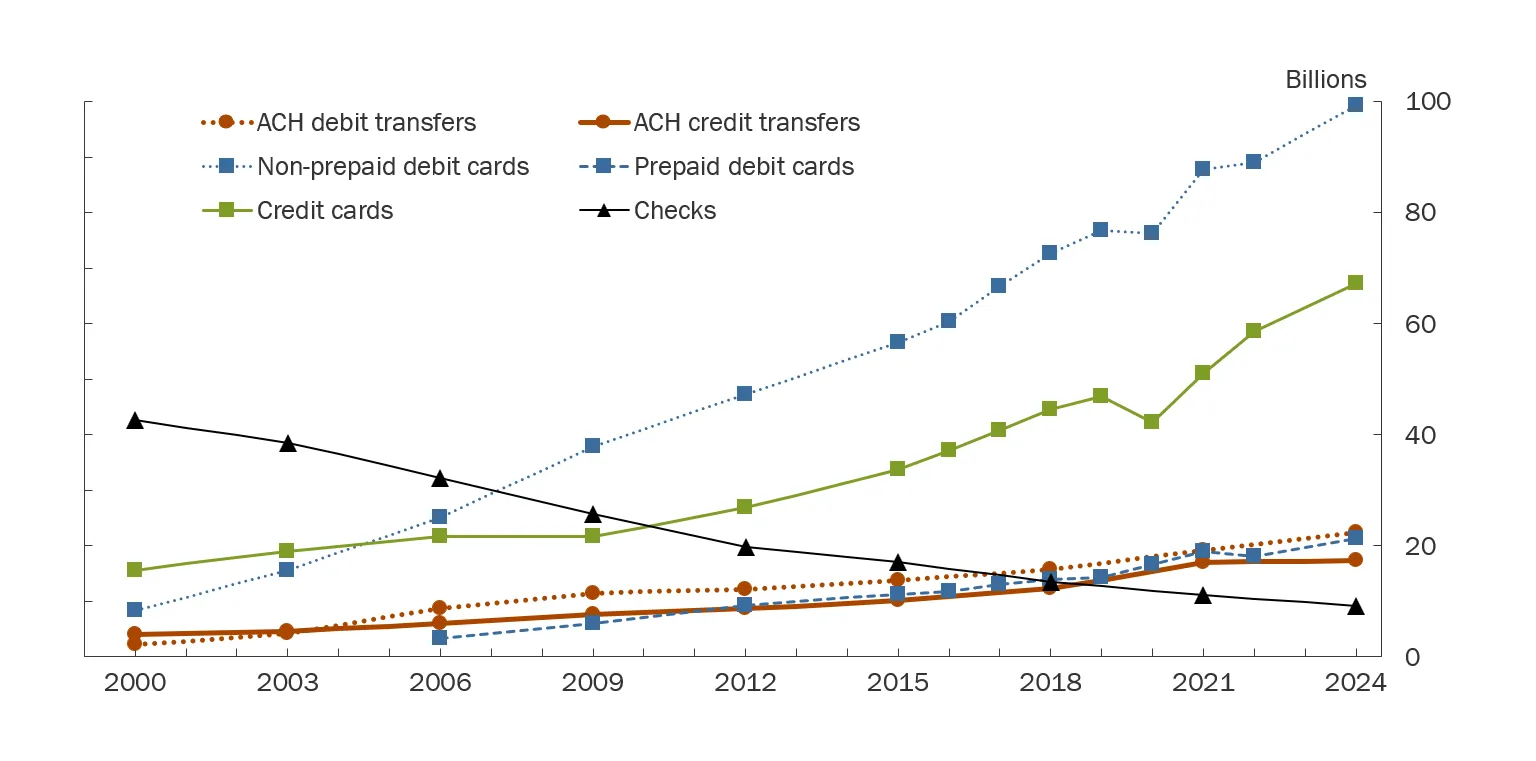
- Paper checks: Still used by some clients, especially in the U.S., but less every year: check payments fell to 9.2 billion in 2024, 4% of U.S. noncash payments, down from 59% in 2000, according to the Federal Reserve Payments Study. The client mails a physical check, and the funds are available once you deposit it. It is slower and less secure than digital options.
- Credit card payments: Processing fees typically run about 2.9% plus a small fixed fee for a domestic card, and more for international cards. See accepting credit cards as a freelancer.
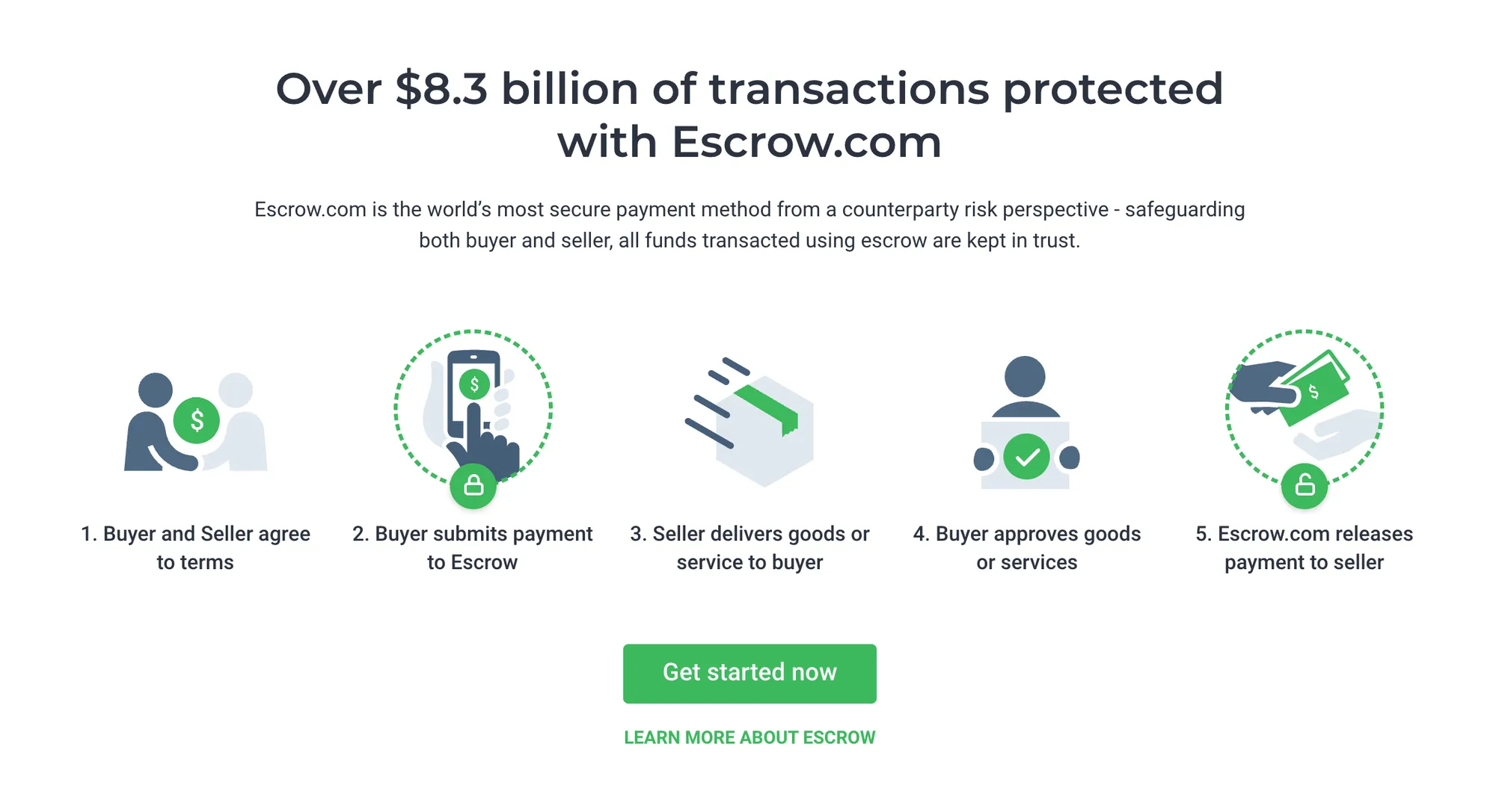
- Escrow: Holds client funds until deliverables are approved. Best for high-value projects. See escrow payments for freelancers.
- Recurring / subscription invoicing: Removes manual invoicing for retainer work. Ruul supports subscription invoicing natively.
- Crypto and stablecoins: Stablecoins like USDT or USDC settle in seconds or minutes. Network fees depend on the blockchain, from under $0.01 per transfer on Celo to more on busier networks, and exchanges and cash-out providers add their own fees. They require wallet literacy and add tax complexity. See crypto payments for freelancers. With Ruul’s Crypto Payout, your client pays as usual and you withdraw in USDC, for 1.5% on top of Ruul’s 5%. You can also get paid into a MiniPay wallet.
Match payment method to client, project, and location
Freelancers often work with multiple clients across different countries, so it is essential to support multiple payment options and multiple currencies to ensure smooth transactions. The right method depends on four variables:
- Client location: A US client can pay via ACH at little or no cost. A client in Southeast Asia may prefer a local payment method in their own currency. A client in a country with currency controls may require a different approach entirely.
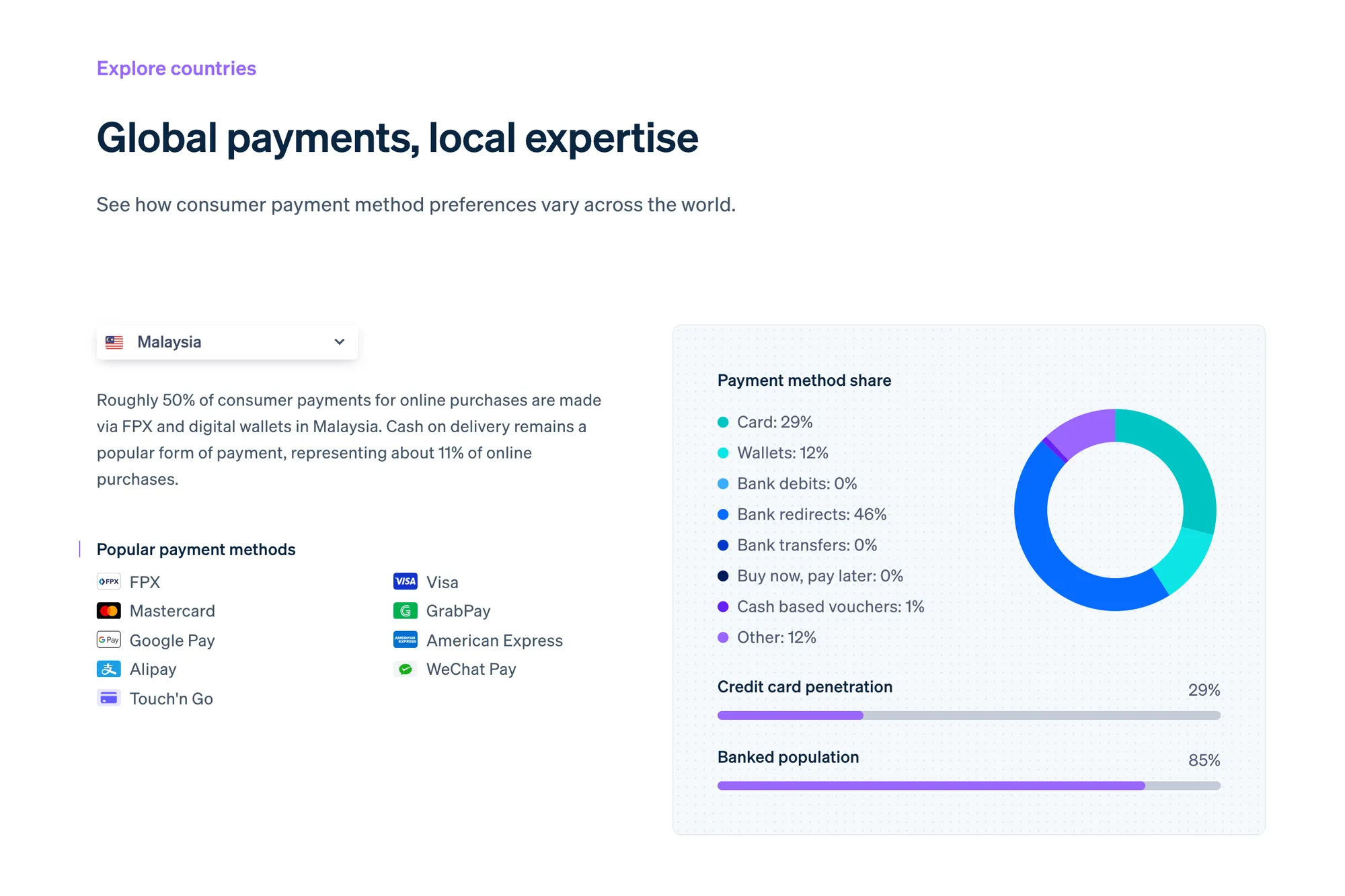
- Project size: A 2.9% fee on a $200 project is $5.80. On a $10,000 project, it is $290. For large projects, lower-fee methods may be worth the friction.
- Speed: An international bank transfer typically takes 1 to 5 business days. Some platforms offer near-instant settlement. See how long freelance payments take for a breakdown.
- Total cost: Account for both your fees and any fees the client pays. Build this into your rate or factor it into your recommended method. Supporting multiple payment options can help you and your clients choose what makes the most sense for each situation.
A practical example: if you are a designer in Germany invoicing a startup in Singapore for a $3,000 project, you need a method that handles the EUR/SGD conversion at a fair rate and settles within a few days. Ruul collects your client’s payment and pays you in your currency, one of 140+, within one business day of their payment, at real-time exchange rates with no separate conversion fee. You don’t have to patch together several platforms. See international payments as a freelancer for a full guide.
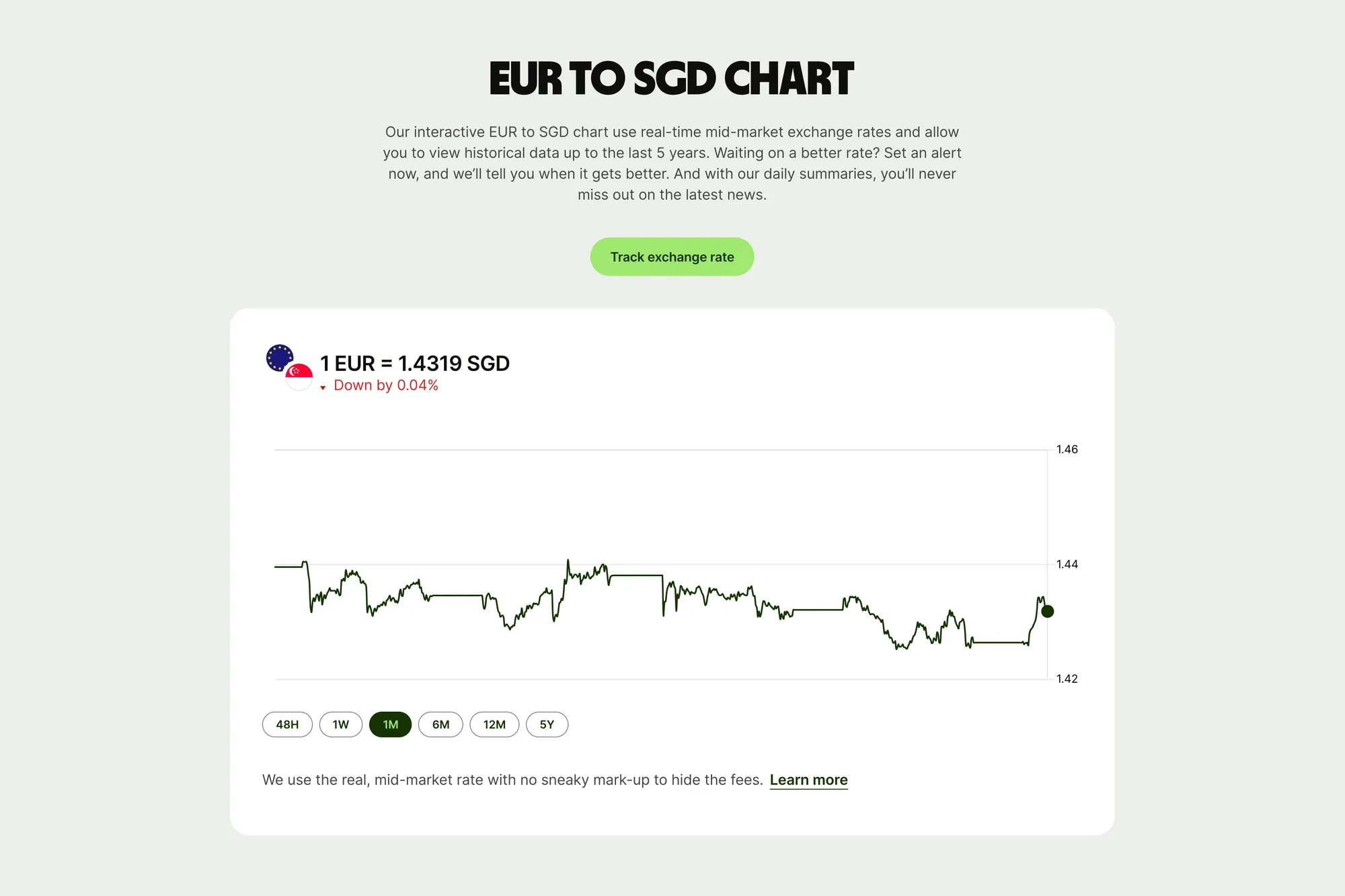
It is important to understand the fee structures of your chosen payment methods, as these fees can significantly impact your overall earnings over time. Additionally, always keep detailed records of all payments for tax purposes to stay organized and prepared for tax season.
Getting paid through freelance marketplaces
Platforms like Upwork and Fiverr bring together client discovery, contracts, and built-in payment systems in one place. However, these conveniences come at a cost, as platform fees can directly impact both how much you earn and when you receive your money.
- Escrow and release: Clients fund the work upfront, and the platform holds the money until the work is approved. A clearance period follows before you can withdraw: on Upwork, a five-day security hold once a fixed-price milestone is approved, and on Fiverr, 14 days after the order is completed (7 days for Top Rated, Pro and Seller Plus freelancers).
- Commission fees: Fiverr keeps 20% of every order, extras and tips included. Upwork sets its fee per contract, anywhere from 0% to 15%, and shows it before you apply. Marketplaces are valuable for building a client base, but expensive as revenue grows.
- Mixing methods: You can use these platforms for some clients while using external invoicing flows for direct clients acquired outside the platform.

Clients you find through your own network can work with you directly, with no marketplace commission. Clients you meet on a marketplace are different: Upwork’s terms keep your work and payments with them on Upwork for two years unless a conversion fee is paid, and Fiverr’s terms don’t allow taking payments off Fiverr.
Use invoicing as the trigger for payment
Outside of platforms with built-in invoicing, clients generally do not pay until they receive a professional invoice. The invoice is your formal request for payment and the legal record that a service was provided.
A proper invoice should include your name and contact details, the client’s details, a clear description of the services delivered, the total amount owed along with the currency, the payment due date, and your accepted payment method. Always send invoices immediately upon completion, not days later. A free invoice generator helps you put together a complete invoice quickly.
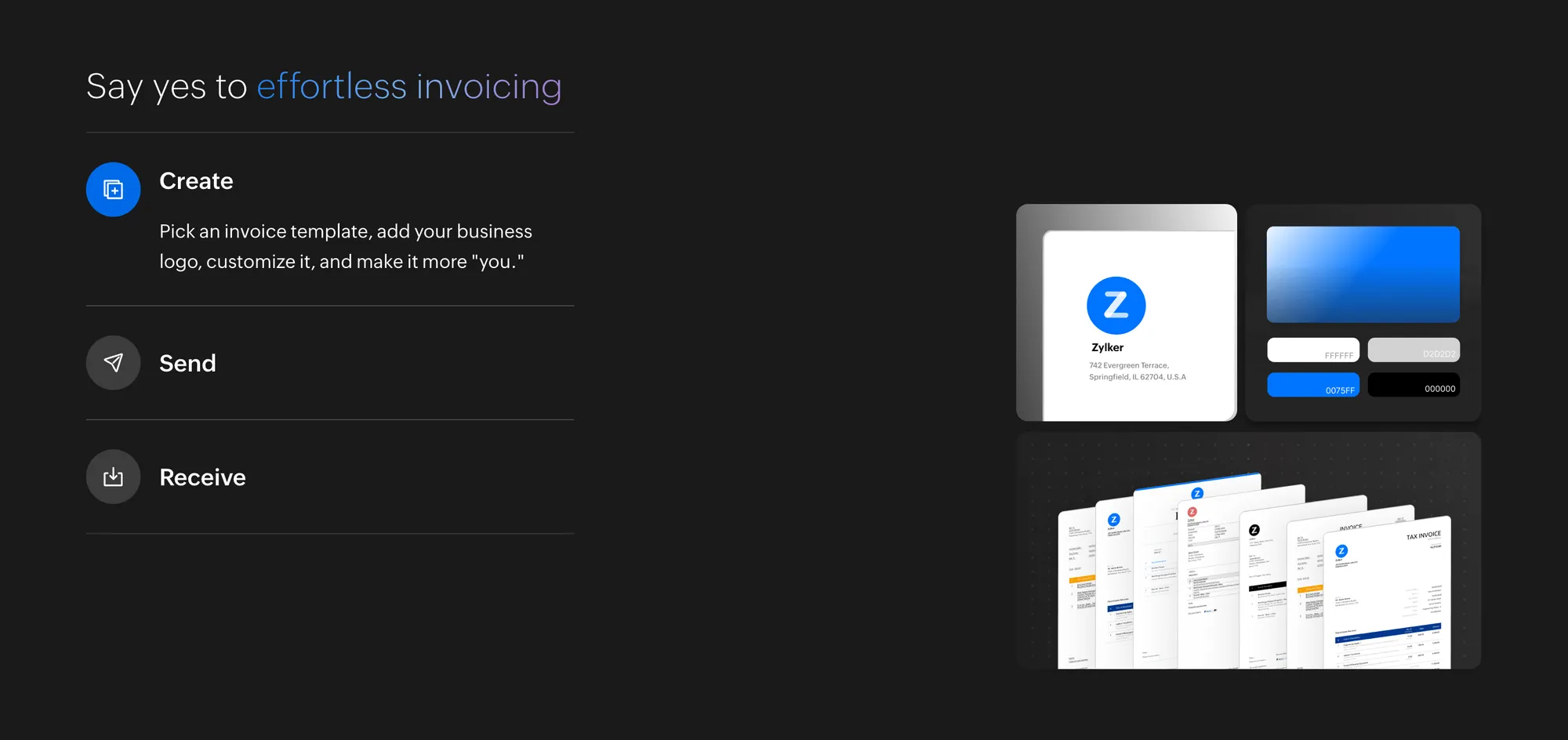
If you want formats tailored to your field, you can also use profession-specific freelance invoice templates. Ruul’s invoicing handles invoice creation, collecting your client’s payment and paying you, in one place.
Recurring, subscription, and retainer payments
If you have ongoing client work, such as social media management, monthly consulting, or development support, recurring payments become a valuable feature of online payment platforms and financial tools for freelancers. Recurring payments help stabilize your income and reduce administrative effort.
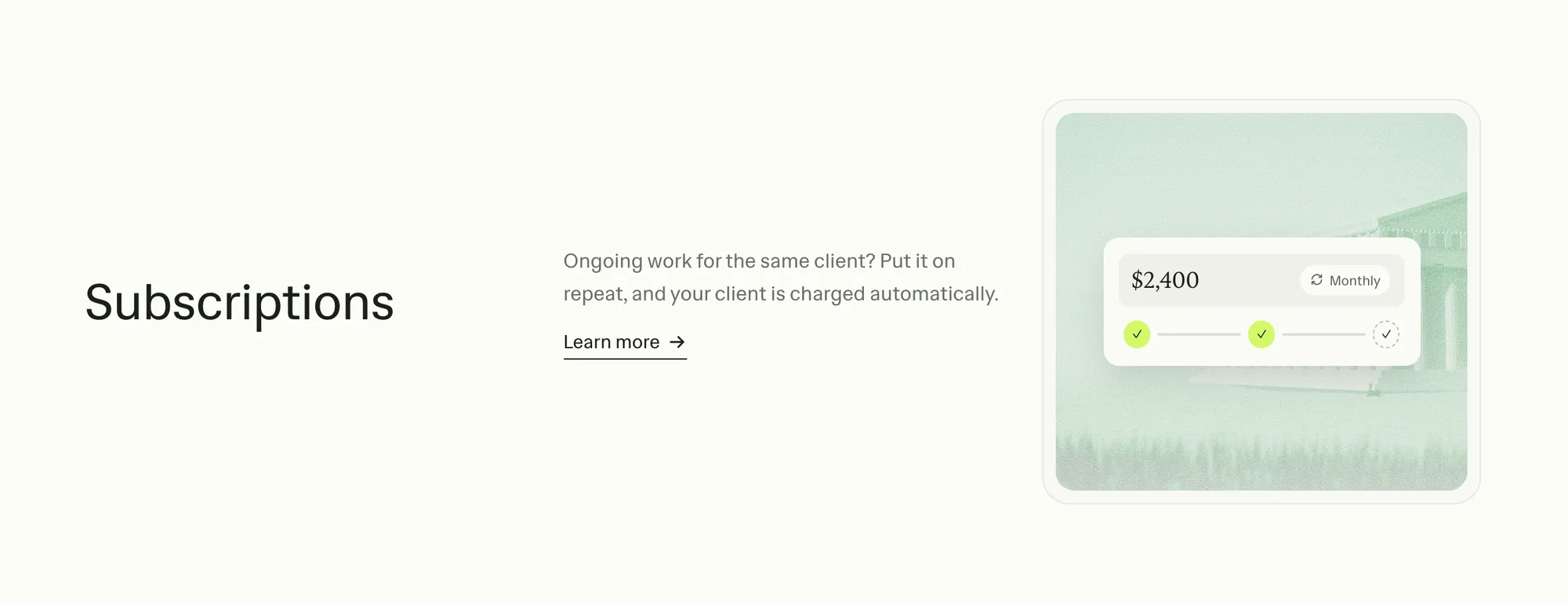
A recurring payment means a fixed amount is charged automatically on a set schedule, for example, $600 on the first of every month. This removes the need to create and send a new invoice each cycle. Retainers are a closely related model. In this setup, a client reserves a set number of hours each month in exchange for consistent, predictable payments. This provides reliable cash flow for you, while giving the client priority access to your time.
For detailed guidance, read subscription payment for freelancers. With Ruul’s subscription invoicing, your client approves once, then Ruul charges their card on your schedule and issues each invoice automatically.
If you don’t have a registered company
Many payment rails, including bank accounts, Stripe accounts, and certain PayPal configurations, require a registered business entity or tax ID for full access. If you are freelancing as an individual, this can create compliance friction and limit your ability to work with clients who require formal documentation from a company. Wise lets you receive money in many currencies without a company, but the invoice still goes out in your name. If a client needs an invoice from a registered company, Ruul covers that.
Ruul solves this directly. Ruul contracts with you and issues the invoice to your client as the legal counterparty, so your client receives a business-ready invoice from a registered company. You get paid within one business day of your client’s payment, and you don’t need to register a company.
Alternatively, setting up a Wise account is a popular solution for managing international payments efficiently. Wise offers low-cost currency exchange and lets you accept payments in multiple currencies, making it ideal for freelancers who travel or work with clients abroad.
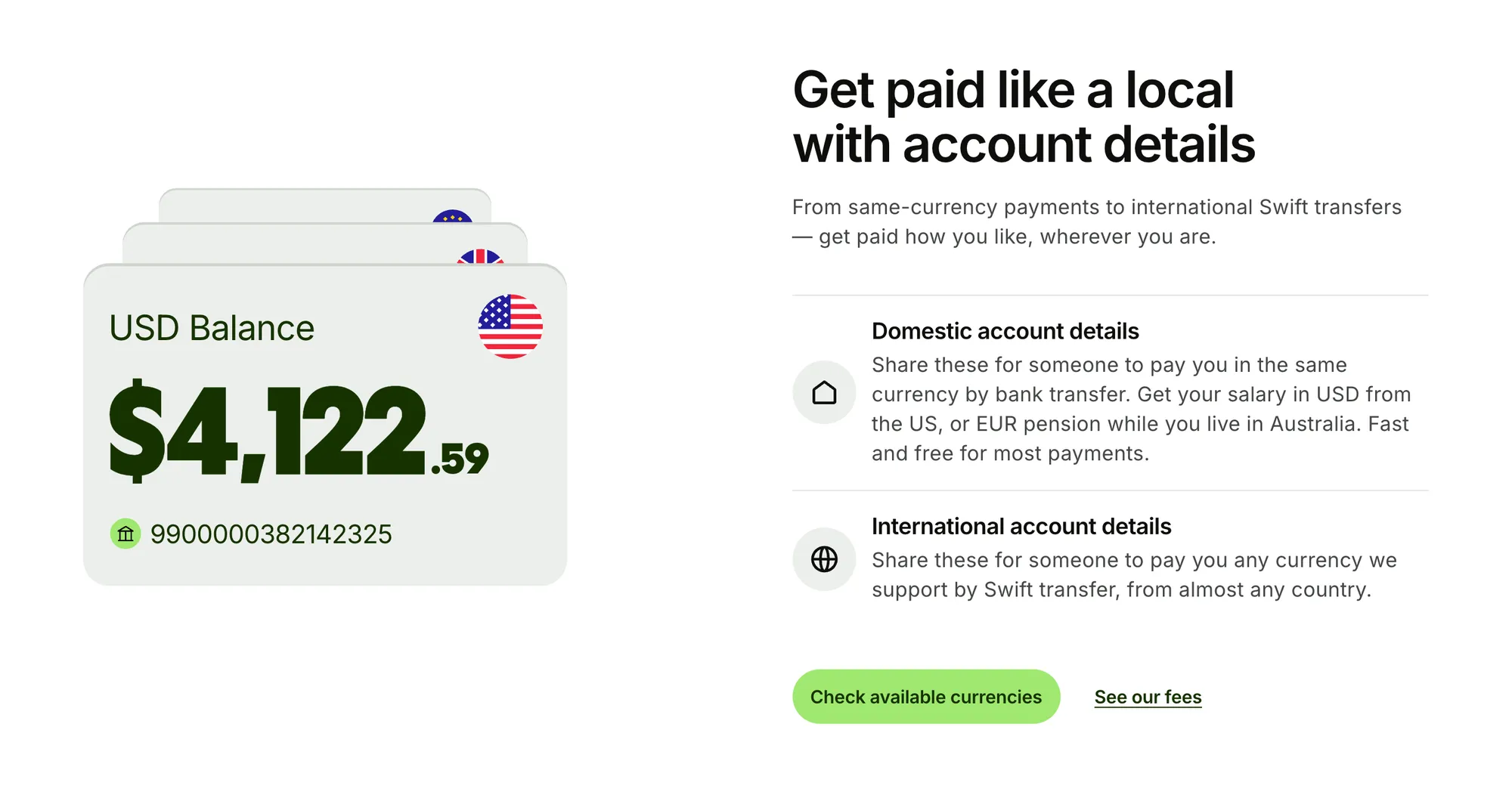
Key platform facts:
- Invoice clients in 190 countries
- Get paid in 140+ currencies, or in USDC
- 240,000+ freelancers, and over $1.18 billion in transactions processed
- Trusted by teams at the UN, McKinsey, Toyota, Klarna, and MIT
- 96.4% of users satisfied, no setup costs, no monthly fees, 5% per paid invoice
For more on how this works, see invoice without a company. For full pricing details, see Ruul pricing.
Handling payment friction, delays, and currencies
Slow clients
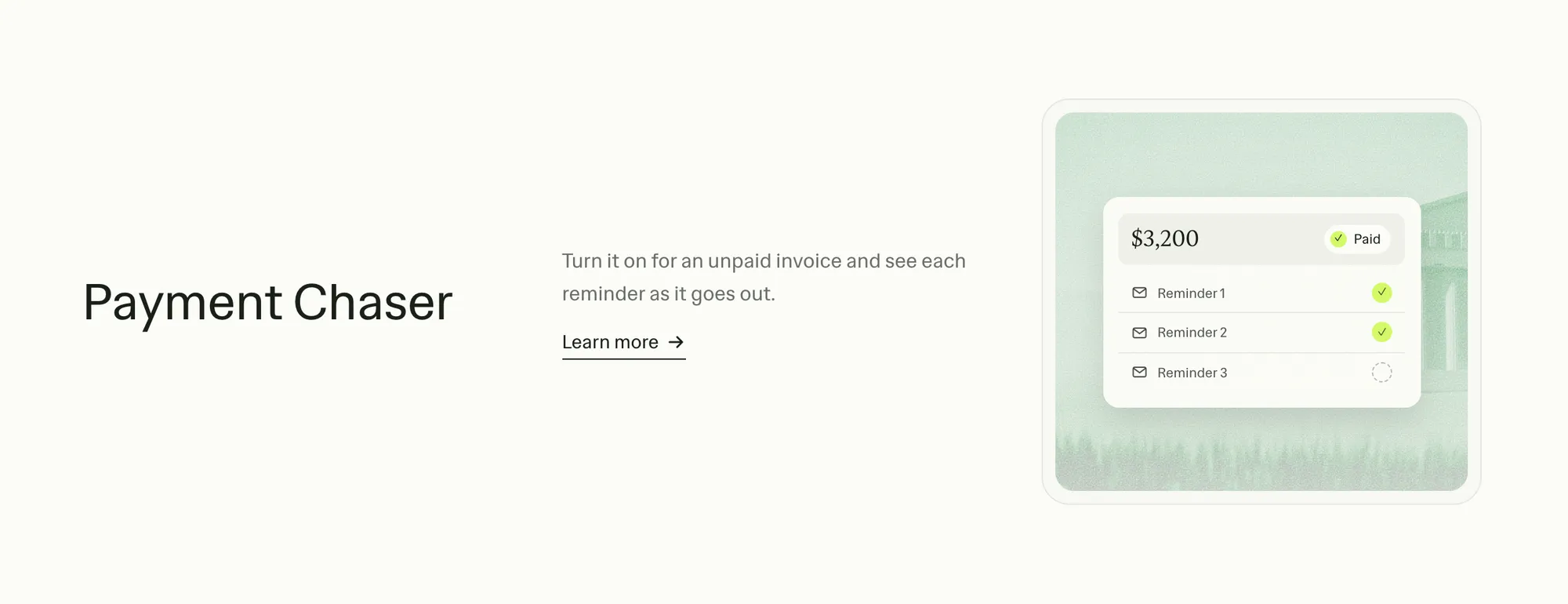
Prevention is more effective than follow-up: send invoices immediately on completion, use short payment terms, and request deposits upfront for new clients. Turn on Ruul’s Payment Chaser and it emails your client up to three reminders, stopping once they pay, so you don’t have to chase them yourself. If an invoice is already overdue, our email templates for late payments help you follow up.
Currency conversion losses
On a $5,000 invoice, a 2% conversion margin costs $100 before you have done anything. Two solutions: invoice in the currency you want to receive, or use a platform offering near-market-rate conversion. For more on cross-border payment complexity, see how to get international payments as a freelancer.
Fees eating into earnings
Decide in advance who will absorb the transaction cost. If the client covers it, include it in your quote. If you absorb it, factor it into your rate so your margins stay intact. Ruul’s structure, 5% per paid invoice with no setup costs and no monthly fees, makes it straightforward to calculate and communicate pricing.
Using AI and automation to get paid faster
Many payment delays start before the client is involved: an invoice you put off writing, terms vague enough to leave room for delay, a reminder that sits in drafts because the wording feels awkward. AI is good at removing that writing friction. A few prompts to adapt:
- Invoice line items: “Write a professional invoice line item for [deliverable], delivered to [client type], for [amount].”
- Payment terms: “Here are my payment terms: [paste terms]. Rewrite them with an exact due date, what starts the clock, and a late fee of [X]% a month. The client is [description].”
- Awkward requests: “Draft a message to a new client asking for a 50% deposit before I start [project], total [amount]. Tone: confident but collaborative.” The same works for proposing shorter terms or moving a client onto a retainer.
- Reminders: Set up your follow-up sequence once, before you need it. Start with a friendly note on the first day overdue, send a firmer one a week or two later, then a formal notice. These AI prompts for late payment follow-ups adapt the wording to each stage.
AI tools linked to your invoicing or accounting software can also flag overdue invoices and show which clients habitually pay late.
AI stops at judgment. It can’t tell whether a client who is 30 days late has a cash flow problem, disputes the work or is ignoring you, and each calls for a different response. When to pause work, call in a collection agency or send a legal letter stays your decision.
Staying organized and ready for tax season
Every payment you receive is income and needs to be documented. Practical habits to adopt:
- Store contracts, invoices, and payment confirmations in one central place
- Download statements at least once per quarter
- Track the date clients pay, the currency used, and any fees or conversion applied
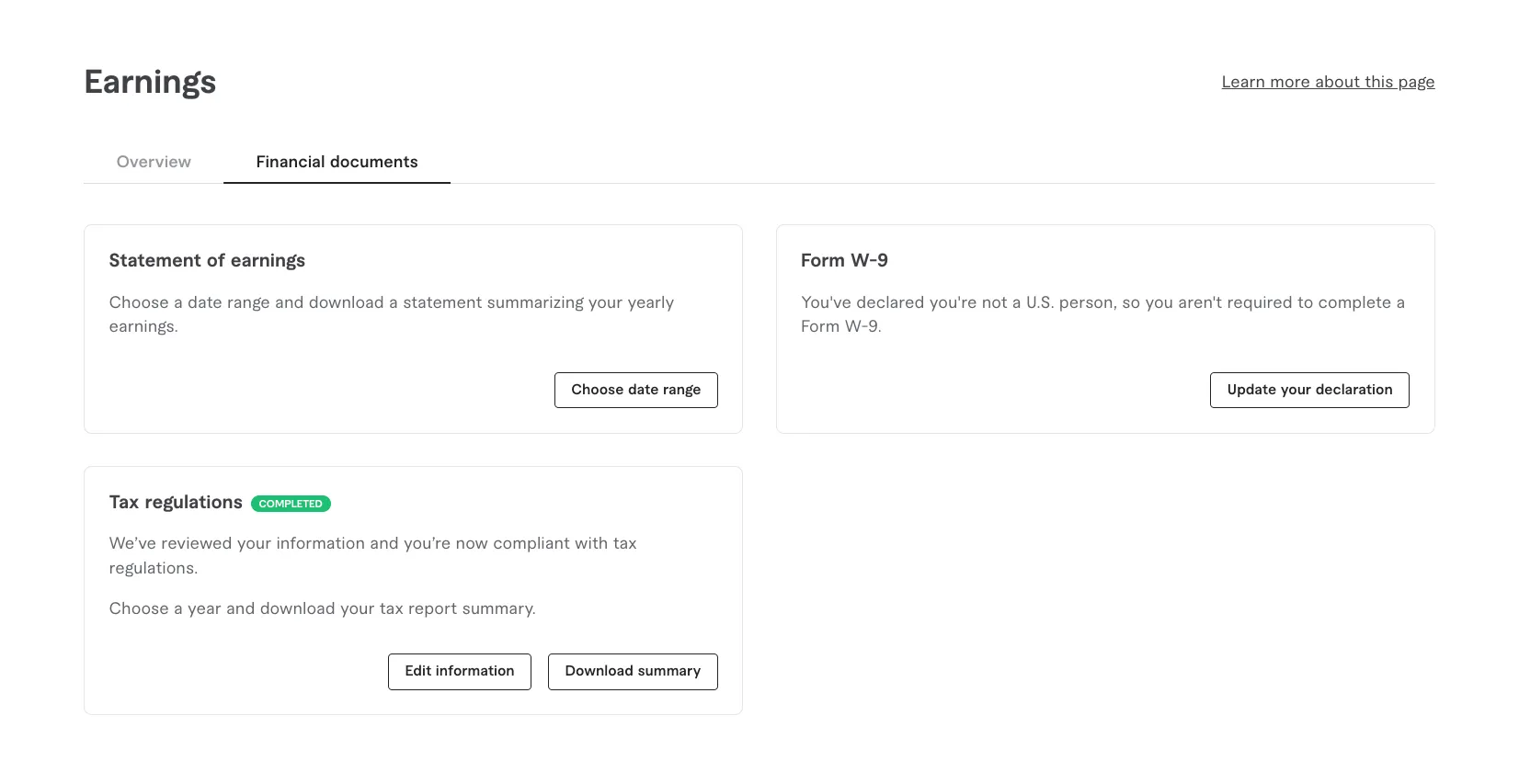
Ruul’s dashboard stores all transaction records with exportable summaries. For more, see how Ruul keeps your records in one place. For region specific rules, consult a local tax professional. Do not rely on general guides for your specific jurisdiction.
FAQ: Practical questions about getting paid as a freelancer
Do I need a registered company to get paid as a freelancer?
In many countries, you can legally work as an individual and receive payments to a personal bank account. However, some international clients require invoices from a business entity. Ruul solves this by acting as the legal counterparty: it contracts with you, issues the invoice to your client, collects the payment, and pays you as an individual in your chosen currency. See invoice without a company.
How fast can I realistically expect to get paid?
Timing depends on three layers: your agreed payment terms, how quickly the client processes payments internally, and the technical processing time of the method used. Example: Net 14 terms + bank transfer that takes 2 business days = funds on day 16. For a breakdown of typical timelines, see how long freelance payments take.
What is the safest way to get paid for a large one-off project?
Combine upfront deposits, milestone payments tied to clear deliverables, and escrow where warranted. Escrow holds funds with a neutral service until work is approved, protecting both sides. See our payment terms guide for setting up milestones, and escrow payments for freelancers. Clear written agreements and documented approvals at each stage are equally important.
Can I mix different payment methods for different clients?
Yes. It is common to use domestic bank transfers for local clients, an online platform for clients who prefer card payments, and a marketplace for platform-based gigs. Keep a simple internal record of which client pays through which channel. If juggling many methods becomes unwieldy, a consolidated solution like Ruul can centralize invoicing and payments across 190 countries.
How do I start getting paid with Ruul?
Sign up for a free account, verify your identity, add the bank account or wallet you want to be paid into, and create your first invoice from the dashboard. Ruul sends it to your client, collects the payment, and pays you within one business day after the client pays. There is no setup cost and no monthly fee, just 5% per paid invoice.
Your freelance payment checklist
Before starting any project, confirm:
- Payment method agreed with the client (confirmed it works across both locations)
- Payment terms stated in writing (in a project agreement or on the invoice)
- Invoice template ready with all required fields
- Agree on the currency in advance, and clarify who will absorb any conversion costs if they apply
- Deposit or milestone structure in place for larger projects
- Late payment policy communicated upfront

After delivering work:
- Send the invoice immediately, not days later
- Confirm receipt with the client if the project is large
- Follow up automatically or manually if payment is not received by the due date
- Log the payment against your records for tax purposes
Get paid for your work without the infrastructure overhead
Setting up a reliable freelance payment process is a one time investment that pays off every time you send an invoice. The more you automate, including invoices, reminders and currency conversion, the more time you can focus on the work itself.
Get paid for your work in 190 countries, with no company registration required. Create your first invoice with Ruul in 2 minutes at ruul.io/get-paid.
Written by · Co-founder