AI tools & workflows for freelancers (2026)
Discover the best AI tools and workflows for freelancers in 2026 to automate tasks, improve productivity, manage clients, and grow your business.


Summary
Give AI the task you cannot charge for that takes the most time, often proposals or client emails. Try one model like ChatGPT, Claude or Gemini for two weeks. Saving 4 hours a week at $80 an hour is worth over $15,000 a year.
On this page
- The AI-augmented freelancer workflow
- AI workflow placement map
- AI tool categories and their workflow roles
- Prompt engineering for freelancers
- How to build an AI-augmented workflow
- AI prompts by freelance use case
- Automate the payment follow-up
- Which other workflows to automate
- Building your AI stack
- The time savings calculation
- Common AI tool mistakes freelancers make
- Start here: For freelancers new to AI tools
- AI is part of the workflow, and getting paid should be too
Most articles about AI tools for freelancers hand you a list and leave you to figure out the rest. You end up with tabs open, tools installed, and no clear idea of where any of them fit into how you actually work.
This guide takes a different approach. It maps AI tools to the stages of the freelance work cycle, so you know not just what tools exist but where to use them and when to add them. The goal is a workflow that saves you real time, not a stack of subscriptions you forget to open.
The AI-augmented freelancer workflow
Before you pick a single tool, you need a framework.
Your work as a freelancer follows a repeating cycle: you find clients, price and propose, deliver work, communicate throughout, handle admin, and market yourself. Every stage of that cycle includes tasks that are billable and tasks that are not. The non-billable tasks are where AI creates the most leverage.
The smartest way to use AI is to attack the highest time-cost non-billable tasks first. Not the most interesting ones. Not the ones AI does best in theory. The ones that eat the most of your hours without generating any income.
In 2026, this has become more practical than ever. Reasoning models now work through multi-step problems before they answer. The newest Claude and Gemini models can take in about a million tokens at once, hundreds of thousands of words, so a full project brief with its attachments fits easily. AI agents can act across tools without you clicking between them. And the tasks they finish on their own keep getting longer: METR, a nonprofit that measures what AI agents can do, finds that this length has doubled about every four months since 2023. METR counts a task as done when the agent succeeds half the time, though, so reliable output still means output you have checked.
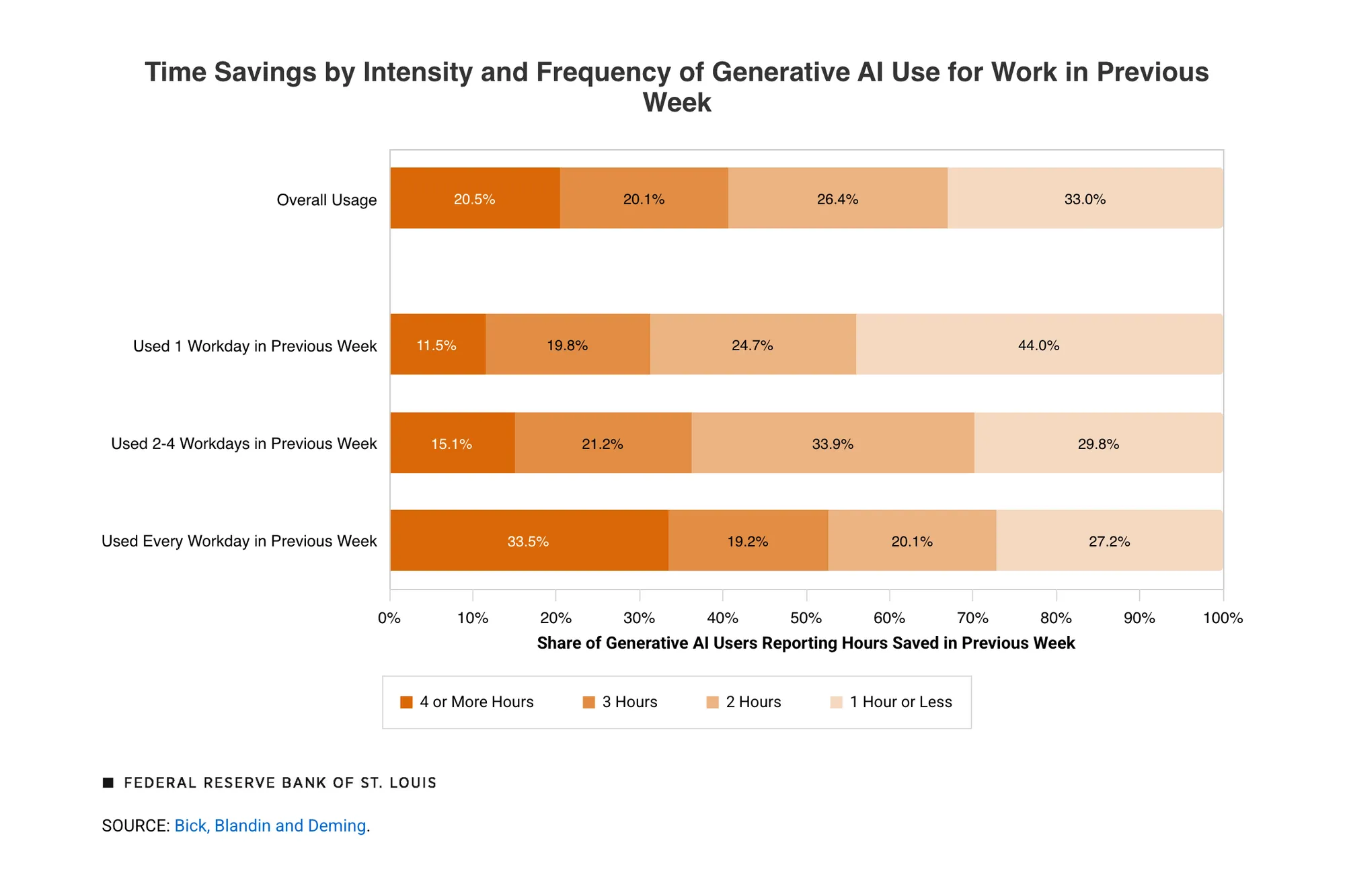
How much time that buys back varies. In a nationally representative US survey from late 2024, St. Louis Fed researchers found that people who used generative AI at work saved 5.4% of their hours, about 2.2 hours of a 40-hour week. One in five saved four hours or more, and among daily users it was one in three. Saved hours only raise your income when you sell them or use them to win better clients.
AI workflow placement map
This table shows where each AI tool category delivers the most value across the freelance work cycle.
| Workflow Stage | Most Useful AI Category | Primary Time Saving | Example Tool Type |
|---|---|---|---|
| Client acquisition | Communication tools | Outreach drafting, follow-up | AI writing assistants |
| Proposal & pricing | Writing + research tools | Proposal drafts, rate research | General-purpose LLMs |
| Project delivery | Writing, design, coding tools | First drafts, revisions, code generation | Specialized output tools |
| Client communication | Communication tools | Email drafting, update writing | AI writing assistants |
| Admin & invoicing | Productivity + admin tools | Meeting notes, scheduling, invoicing | Automation + platforms |
| Portfolio & marketing | Writing + design tools | Case study copy, visual assets | Content + image tools |
Use this map as a reference. When you are evaluating a new tool, find the stage it belongs to. That tells you exactly when in your week it needs to sit.
AI tool categories and their workflow roles
AI writing and content tools
Writing tools are the highest-impact category for most freelancers. If your work involves any kind of document output, including proposals, reports, articles, scripts, or client updates, this is where AI saves the most time.
The primary use is drafting. You provide context, structure, and judgment. The tool produces a working first draft far faster than you would on your own: in an MIT experiment with 453 professionals, ChatGPT cut the time spent on short work-writing tasks by 40%, and independent graders rated the results 18% higher. You edit, sharpen, and deliver. The quality of what you put in determines the quality of what comes out, which is why prompt skill matters here more than anywhere else.
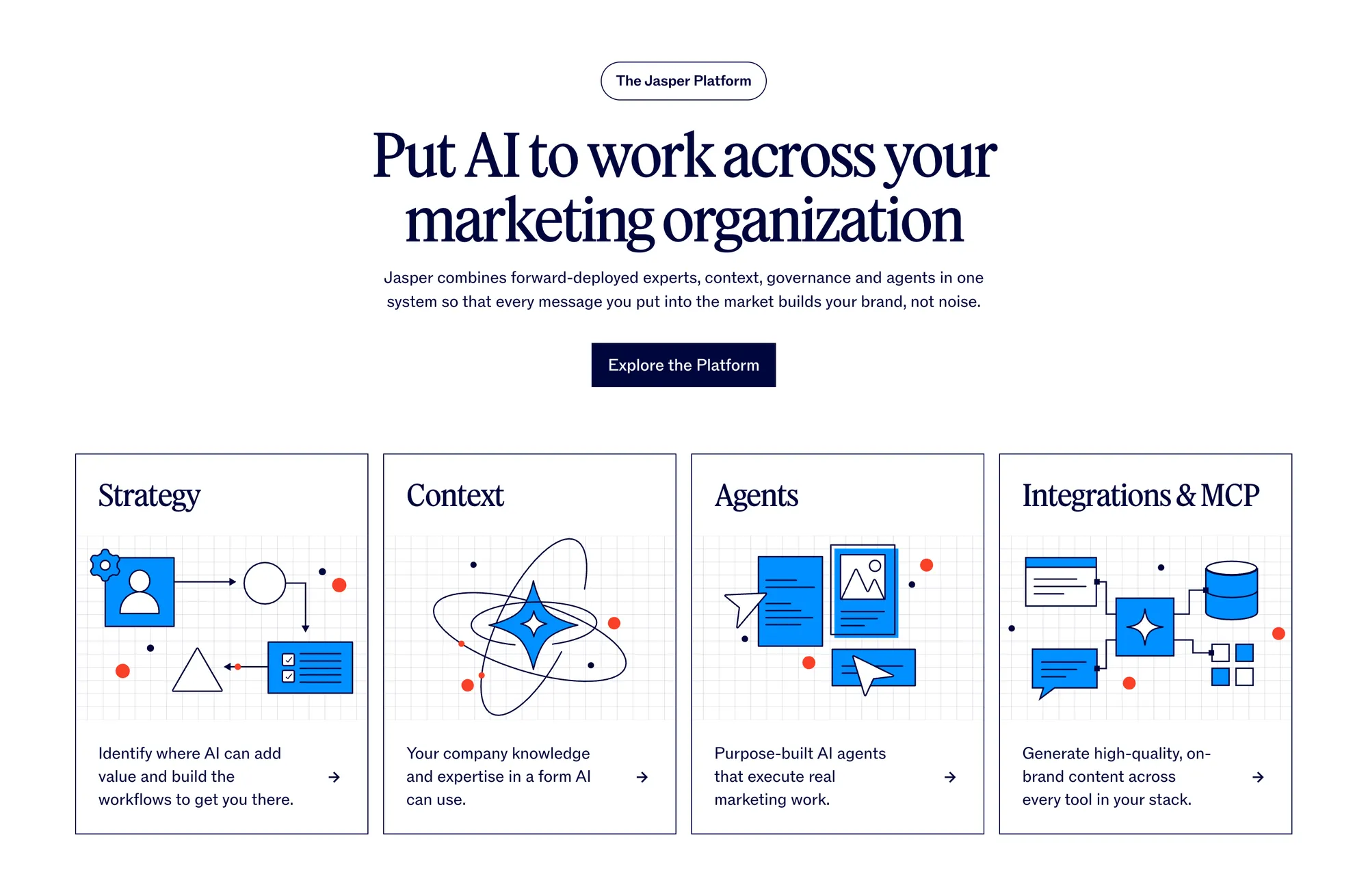
In 2026, general-purpose models like ChatGPT, Claude, and Gemini handle long-form content, complex briefs, and multi-document synthesis. For polishing and refinement, Grammarly, now part of a company called Superhuman, checks grammar, clarity and tone in your browser, in Google Docs and Microsoft Office, and through its desktop and mobile apps. For marketing-specific content, tools like Jasper learn your brand voice and offer ready-made marketing agents for campaign work.
Workflow placement: proposal writing, project delivery, client communication, portfolio and marketing.
AI design and visual tools
Good visuals used to require either professional training or a budget for a designer. In 2026, AI image generation and design assistants let a freelancer with no design background produce usable visuals for proposals, social posts and presentations.
The key use cases are concept creation, brand asset production, and content graphics. You describe what you want. The tool generates options. You refine.
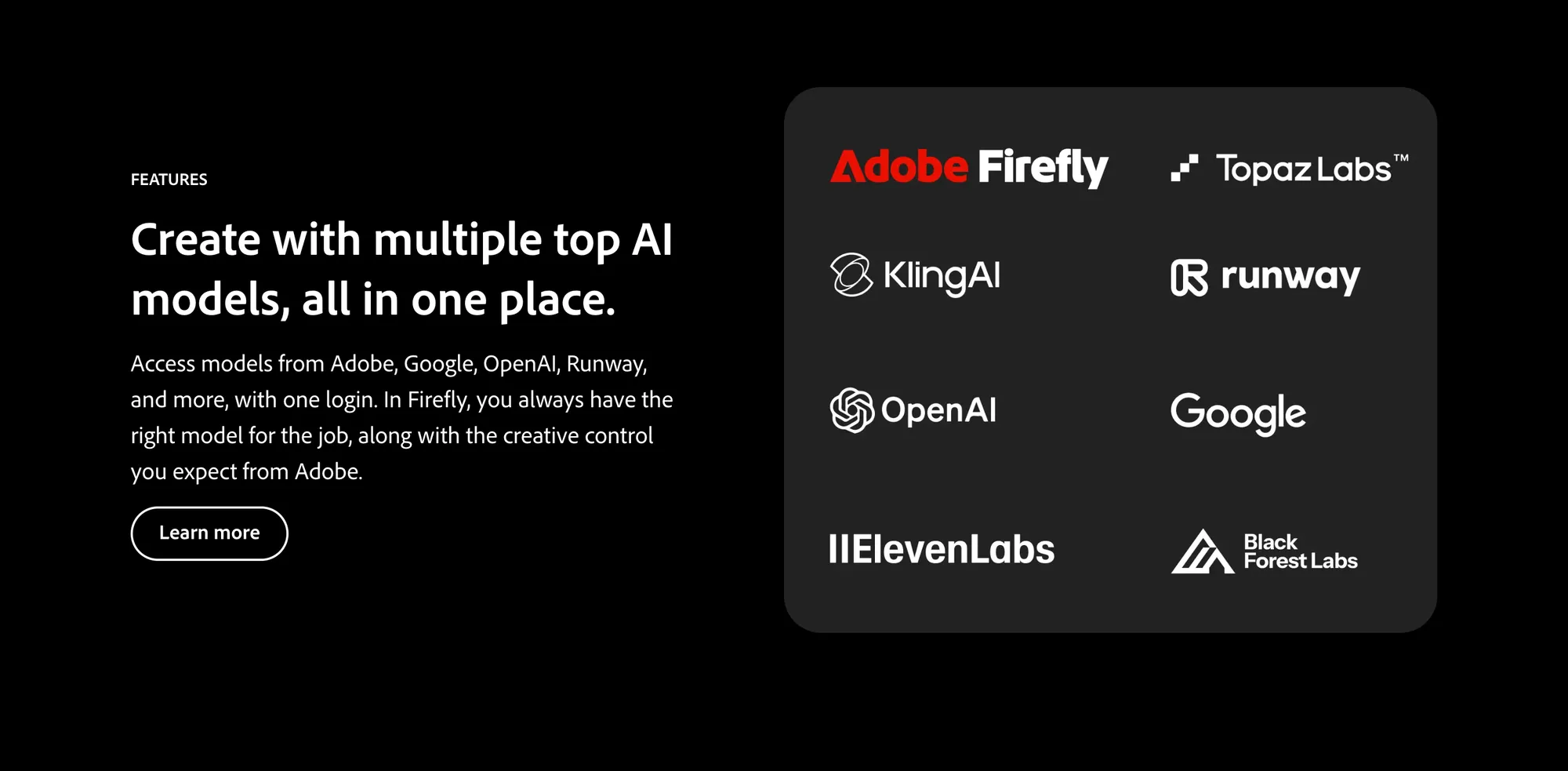
Established tools in this category include Midjourney and the image generator built into ChatGPT, which has replaced OpenAI’s older DALL-E models. Adobe Firefly handles editing and generation inside Adobe’s apps and on the web, and now also runs partner models from Google and OpenAI. Canva AI covers template-based graphic design. These are examples of the category, not an exhaustive list. The category is moving quickly.
Workflow placement: proposal mockups, project delivery for design-adjacent work, portfolio and marketing.
AI coding and development tools
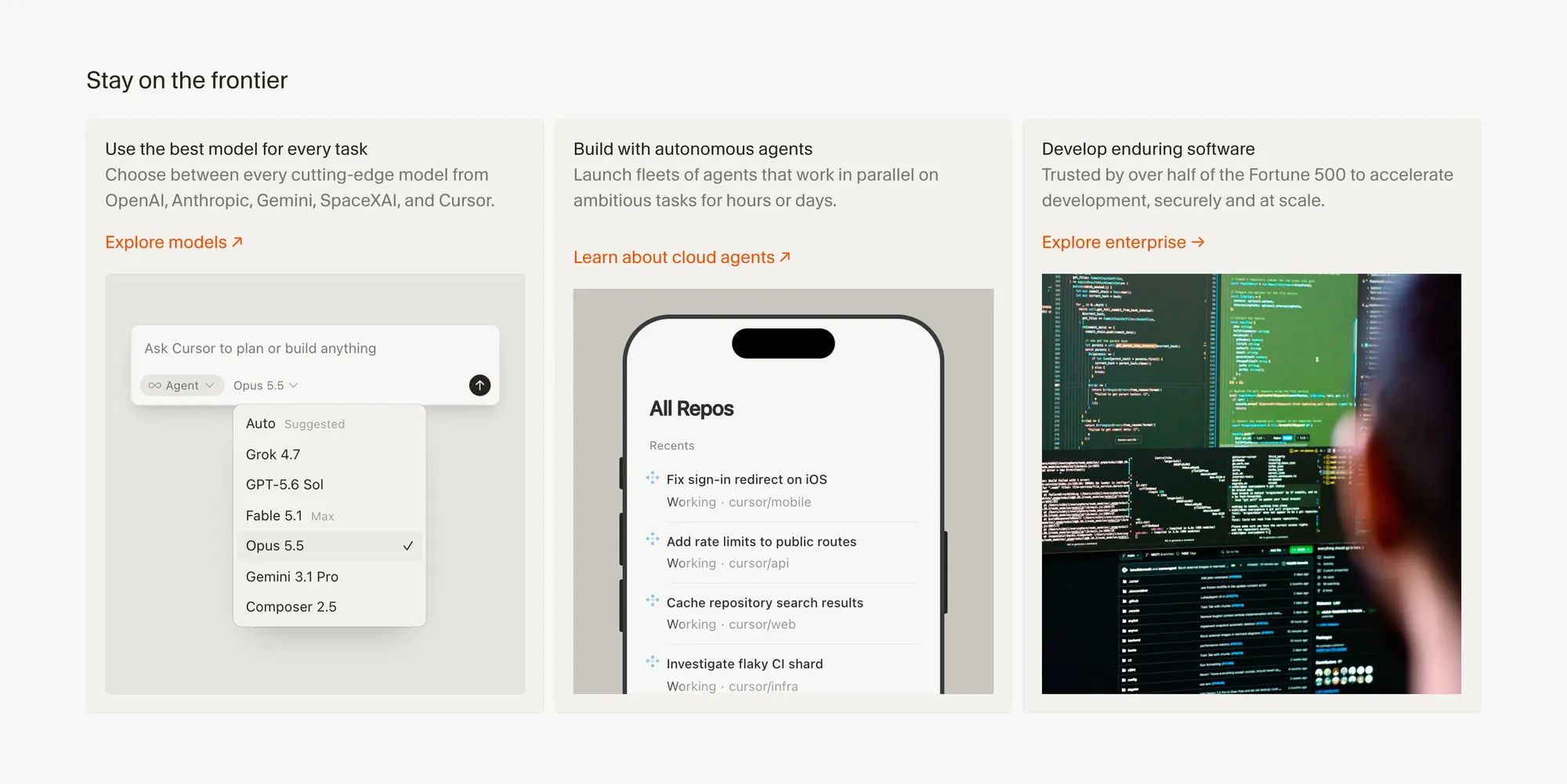
For freelancers who write code, the shift since 2024 has been dramatic. AI coding tools have moved from suggestion engines to agents that take on whole tasks. In Stack Overflow’s 2026 Developer Survey, the coding agents developers had used most in the past year were Claude Code (66%) and GitHub Copilot (59%), ahead of OpenAI Codex (30%) and Cursor (26%). Cursor now belongs to SpaceX, and its cheapest paid plan offers only Grok models. These tools help developers write, debug, document, and refactor code faster, though how much faster depends on the developer and the task.
The primary use cases are code generation from natural language descriptions, debugging with explanation, and documentation writing. For client projects, this compresses delivery time. For learning, it accelerates picking up unfamiliar languages or frameworks.
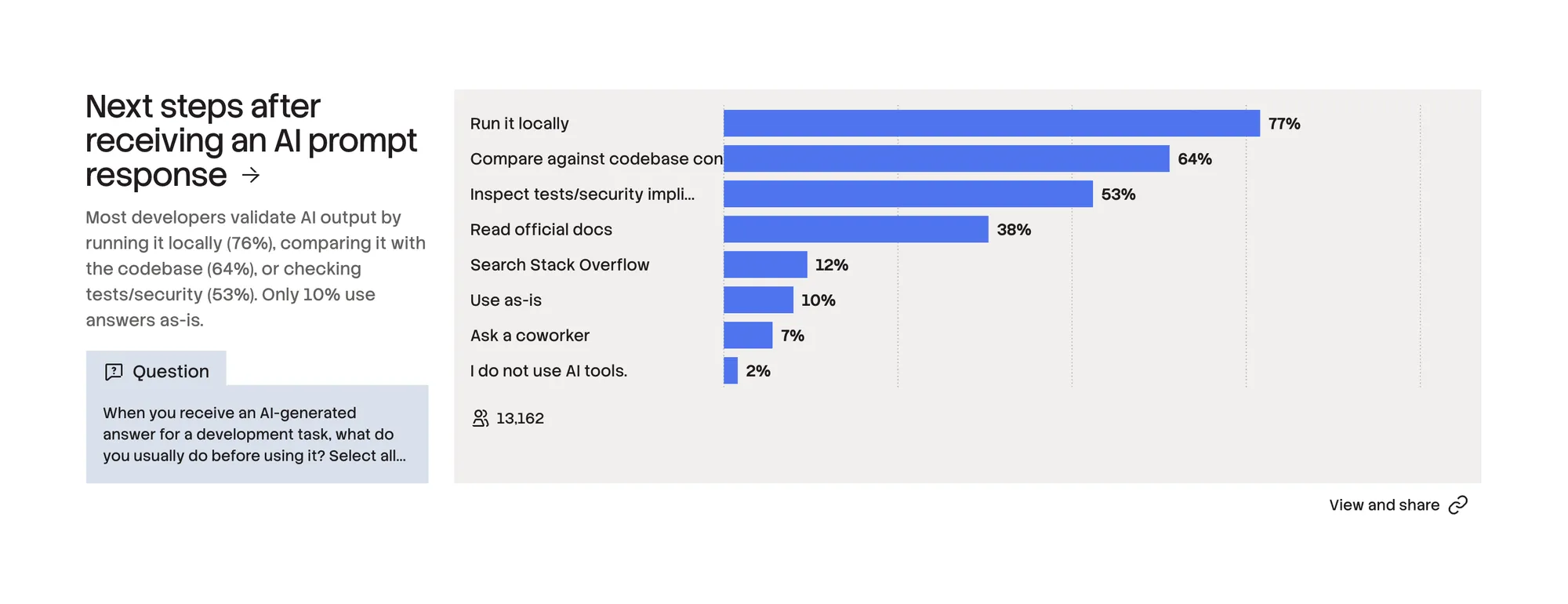
One honest note: AI-generated code requires review. It often looks right without being right. In Stack Overflow’s 2025 survey, 66% of developers named “AI solutions that are almost right, but not quite” as their biggest frustration, and in its 2026 survey only 10% said they use an AI answer as it is; most run it locally or check it against their codebase first. A developer who treats AI output as a starting point, not a finished product, builds faster and catches errors before they reach a client.
Workflow placement: project delivery.
AI research and analysis tools
Research takes more time than most freelancers account for. Finding reliable information, synthesizing multiple sources, and forming a coherent picture before you start writing or advising a client can consume hours that disappear from your schedule invisibly.
AI research tools compress this. Perplexity retrieves source-cited answers and handles multi-source synthesis. General-purpose models can summarize lengthy documents, extract key points from reports, and compare competing positions. The critical discipline: verify claims before including them in client work. When journalists from 22 public broadcasters tested ChatGPT, Copilot, Gemini and Perplexity on news questions in 2025, 45% of the answers had at least one significant issue, most often with their sources. A citation tells you where to check. It does not mean the claim is right.
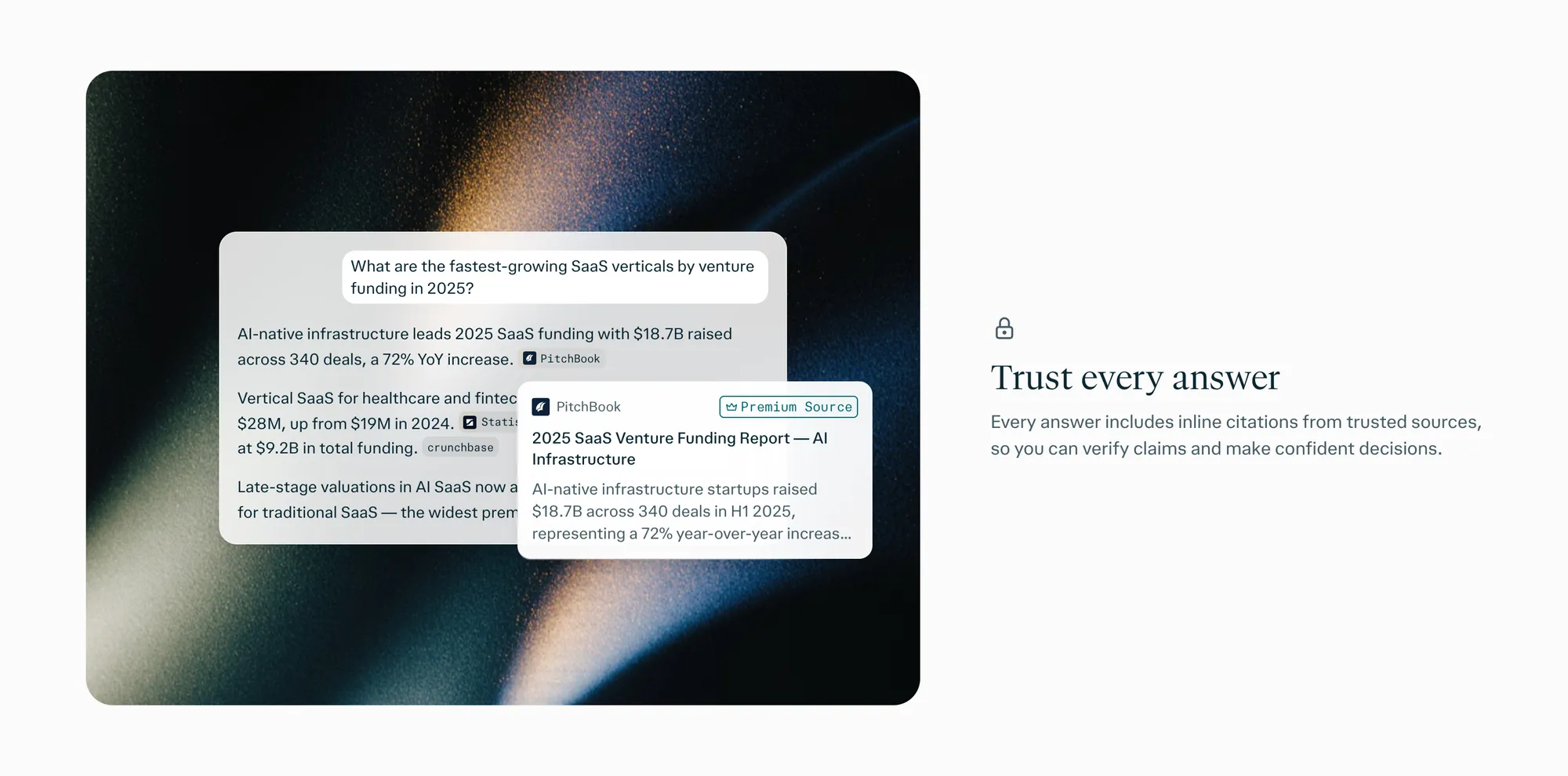
For documents you already have, such as client briefs, past research and PDFs, Google’s NotebookLM works from the files you upload, which keeps its answers tied to your sources. A practical pairing: find recent outside information with Perplexity, then load the best sources into NotebookLM next to your project files and do the synthesis there.
Workflow placement: proposal and pricing research, project delivery, client acquisition research.
AI productivity and admin tools
Admin is the category where non-billable time concentrates most visibly. Meeting notes, scheduling, task tracking, document creation. None of it produces revenue. All of it has to happen.
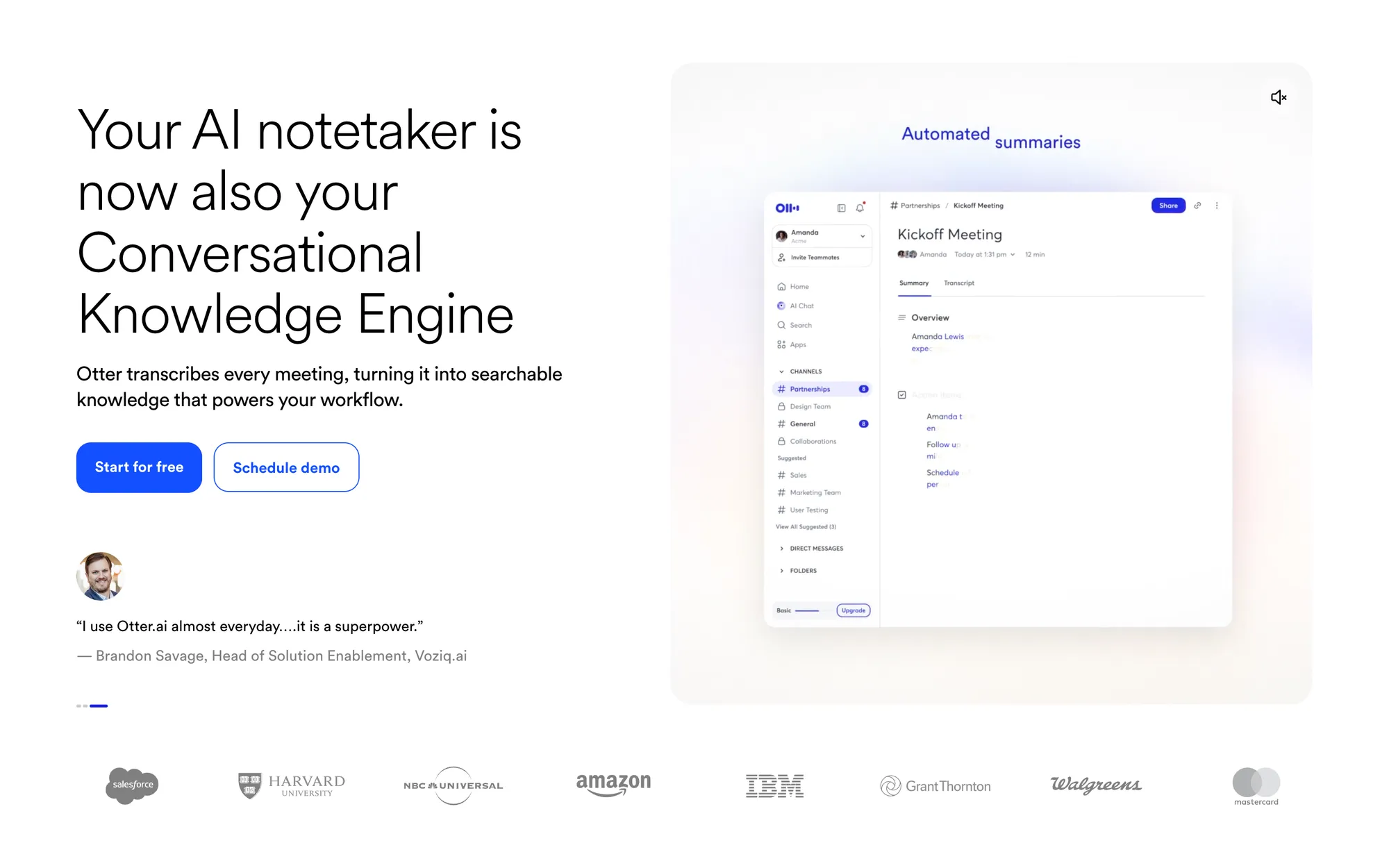
AI productivity tools attack this directly. Meeting assistants like Otter join your calls and turn them into notes, summaries and action items; the free plan covers 300 minutes of transcription a month. Planners like Motion, which has grown into a wider AI app for tasks, projects and docs, build and adjust your daily calendar around task priorities. Notion AI brings drafting, summarization, meeting notes and search into one workspace, though its full version comes with Notion’s Business plan, $20 per member a month on a yearly plan as of November 2026. Automation platforms like Zapier, Make and n8n connect your tools so information moves between them without manual transfer; Zapier’s free plan includes 100 tasks a month.
Combined, these tools can cut admin time, but only when each one has a specific job. In Smallpdf’s 2026 survey of 397 freelancers, respondents still lost about 204 hours a year to admin and paperwork, and 41% of those using AI for admin said it hadn’t changed their admin time at all. The freelancers who gained the most used AI for narrow tasks such as email drafts and templates.
Workflow placement: admin and invoicing, client communication.
AI communication tools
Client relationships are built or lost in how you communicate. The email that sounds dismissive instead of confident. The update that buries the important point. The proposal that does not address what the client actually asked.
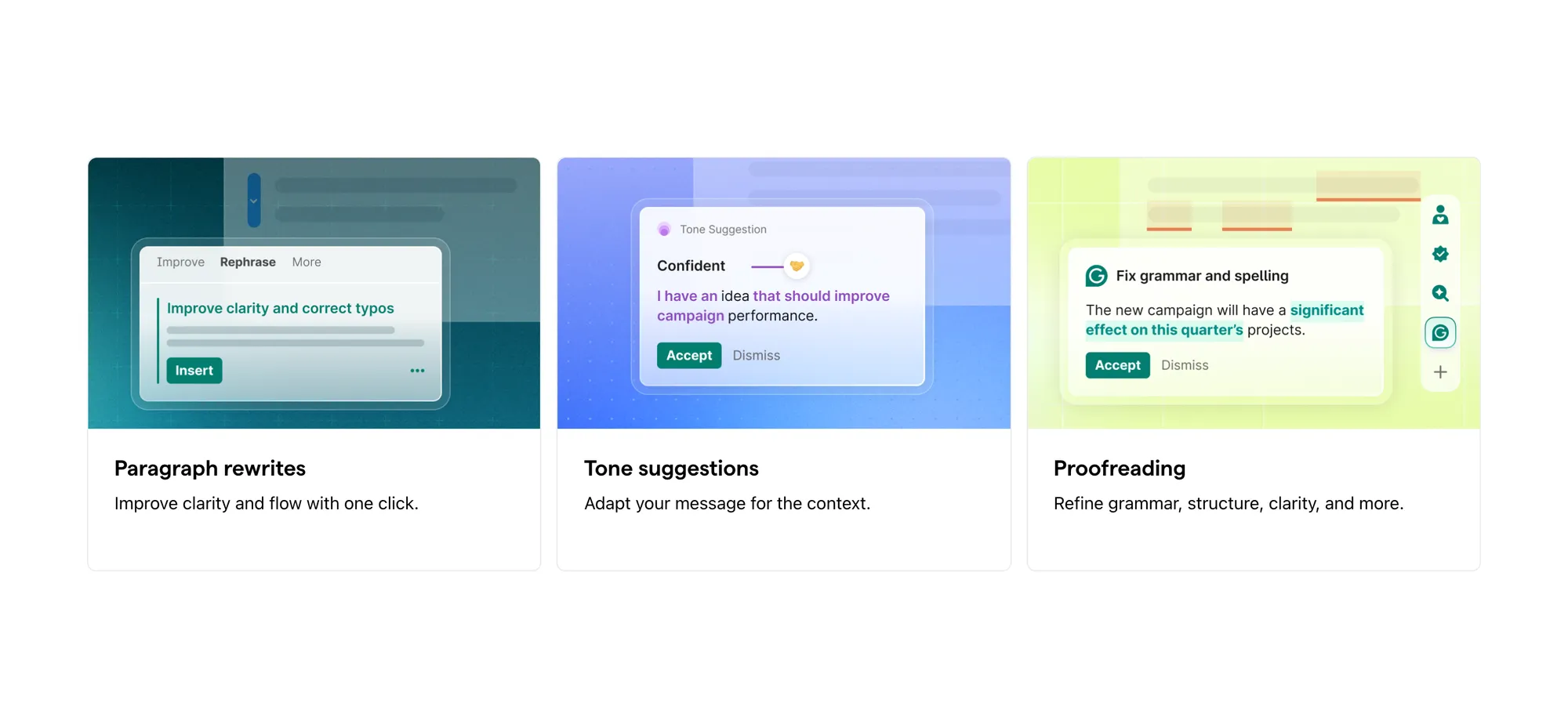
AI communication tools help you write with intention. General-purpose LLMs draft client emails, status updates, and check-in messages that you edit before sending. Grammarly and similar tools correct tone and clarity in real time. For outreach specifically, AI writing tools reduce the time it takes to write personalized cold messages without making them feel templated.
The rule that applies here: AI drafts, you send. Never forward an AI-generated message without reading it. Your voice and your client relationship are not something to automate entirely.
Workflow placement: client acquisition, proposal writing, client communication.
Prompt engineering for freelancers
The quality of your AI output depends almost entirely on the quality of your input.
The core principles are: be specific about what you want, provide relevant context, specify the format you need, and treat the first response as a draft to iterate on rather than a final answer. “Write me an email” produces a generic email. “Write a 150-word follow-up email to a potential design client who has not responded in 10 days, keeping the tone warm and direct, with a clear single call to action” produces something you can actually use.
How to build an AI-augmented workflow
The principle is simple. List every significant task in your working week. Identify which ones are non-billable. Rank them by how much time they consume. Start with the top item on that list.
That is the task you use AI for first. Not the most interesting problem. The most expensive problem.
Once you have one tool working reliably for one task, add the next. A two-tool workflow you use consistently beats a ten-tool stack you pick up and put down. The overhead of learning and maintaining tools is real. Start small, establish the habit, then expand.
AI prompts by freelance use case

Each category below has a deeper, ready-to-use version in the full AI prompt library for freelancers.
Contract generation
AI can draft a working contract in minutes. The output is not legal advice, and any contract you send to a client should be reviewed by a qualified legal professional before use. That caveat made, AI drafts are a useful starting point that saves the hours you would otherwise spend writing from scratch.
A useful prompt structure for contract drafting: “Generate a freelance [service type] contract covering [list your key terms: payment schedule, revision rounds, IP ownership, kill fee]. Include sections for: scope of work, deliverables, payment terms, termination, and confidentiality. My client is a [company type] in [industry].”
Pricing and rate research
AI is a useful research tool for understanding market rates. It cannot replace judgment, and rate strategy belongs to its own guide. But if you want to quickly survey what similar work is priced at across markets, AI research tools can help you synthesize that picture faster.
A useful prompt structure: “Research current market rates for freelance [service type] with [experience level] in [market/region]. Include typical project-based rates and day rates. Summarize any variation by industry or client type.”
Client communication
AI writes useful first drafts for client emails, status updates, and difficult conversations. You provide the facts and intent. The tool handles structure and wording. You edit for your voice.
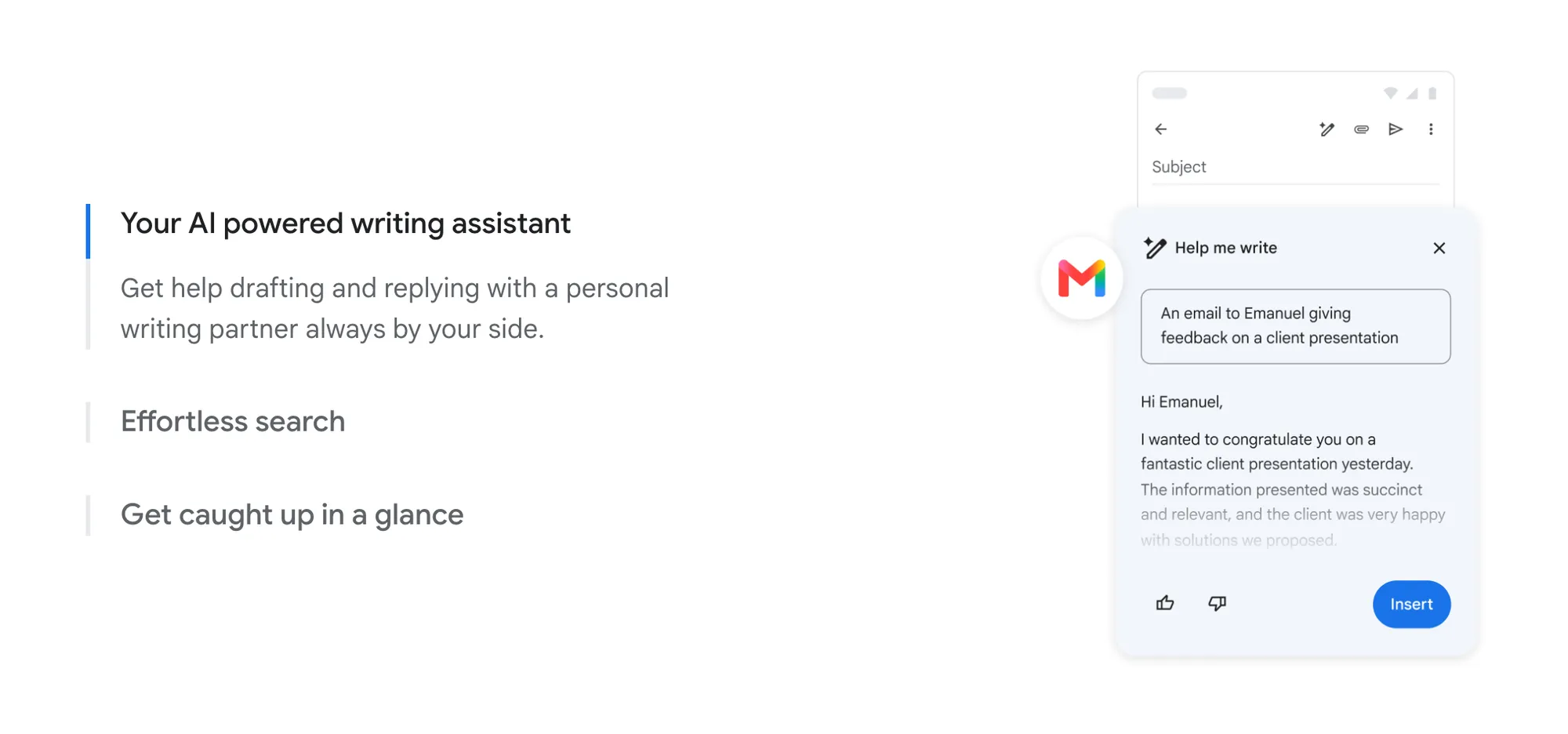
A useful prompt structure: “Draft a professional email to a client who has requested a scope change that is outside our original agreement. The tone should be firm but collaborative. Include: acknowledgment of their request, explanation that this is additional scope, and a clear next step (revised proposal).”
Negotiation
Preparation is where AI helps most in negotiation. Use it to anticipate objections, stress-test your position, and rehearse responses. The actual conversation is yours.
A useful prompt structure: “I am negotiating a rate increase with a long-term client. My current rate is [X], I want to move to [Y]. Help me prepare: likely objections, how to frame the value I deliver, and a response if they say the budget does not allow it.”
Proposal writing
A strong proposal addresses the client’s specific problem before it pitches your solution. AI helps you structure that argument and draft the copy quickly. The insight into what the client actually needs is still yours to provide.
A useful prompt structure: “Write a proposal introduction for a [project type] project. The client’s main challenge is [challenge]. My approach is [approach]. The tone should be [confident and direct / collaborative / consultative]. Keep it under 200 words.”
Outreach
Cold outreach fails when it sounds cold. AI helps you write personalized messages at scale by working from the context you provide about each prospect.
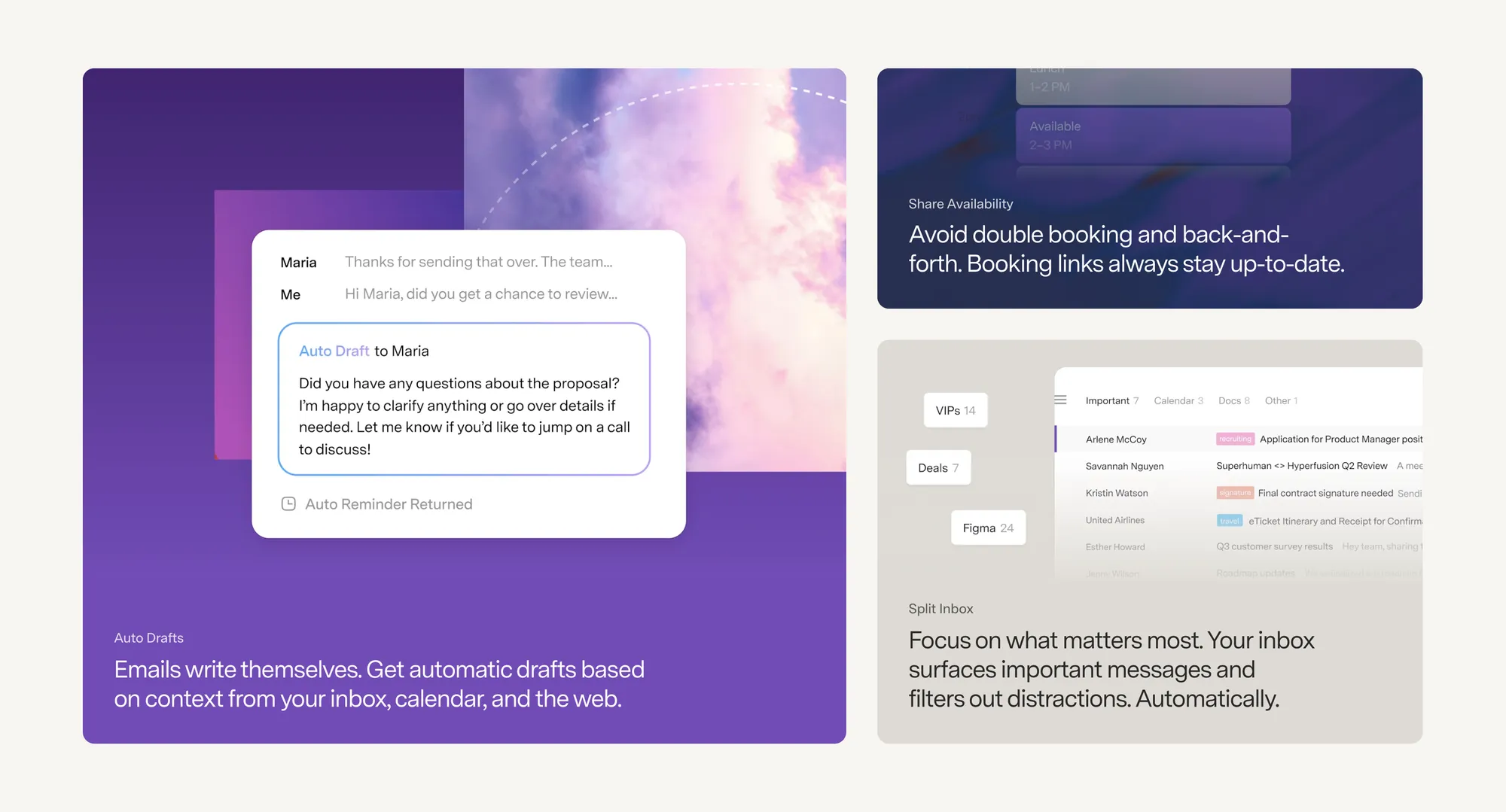
A useful prompt structure: “Write a short cold outreach email to a [prospect type] at a [company type]. I noticed [specific observation about their business]. I help [type of client] with [specific problem]. Keep it under 100 words, no sales language, end with a low-friction question.”
Portfolio writing
Portfolio copy is easy to get wrong. Too vague, and clients cannot picture what you did. Too detailed, and they stop reading. AI helps you write case study copy that is specific and scannable.
A useful prompt structure: “Write a portfolio case study for a project where I [brief description of project]. The client was a [client type]. The outcome was [measurable result]. Keep it under 150 words. Structure: challenge, approach, result.”
Automate the payment follow-up
Most freelancers chase payments at some point. In Remote’s 2025 Contractor Management Report, 85% of freelancers are paid late at least some of the time, and just over one in five are paid late more than half the time.
AI can draft your payment reminder emails. With Ruul, you don’t have to send them yourself: Payment Chaser emails your client up to three reminders and stops once they pay, and each invoice shows its status from sent to paid. If you are spending time chasing invoices, that is a workflow problem with a direct solution.
Which other workflows to automate
Payment follow-up is the clearest case for automation: it comes around with every invoice, needs no judgment and takes time. Run the same test on everything else before you build anything, because setup takes hours and an automation that saves twenty minutes a year is a loss.
The ROI test
A workflow is worth automating when it is frequent, needs little judgment and takes real time. Then check the numbers. Multiply the weekly time the task costs you by 52, and divide the result by the hours it will take to build and test the automation. If you get 10 or more, build it.
A task that costs 90 minutes a week adds up to 78 hours a year. With four hours of setup, that is nearly 20 to 1. A task that costs 10 minutes a week adds up to under 9 hours a year. With six hours of setup, the ratio stays below 1.5 to 1, so it does not clear the bar.
Count upkeep too. Tools change and connections break, so set aside about 15 minutes a month for each automation you rely on.
Workflows worth building
AI writes the content, and a no-code platform like Zapier, Make or n8n delivers it at the right moment without you touching it. Beyond payments, these are common starting points, with rough setup times and savings:
| Workflow | How it runs | Setup | Time saved |
|---|---|---|---|
| Client onboarding | A signed contract or first payment triggers a welcome email, an intake form, a kickoff booking link and workspace access | 3 to 5 hours | 1 to 2 hours per new client |
| Status updates | You keep running project notes and paste them into an AI assistant with a saved prompt | 1 to 2 hours | 30 to 45 minutes down to 5 to 10 per update |
| Client emails | A library of message types, such as updates, revision replies and scope changes, each with its own prompt | 2 to 3 hours | 15 to 20 minutes down to 2 to 5 per message |
| Research | Perplexity for outside sources, NotebookLM for your own files | Minimal | About 2 hours down to 45 minutes per task |
| Meeting scheduling | A booking link from Calendly or Cal.com replaces the back-and-forth, and invites and reminders go out automatically | 30 minutes | The emails behind every meeting you book |
| Social posts | AI turns one piece of content into posts for each platform, and a scheduler like Buffer queues them | 2 to 4 hours | One weekly batch instead of daily posting |
Onboarding shows why the ROI test matters. It pays back well only if you sign new clients often. With a handful a year, a saved welcome email and a booking link get you most of the way.
Test it, then keep it personal
Test every automation on yourself before it touches a client. Send the invoice to your own address, run the onboarding sequence with a test email, and check that every trigger fires. Build one at a time, and add the next only when the first works.
Then draw the line: automate the predictable and show up personally for everything else. Write the message yourself when a client is frustrated, a project has gone wrong or scope needs renegotiating, and review any high-stakes deliverable before it goes out. An automated reply to a difficult situation tells the client you are not paying attention.
Building your AI stack
Every tool you add to your stack has a cost that is not on the pricing page: the time to learn it, the habit to use it consistently, and the mental overhead of maintaining it. A stack of ten tools used poorly costs more than it saves.

The practical approach is to start with one general-purpose LLM, because it covers more surface area than any specialist tool. Learn it well enough to get reliable results before adding anything else. Then, identify the next highest time-cost task that the general-purpose tool does not handle well, and find the specialist tool that addresses it.
Evaluate each tool against three criteria. Does it remove a genuine time cost? Does it fit into your existing routine without creating a new one? Can you see clearly what it saves you?
If the answer to any of those three questions is no, the tool is not ready for your stack yet. That is not a permanent verdict. Re-evaluate in three months. The category is improving fast.
AI has also opened new specializations for freelancers, from prompt engineering to AI automation and AI consulting. In Upwork’s 2026 In-Demand Skills report, what US clients paid freelancers for AI integration grew 178% in 2025, and YunoJuno’s 2026 rates report lists AI automation specialists, AI consultants and prompt engineers among the typical AI roles on its platform.

The time savings calculation
Here is a worked example. Suppose your billable rate is $80 per hour and you currently spend 10 hours per week on non-billable tasks: proposals, client emails, invoicing, research, and meeting notes.
You introduce AI tools to the three highest time-cost tasks: proposal drafting (saves 2 hours per week), client email drafting (saves 1 hour per week), and meeting notes and follow-up (saves 1 hour per week). Total saving: 4 hours per week.
At your billable rate, 4 hours per week is $320 per week in recovered capacity. Over a working year, that is over $15,000 in potential additional billable time, even without increasing rates or taking on new clients.
The math only holds if you sell the hours you save, so decide where they go before you start. AI adds to your capacity by taking work off your plate that does not need you.
Common AI tool mistakes freelancers make
Forwarding AI output without editing. AI drafts at a competent-but-generic level. Your clients hired you because of your judgment and voice, not because you can generate text quickly. Always edit before sending or submitting.
Using AI for work that requires your unique expertise. AI is useful for structure, drafts, and research. It does not have your client relationships, your professional reputation, or your domain expertise. The parts of your work that clients value most are the parts AI cannot replicate. Apply it to the mechanical tasks. Bring yourself to the strategic ones.

Neglecting prompt quality. A common complaint about AI tools is that the output is generic or wrong. Often the prompt is the problem: the tool can only work with the context you give it. A better prompt produces a substantially better result. Treat prompt writing as a skill and invest time in learning it.
Treating AI as infallible. Research tools surface incorrect information. Code generation tools produce subtle bugs. Writing tools miss context you did not provide. Check the work. This is especially important for anything factual, legal, or financial that is going to a client.
Building the stack before establishing the habit. Ten tools installed on day one means ten tools to learn, maintain, and justify. Start with one. Get genuine value from it. Then build.
Start here: For freelancers new to AI tools
If you have not used AI tools in your work yet, here is where to begin.
Pick one general-purpose LLM. ChatGPT, Claude, or Gemini are the most established options. Any of the three will do. The differences matter less than the habit of using one consistently.
Use it for your highest time-cost non-billable task first. Look at your week. What takes the most time and generates no income? That is your starting point. For many freelancers, it is proposal writing or client email drafting.
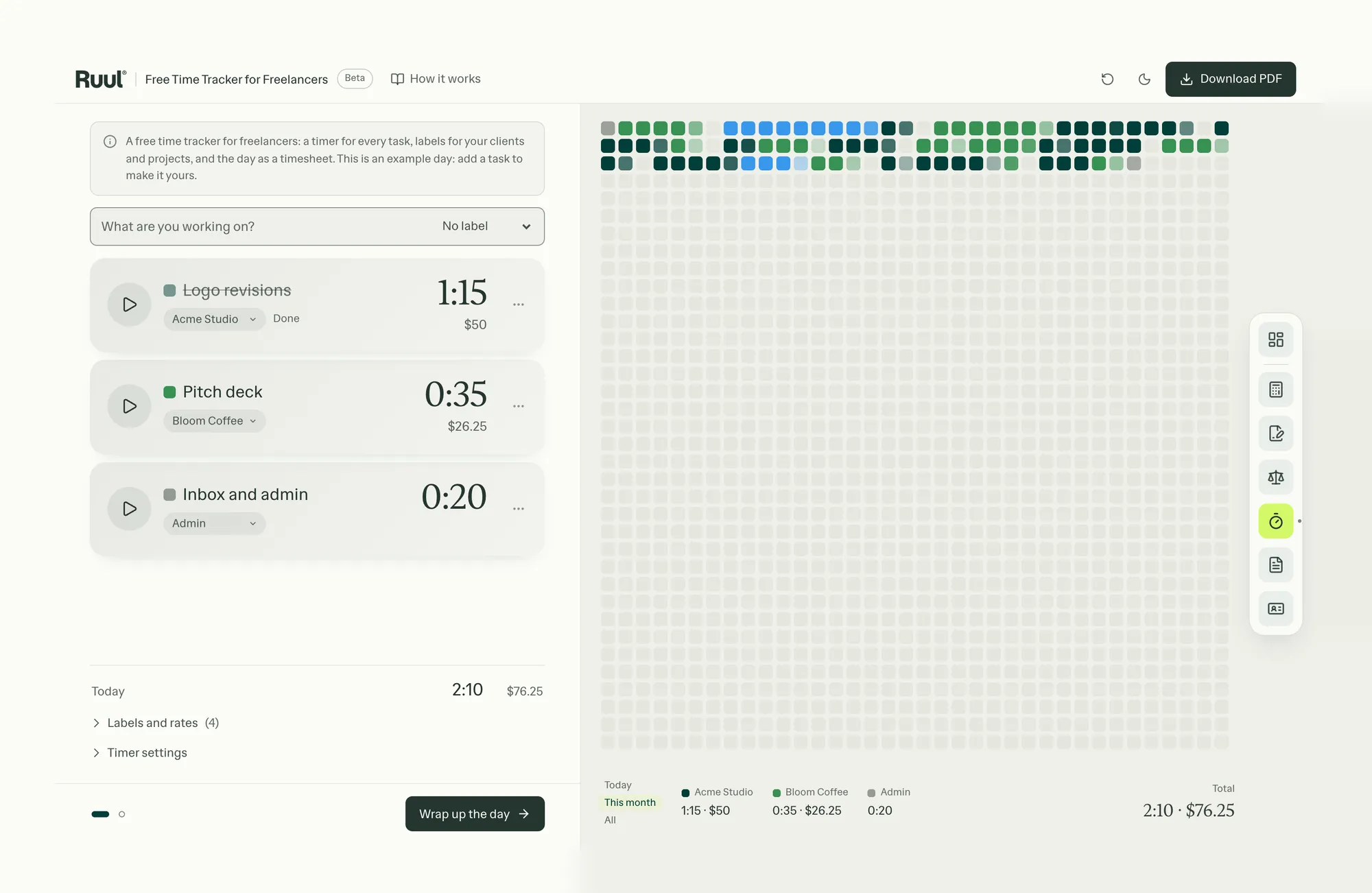
Evaluate whether it is working after two weeks. Ask yourself: is this saving me real time? Is the output usable with reasonable editing? If both answers are yes, it is working. If not, the issue is likely prompt quality. Read how to write a prompt that works before trying a different tool.
That is the entire starting framework. One tool. One task. Two weeks.
AI is part of the workflow, and getting paid should be too
AI tools reduce the time you spend on non-billable work. Ruul reduces the time you spend getting paid for the billable work. You invoice your client, Ruul collects the payment and pays you within one business day after your client pays, and you can do it all without a registered company.
For clients you work with regularly, subscription invoicing removes the step of sending an invoice every period: your client approves once, and Ruul charges their card every week or month and issues each invoice. And because Ruul invoices your client under its own name as the legal counterparty, their finance team can process the invoice even if you have no company of your own.
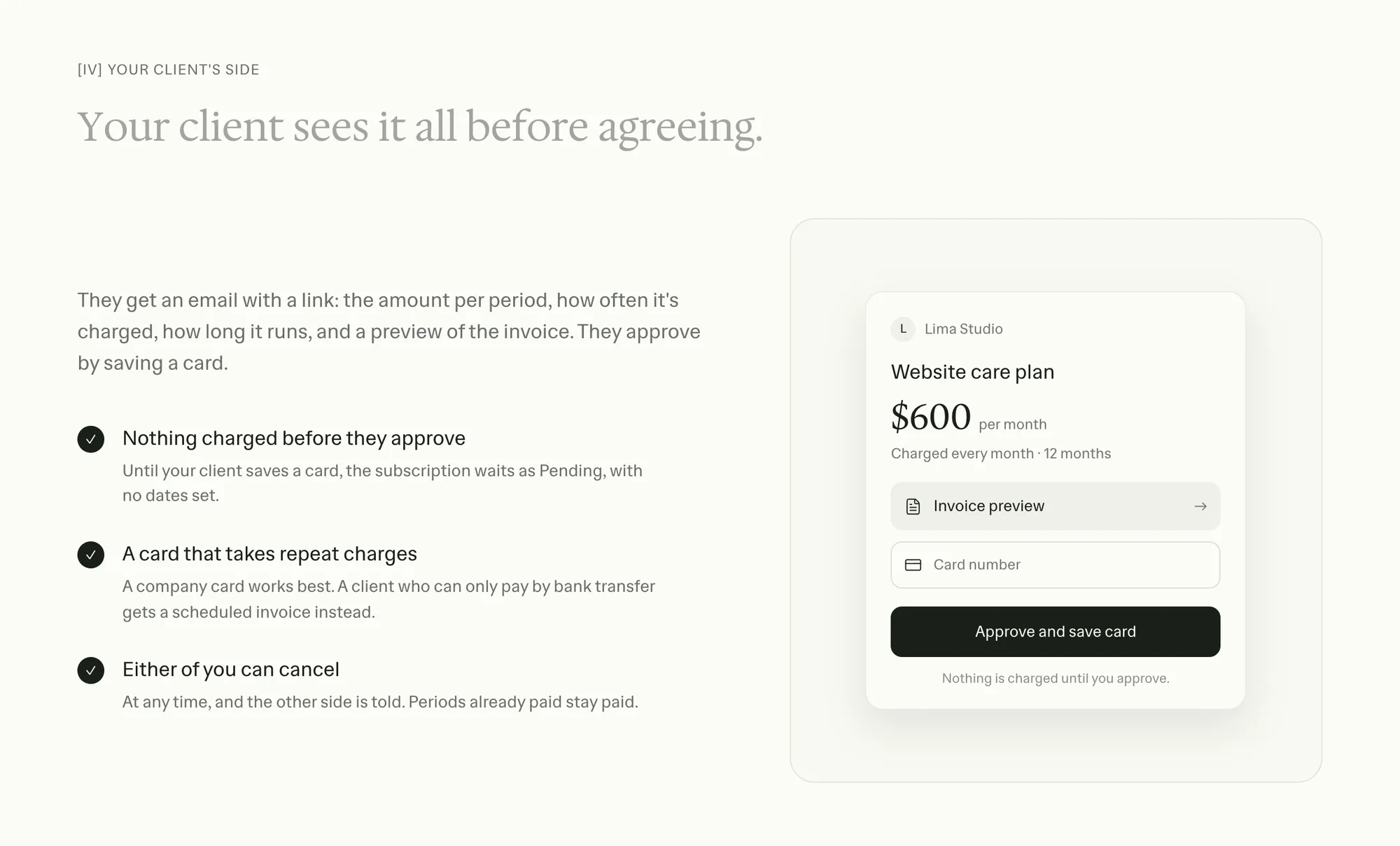
You built the workflow. The tools handle the mechanics. Ruul has no setup cost or monthly fee, just 5% per paid invoice, so start sending invoices through Ruul and spend what you saved on something billable.
Written by · CTO