

Free Consulting Invoice Template
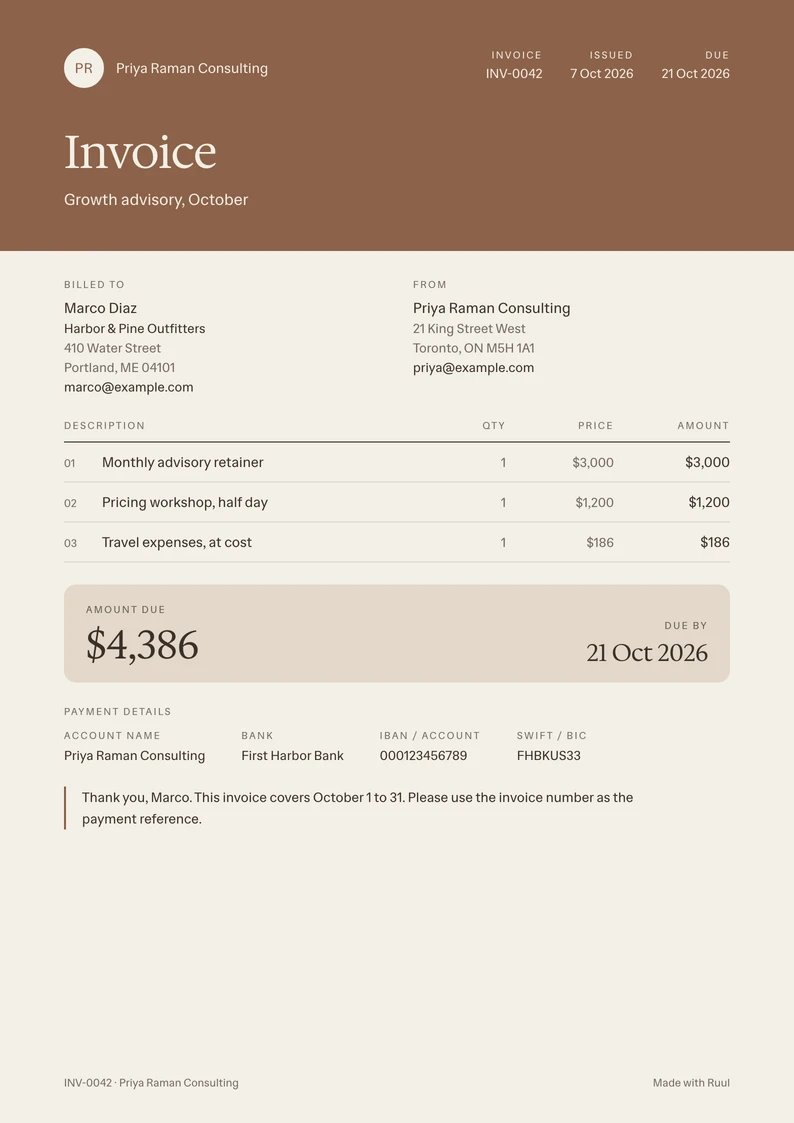
An invoice template for consultants: a monthly retainer, workshops or sessions, and expenses at cost, with the period the invoice covers.
- Free
- No sign-up
- Word, Excel and PDF
-
Word .docx
Download -
Excel .xlsx with formulas
Download -
PDF US Letter, fillable
Download -
PDF A4, fillable
Download
The free invoice generator adds up the totals and gives you a PDF or a live link to send.
What to include on a consulting invoice
-
Your details Your name or the name of your practice, your address and email.
-
Your client's details The company, its address, and the person who approves your invoices.
-
Invoice number and dates A number you haven't used before, the invoice date and the due date.
-
The period it covers The month or the dates of the engagement, so your client can match the invoice to your agreement.
-
Your fees The retainer, each workshop or session, and extra hours at your hourly rate, one line each.
-
Expenses at cost Travel or other costs you paid for the work, each on its own line, as your agreement allows.
-
How to pay you Your bank details or a payment link, so your client can pay without asking.
How to make a consulting invoice
-
Download the template for Word, Excel or PDF, or fill it in online.
-
Fill in your details and your client's, the invoice number and the dates.
-
Name the period the invoice covers, like a month or a phase of the project.
-
Add your retainer or fees, then your expenses at cost, one line each.
-
Check the amount due and your payment details, save the invoice as a PDF and send it to your client.
Questions
How do I invoice a monthly retainer?
Send one invoice a month, with the retainer on its own line and the month it covers. A retainer is usually invoiced at the start of the month, before the work. If the invoice is the same every month, subscription invoicing sends it on a schedule.
Can I add expenses to a consulting invoice?
Yes. Put each expense on its own line at cost, with what it was for, and keep the receipts. If your agreement adds a markup or a limit, follow it.
How do I show hours on a consulting invoice?
Give each task or week a line, with the hours as the quantity and your hourly rate as the price. The Hourly invoice template names those columns Hours and Rate.
Can I invoice a client without a registered company?
Yes. Ruul becomes the legal counterparty on the invoice, so you can invoice clients in 190 countries without a company of your own.
How do I get paid for an invoice?
Put your bank details in the template's payment section, or let your client pay online by card or bank transfer and get paid through Ruul: you receive your payout within 1 business day after your client pays.
More invoice templates
- Word invoice templates All eight designs as editable .docx files.
- Excel invoice templates All eight designs, with formulas that do the math.
- PDF invoice templates All eight designs as fillable PDFs, in US Letter and A4.
- Contractor invoice template For contractors: work by period, your tax ID and clear terms.
- Photography invoice template Session, edited images and usage rights on one page.