

Your Profile tab under Settings holds who you are on Ruul and how Ruul reaches you. Some of it is fixed by your identity verification, and some of it is yours to change.
What you can and can’t edit
The card at the top shows your name, date of birth, address, and phone number, with a Verified badge once your phone is confirmed.
Your name, date of birth, and address come from identity verification, so they aren’t editable here. If any of them is wrong, use the contact us link on the card and the team will correct it.
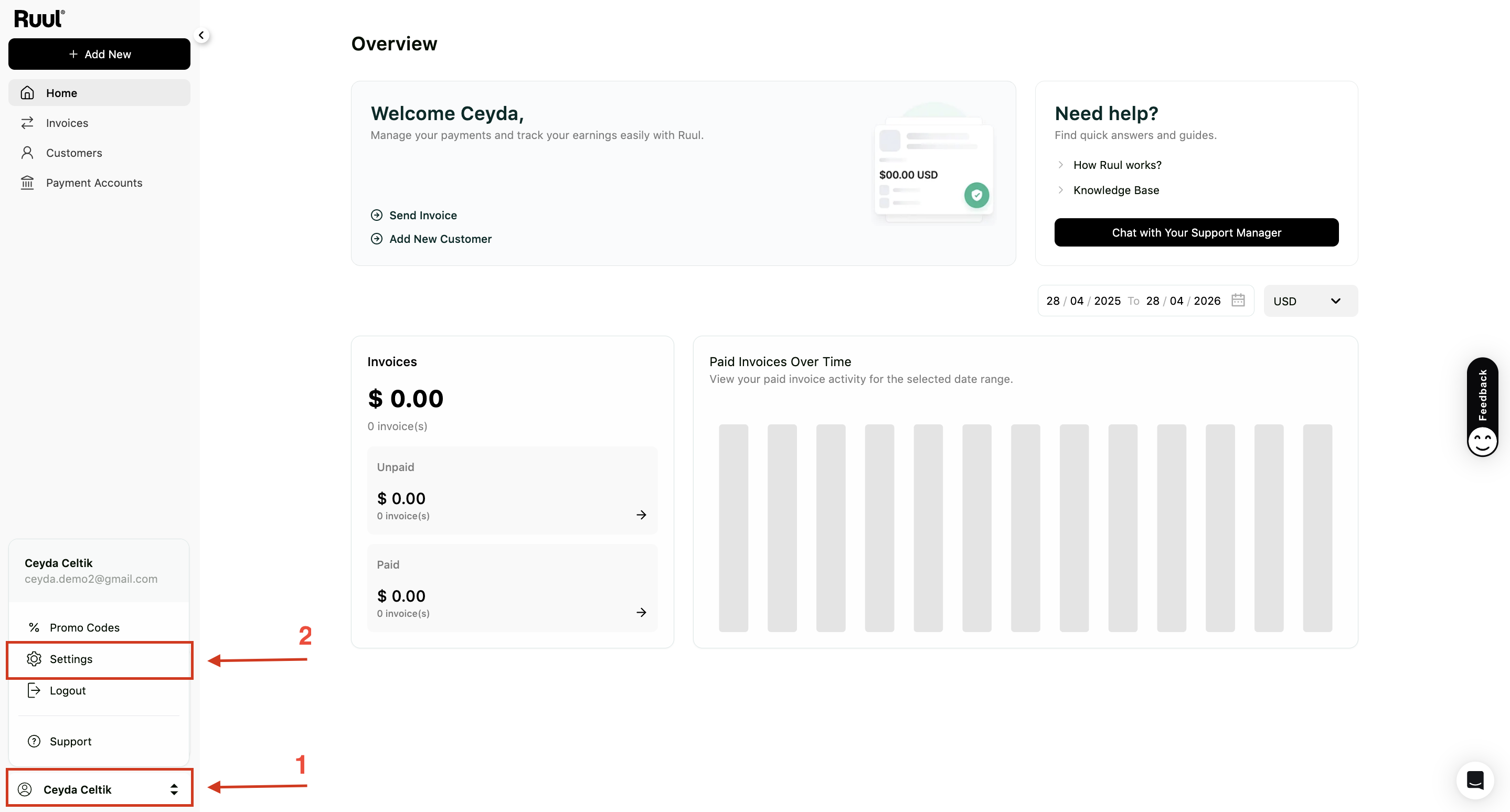
Add or update your phone number
Your phone number is what SMS notifications run on, and it’s tied to your verified identity.
- Click Update phone number on your profile card.
- Choose your Country Code, enter your Phone Number, and click Send Code.
- Enter the six-digit code that arrives by SMS, then click Verify.
Your number shows a Verified badge once it’s confirmed. If the code doesn’t arrive, use the Resend link.
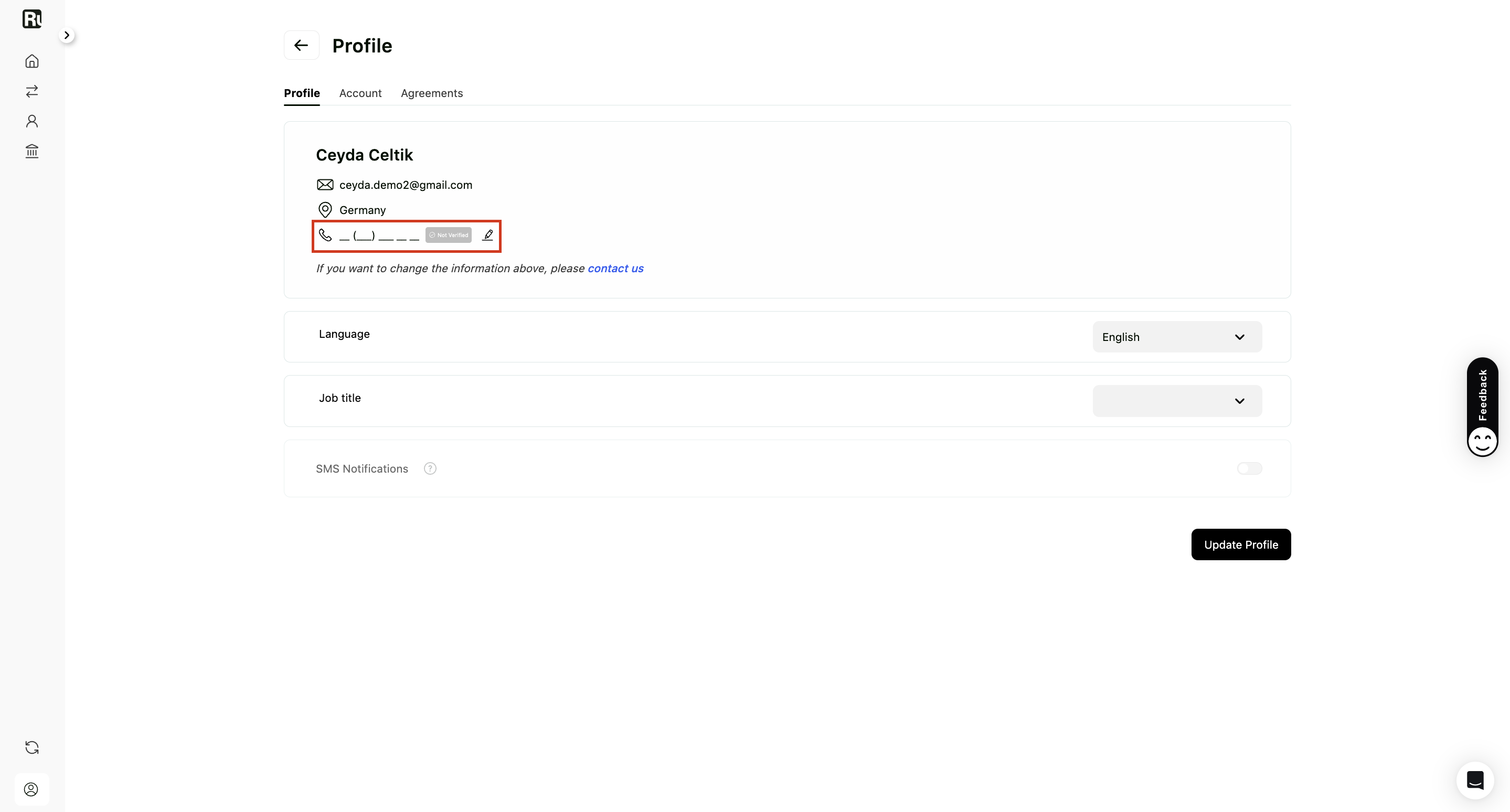
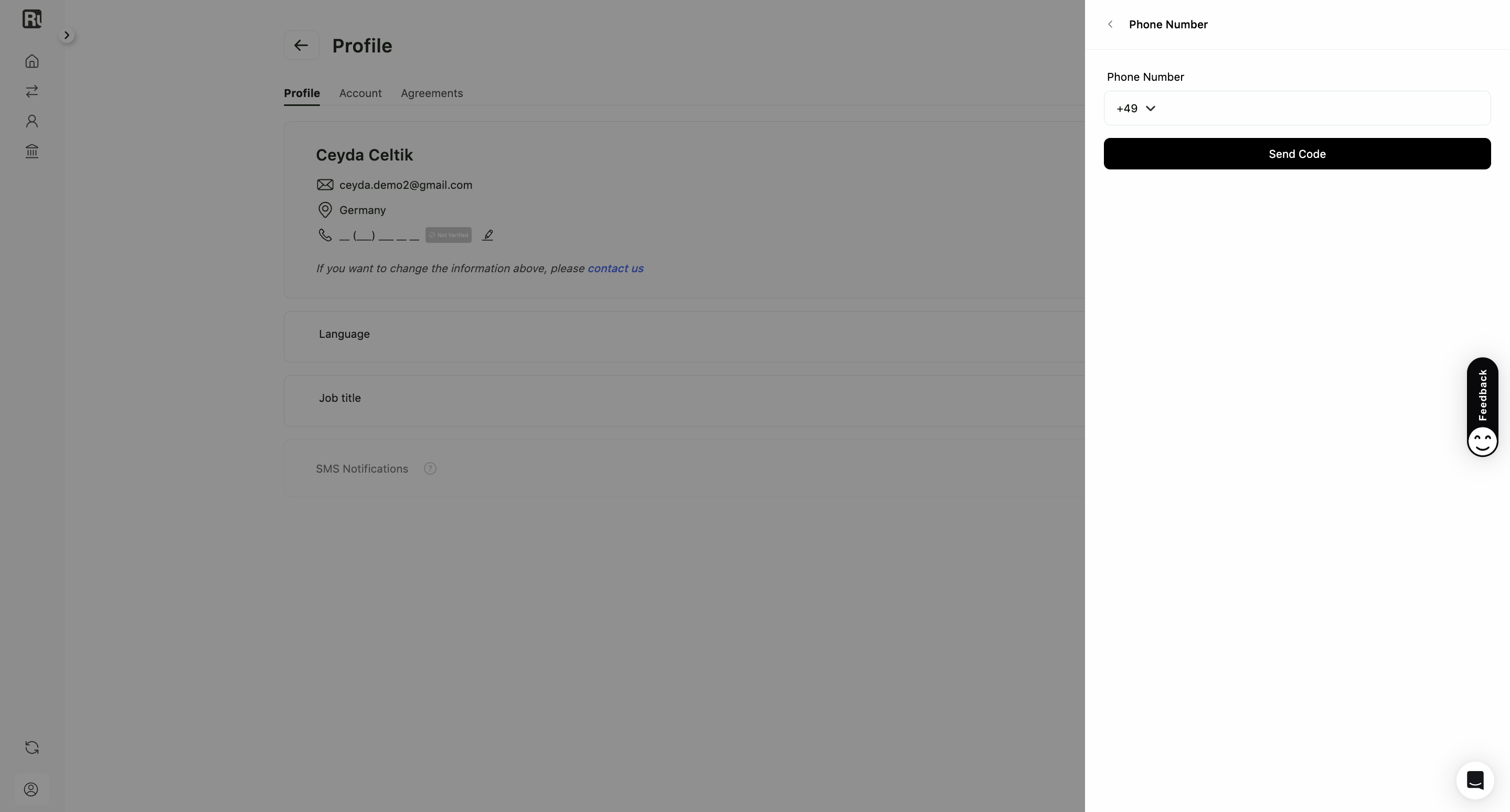
If you haven’t finished identity verification yet, this panel asks you to complete it first and offers a Verify Your ID button. If your verification is already in progress, wait for it to finish and come back. It usually takes a few minutes.
SMS notifications
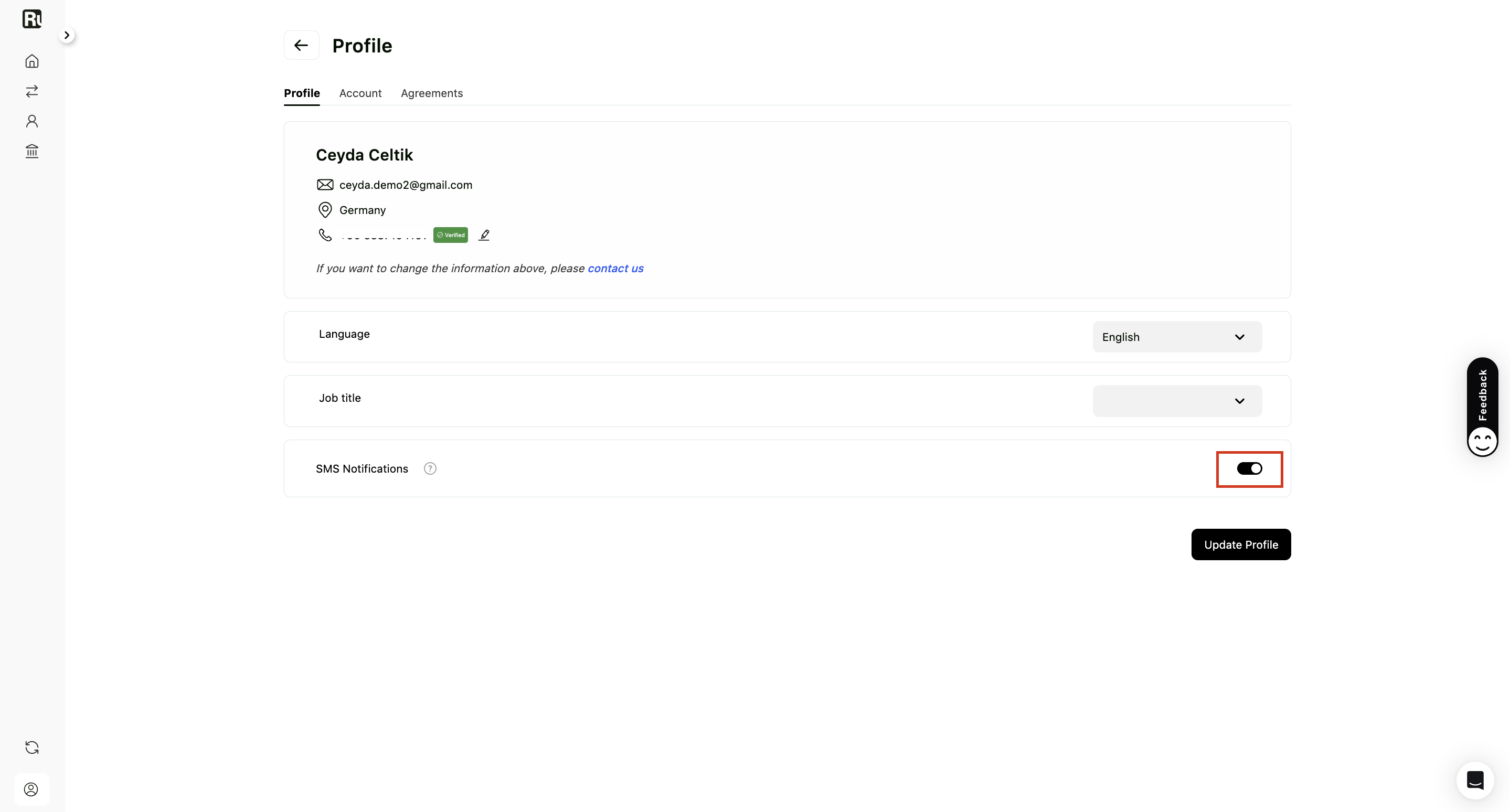
Switch on SMS Notifications in the Profile tab and Ruul texts you when a payout completes. It’s the quickest way to know your money has left Ruul without opening the dashboard.
The toggle only works once you have a verified phone number, so add one first if you haven’t.
Click Update Profile to save.
Good to know
- SMS notifications cover payout completion. For the full picture of where a payment stands at any moment, see how you receive your money.
- Your signed agreements and documents live in a separate tab. See agreements and documents.
- Changing your password is done from the Account tab. See creating and accessing your account.
Frequently asked questions
How do I change my name or address?
You can't edit them yourself. Those details come from your identity verification, so contact Ruul and the team will update them for you.
Why does Ruul ask me to verify my ID before I can add a phone number?
A phone number can be used to reach your account, so Ruul ties it to a verified identity. If your verification is still in progress, wait for it to finish and then add the number.
What do SMS notifications tell me?
You get a text when a payout completes, so you know your money is on its way without opening the dashboard.
Why is the SMS Notifications toggle unavailable?
The toggle only works once you have added and verified a phone number. Add the number first, then switch notifications on.
Was this article helpful?
Thanks for the feedback! 🙌