

Before you can get paid through Ruul, you’ll complete a quick identity check called KYC. It’s a one-time step that keeps your transactions secure, and most people finish it in just a few minutes. Here’s what it is and how to get verified.
What is KYC and what is it for?
The KYC (Know Your Customer) process is a standard verification procedure adopted by many financial institutions and online platforms, including Ruul. It validates the identity of users, ensuring secure transactions and adherence to global financial regulations.
How to verify your ID?
ID verification is required when adding a payment account.
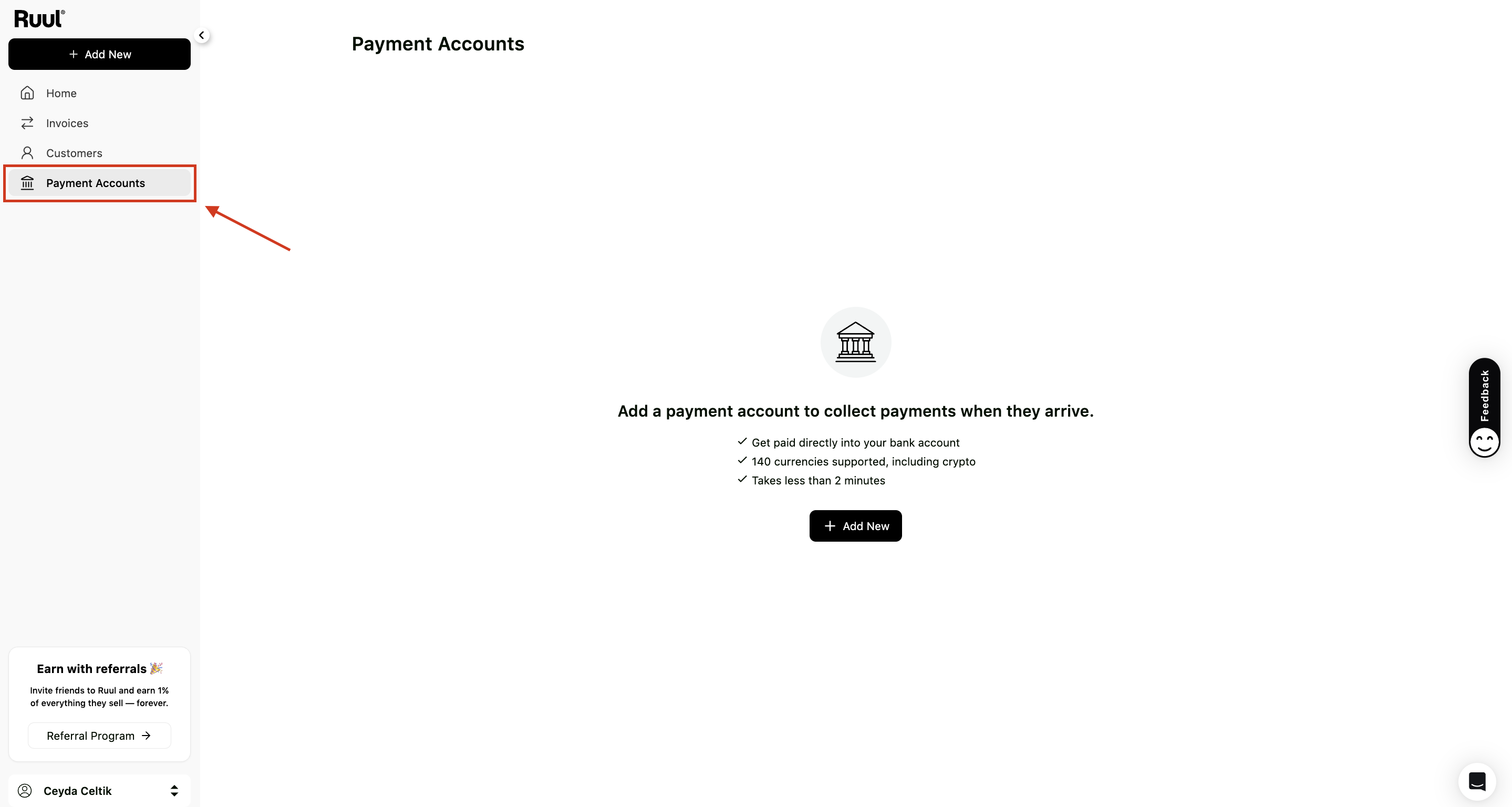
1. Go to “Payment Accounts” from the sidebar
Navigate to the sidebar on your dashboard and click Payment Accounts.
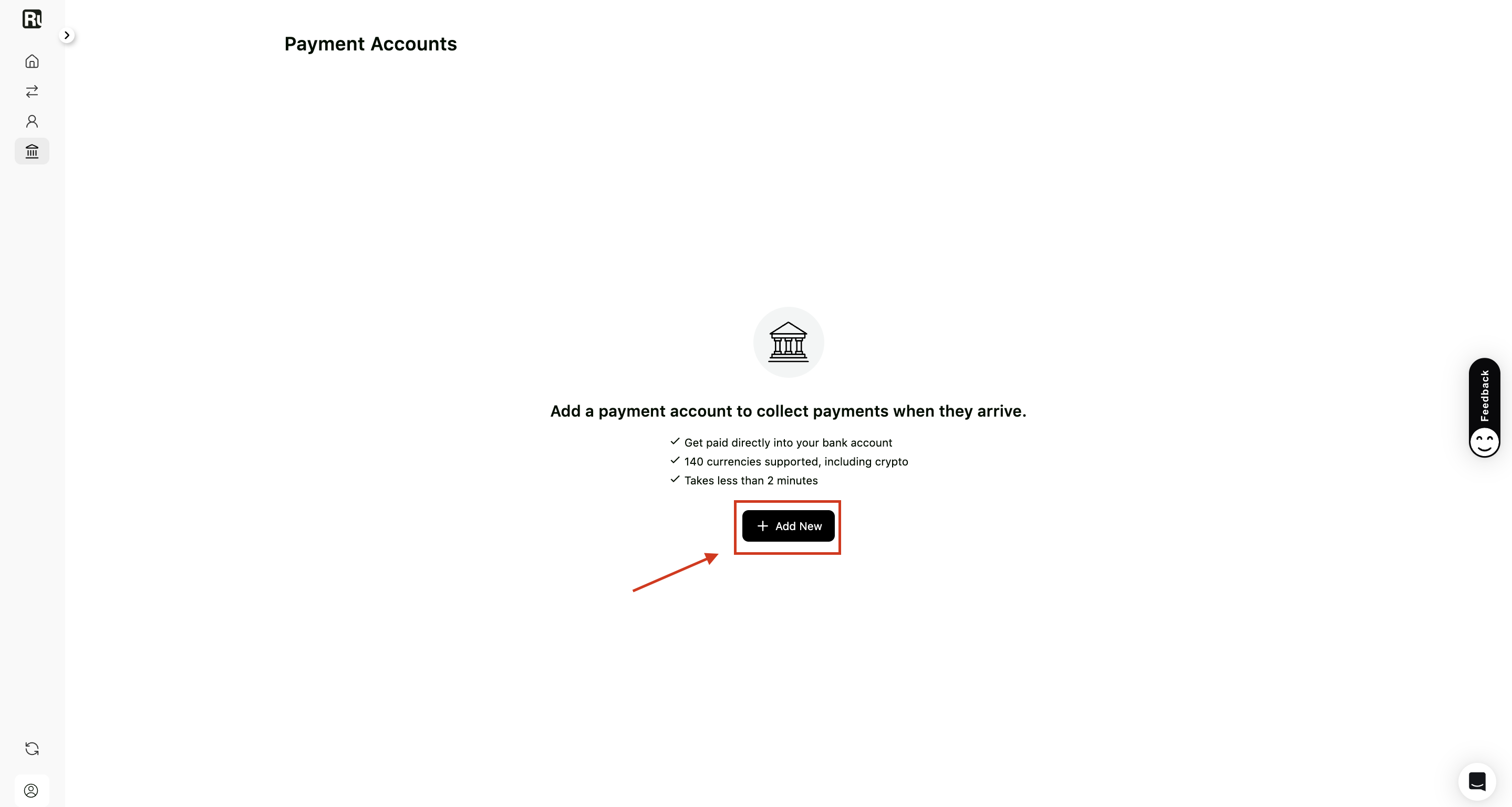
2. Click “Add New”
On the Payment Accounts page, click the Add New button.
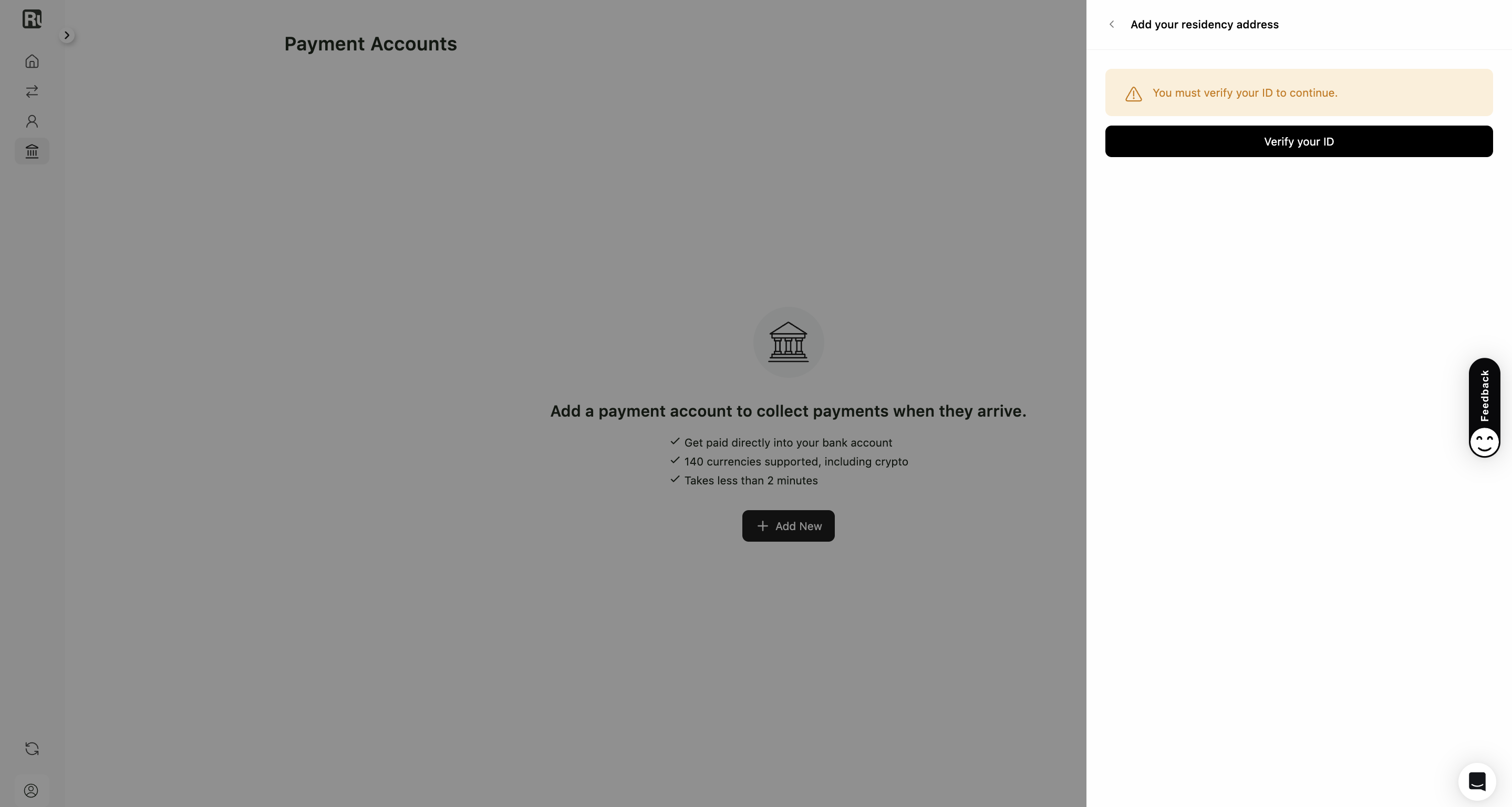
3. Click “Verify your ID”
You’ll be prompted with a message saying that ID verification is required.
Click Verify your ID to continue.
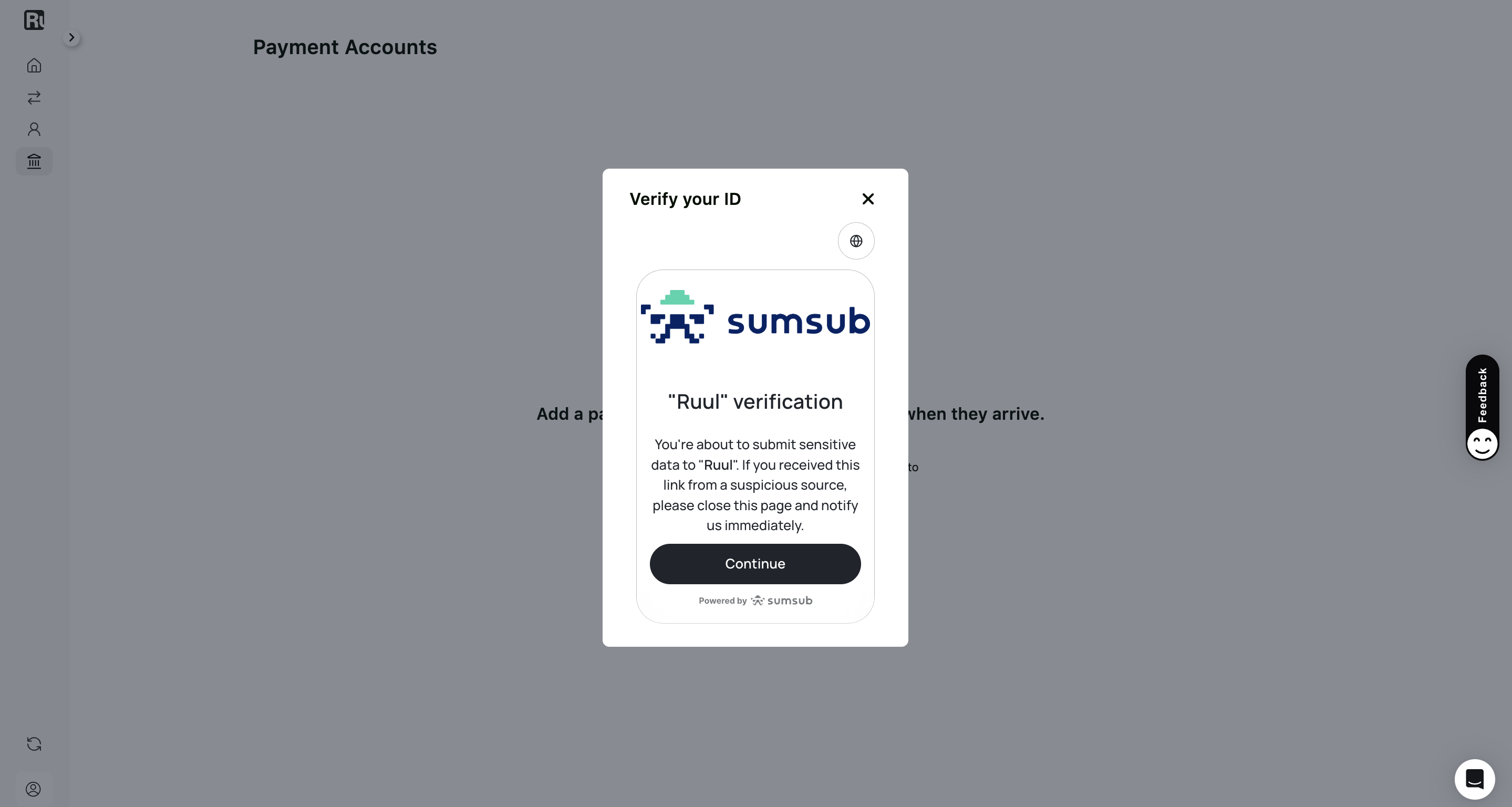
4. Follow the directions
You’ll be asked to:
- Select whether you live in the USA or not.
- Upload an identity document, which can be an ID card, driver’s license, passport, or residence permit.
- Take a selfie using your device’s camera - you’ll have the option to continue on mobile. Once these steps are completed, you can expect a result within 10-15 minutes.
Having trouble?
One of the following may solve the issue:
1. Try a different browser, especially if you’re not using Chrome.
KYC verification is optimized for Chrome.
2. Clear your browser’s cache.
If you’re using Google Chrome:
- Click “More” in the top-right corner.
- Select “Clear browsing data.”
- Choose a time range (selecting “All time” is recommended).
- Check “Cached images and files” and delete.
3. Use clear images.
Ensure the lighting does not cause reflections on the document, and the document is readable.
Frequently asked questions
Why do I need to complete KYC?
KYC confirms your identity so Ruul can keep transactions secure and meet global financial regulations. It's a standard, one-time step required before you can receive payouts.
Which documents can I use to verify my identity?
You can use an ID card, driver's license, passport, or residence permit. Make sure the photo is clear and readable, with no glare from lighting.
How long does verification take?
Most results come back within 10-15 minutes after you finish uploading your document and taking a selfie.
My verification isn't working. What can I do?
Try using Google Chrome, clear your browser's cache, and upload clear, well-lit images of your document. These three fixes resolve most issues.
Was this article helpful?
Thanks for the feedback! 🙌