

Before you can pay someone, they need to be on your Contractors list. Adding them there emails them an invitation, and they set up their own Ruul account from it.
Adding a contractor
Open Contractors from the sidebar and click New Contractor. You enter their details, and Ruul emails them an invitation.
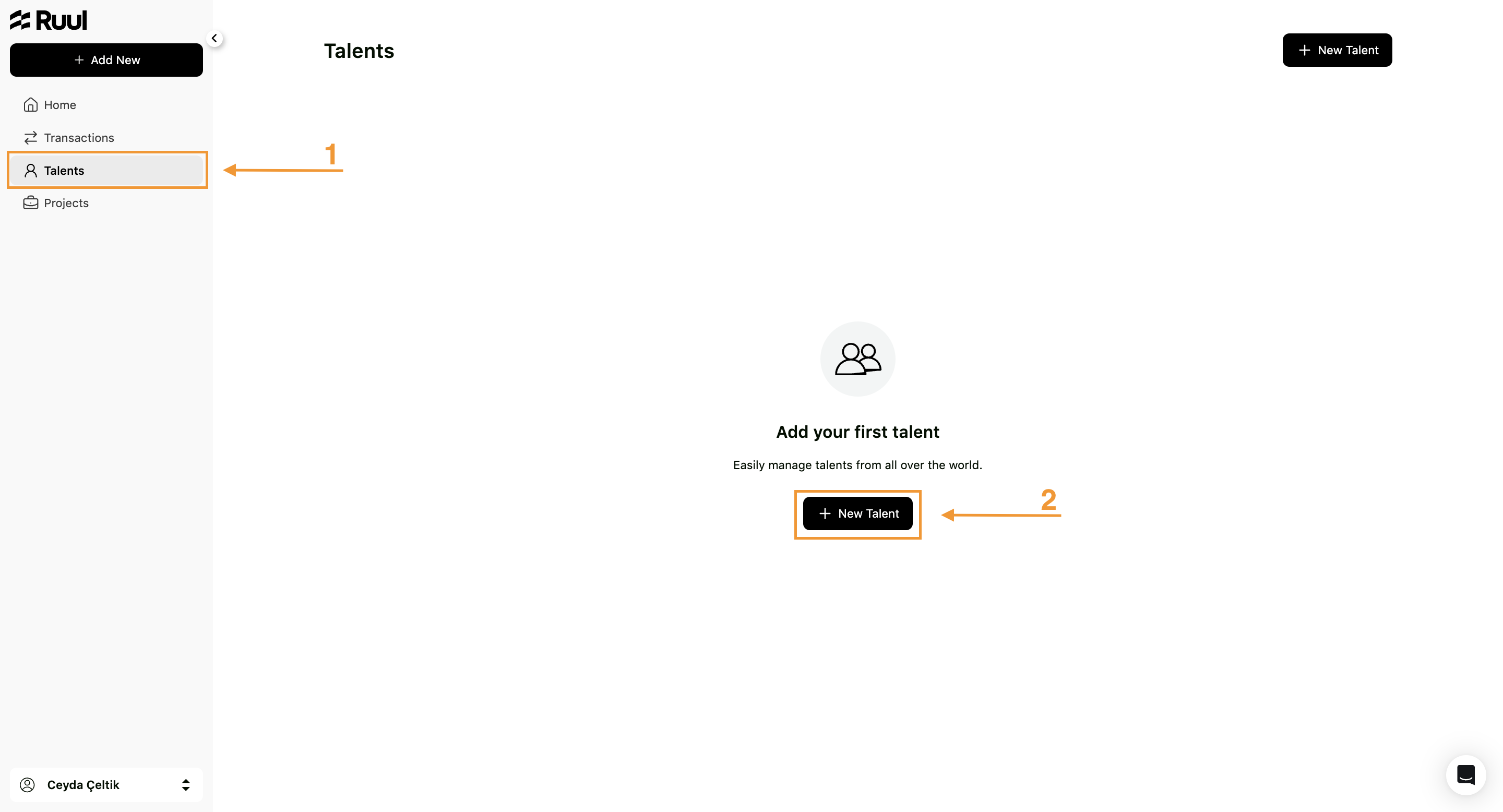
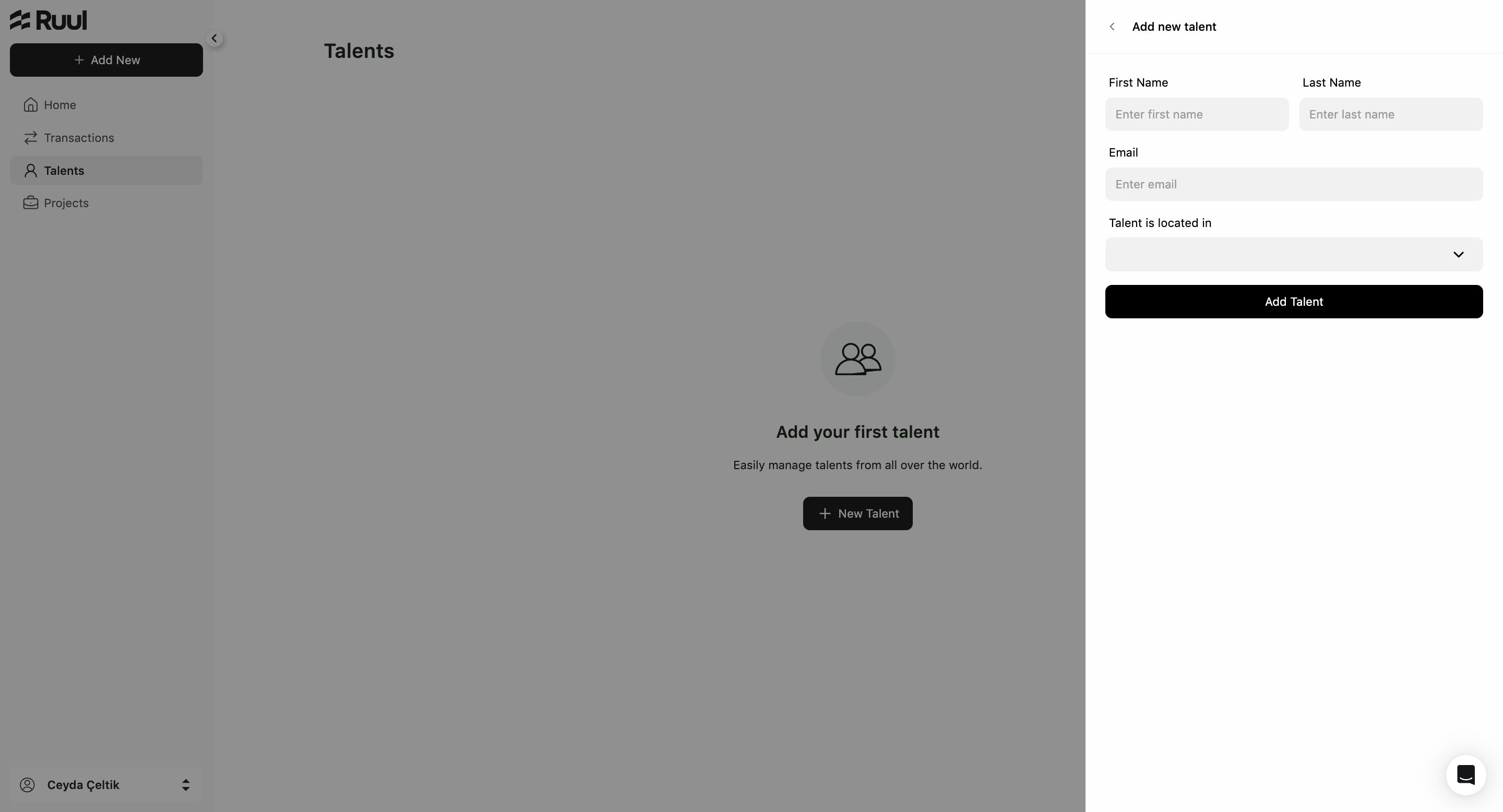
From there it’s on them: they create their account, verify their identity, and add a payout account. You can’t do those steps for them, because they involve their own identity documents and their own bank details.
Reading the list
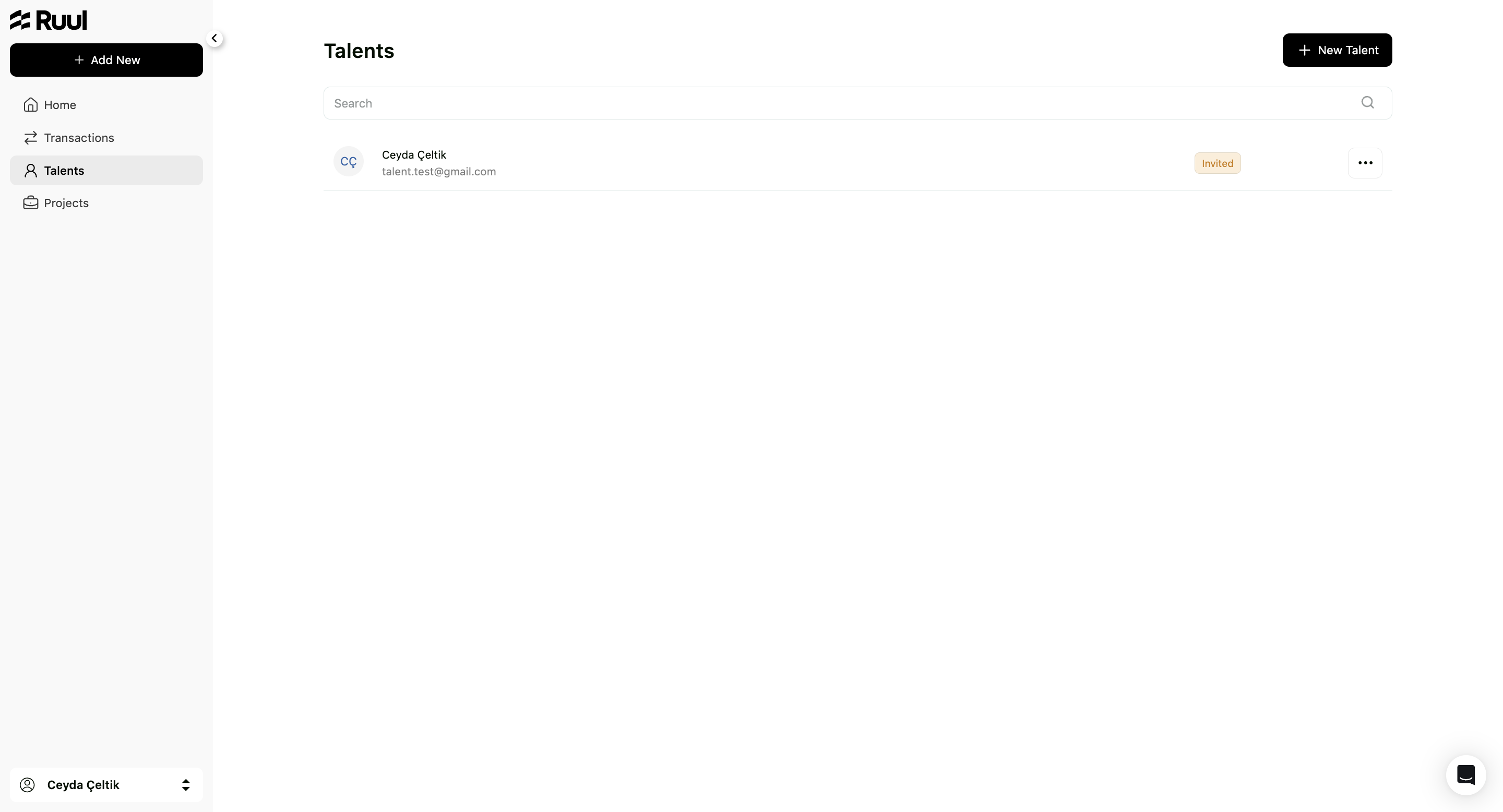
The table shows each Contractor, their Status, when they were Last Updated, and the row Actions. Use Columns to change what’s displayed.
Two different things show up as status, and they mean different stages:
Have they joined yet? Someone you’ve added but who hasn’t set up their account shows as Invited.
How far is their identity verification?
| Status | What it means |
|---|---|
| Not Started | They haven’t begun verification. |
| Pending | Verification is under way. |
| Approved | Verified. Payouts can reach them. |
| Declined | Verification failed. They need to contact Ruul; the details involved are theirs, not yours. |
A contractor is ready to be paid once verification is approved and they’ve added a payout account.
What you can do with a row
Open the Actions menu:
- New Payment starts a payment to that contractor without going through the payments screen first.
- Contractor Details opens their record.
- Archive moves someone you no longer work with to the Archived tab, out of your normal view. Nothing is deleted.
- Unarchive brings them back.
Good to know
- You can create a payment for a contractor who hasn’t finished setting up. It just can’t pay out until they have.
- Whether Ruul can pay into their country is a separate question. See supported countries and currencies.
- To group payments by the work they belong to, see projects.
Frequently asked questions
Does my contractor need their own Ruul account?
Yes. They get an invitation email when you add them, and they set up their own account, verify their identity and add a payout account. None of that is something you can do for them.
Can I pay someone whose status still says Invited?
You can create the payment, but the payout can't reach them until they've finished setting up and their verification is approved.
A contractor's verification was declined. What now?
That's between them and Ruul. Ask them to contact Ruul, since the details involved are theirs.
How do I hide a contractor I no longer work with?
Archive them. They move to the Archived tab and out of your normal view. Nothing is deleted, and you can unarchive them at any time.
Was this article helpful?
Thanks for the feedback! 🙌