

MiniPay pays you in Digital Dollars (USDT). The money doesn’t go to a normal bank account; it goes to a virtual account MiniPay creates for you, and lands in your MiniPay wallet.
Start from Payment Accounts, click Add New, select MiniPay and click Next.
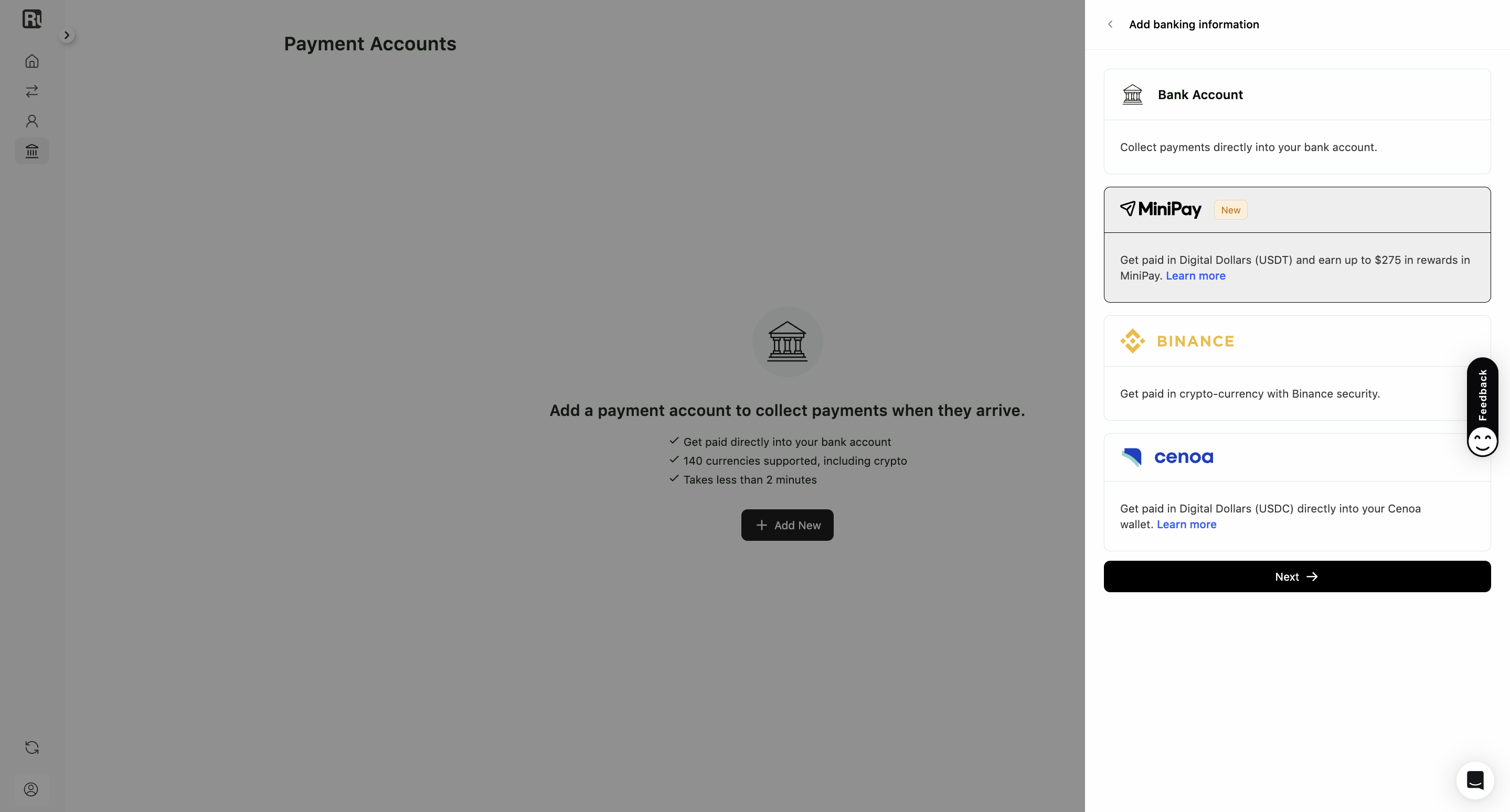
1. Do you already have MiniPay?
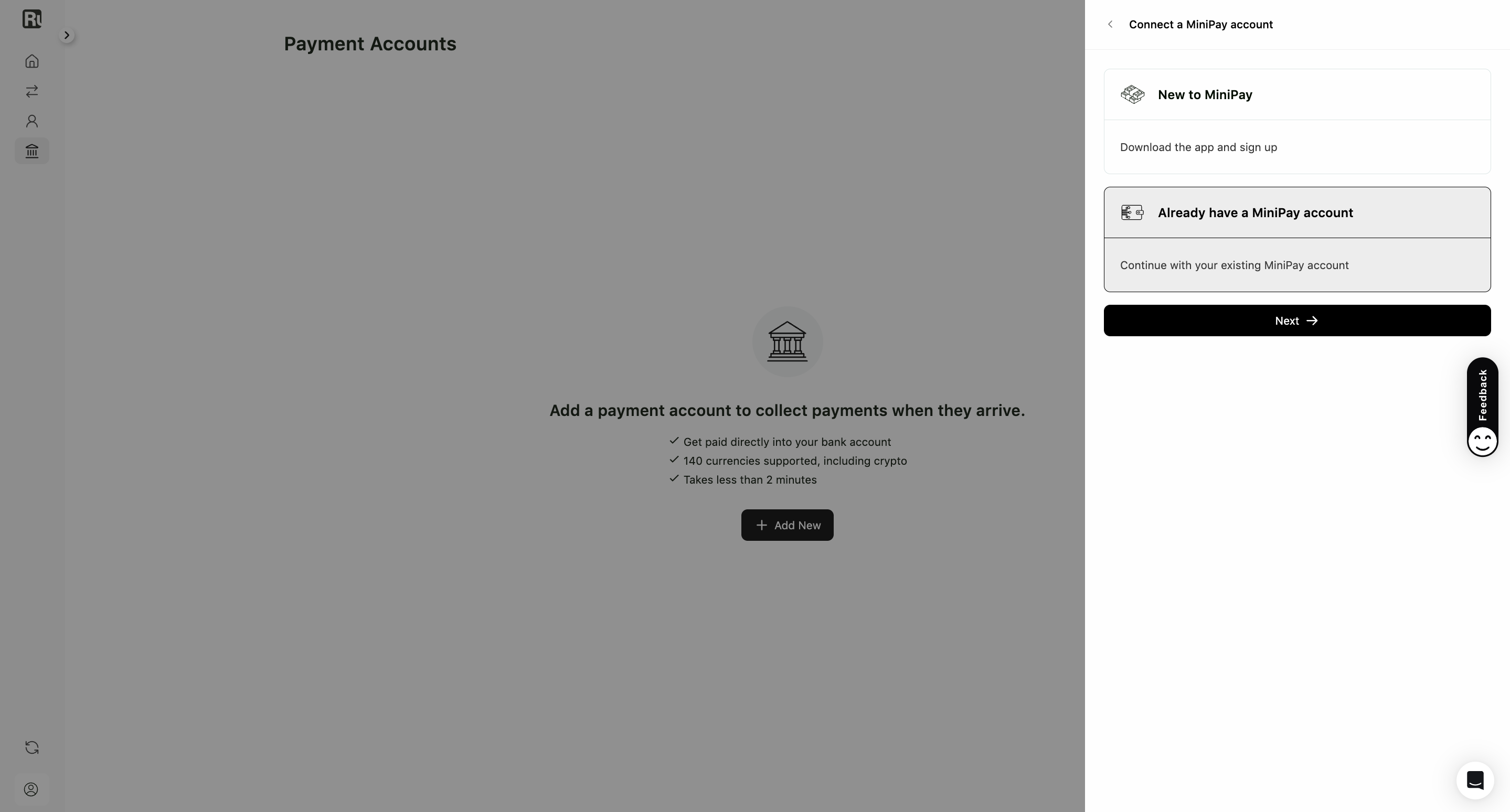
Two paths from here.
New to MiniPay. Select it, click Next, and you’ll get a QR code plus App Store and Google Play buttons. Download the app, finish registering, then come back to Ruul.
Already have a MiniPay account. Select it and click Next.
2. Create the virtual account
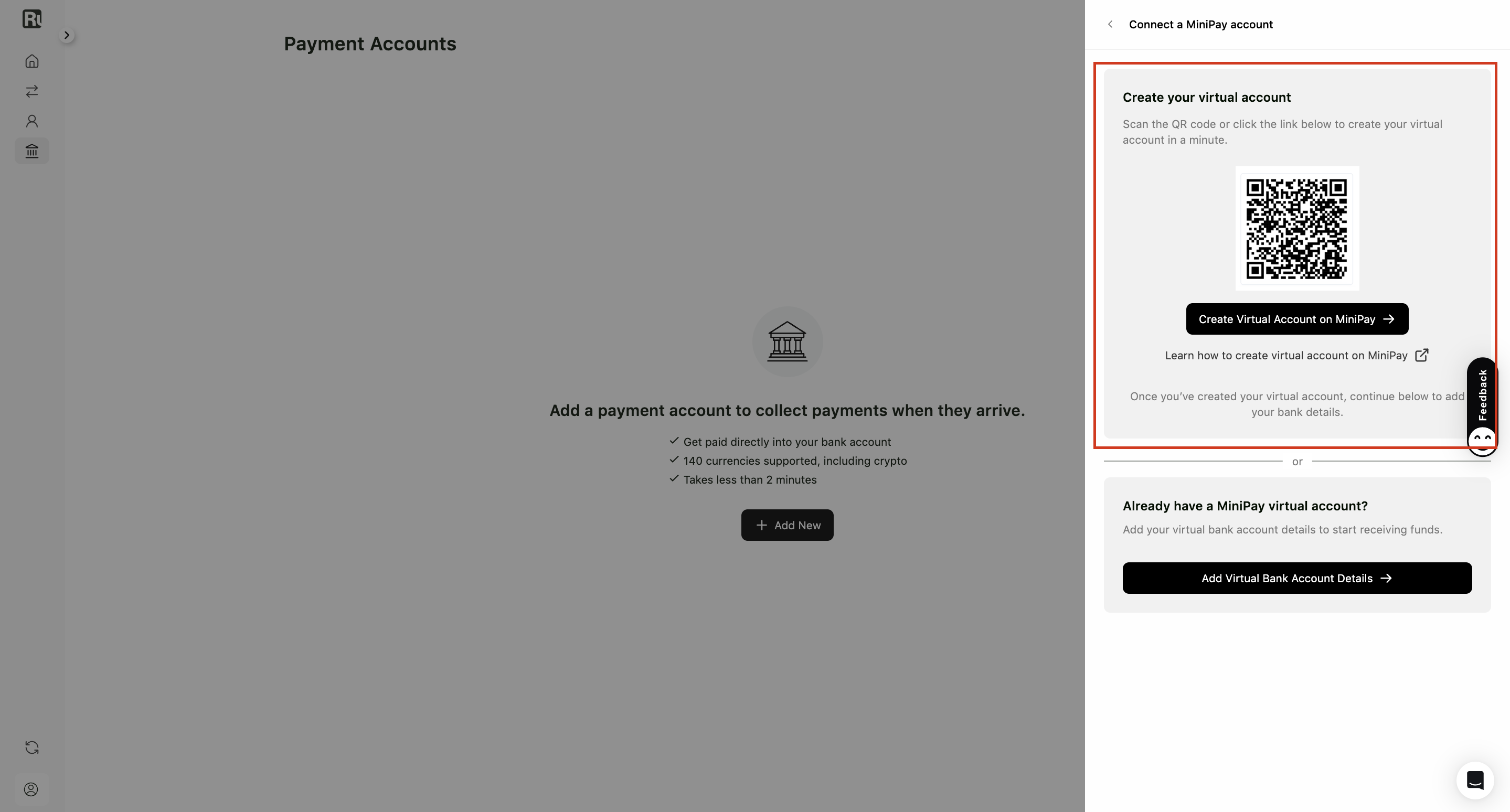
If you don’t have a MiniPay virtual account yet, you’ll see a QR code, a Create Virtual Account on MiniPay button, and a link explaining how it works.
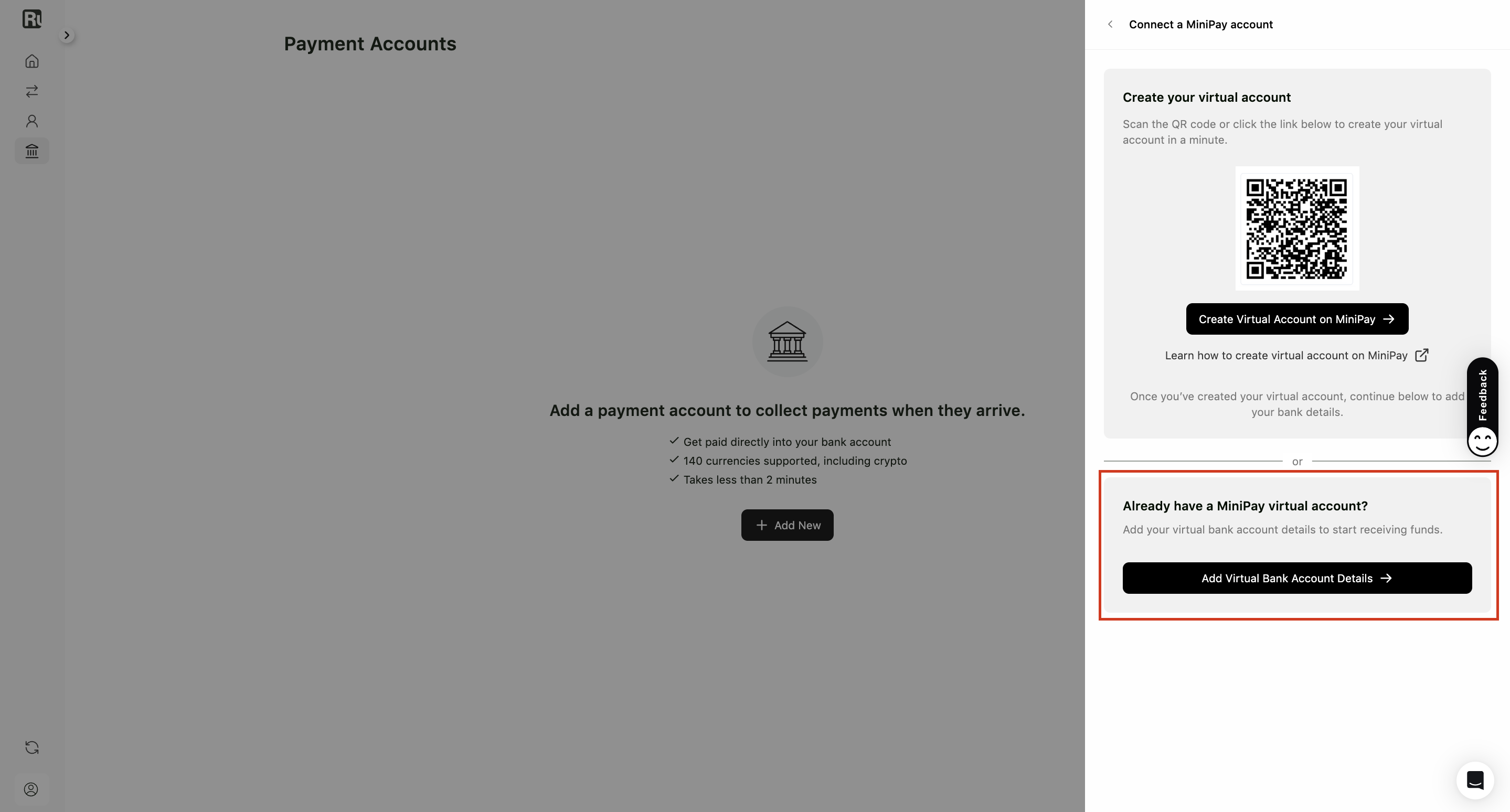
Open MiniPay, create the virtual account there, then come back and click Add Virtual Bank Account Details.
3. Enter the details
Choose the currency of your MiniPay virtual account: EUR or USD. The form changes accordingly.
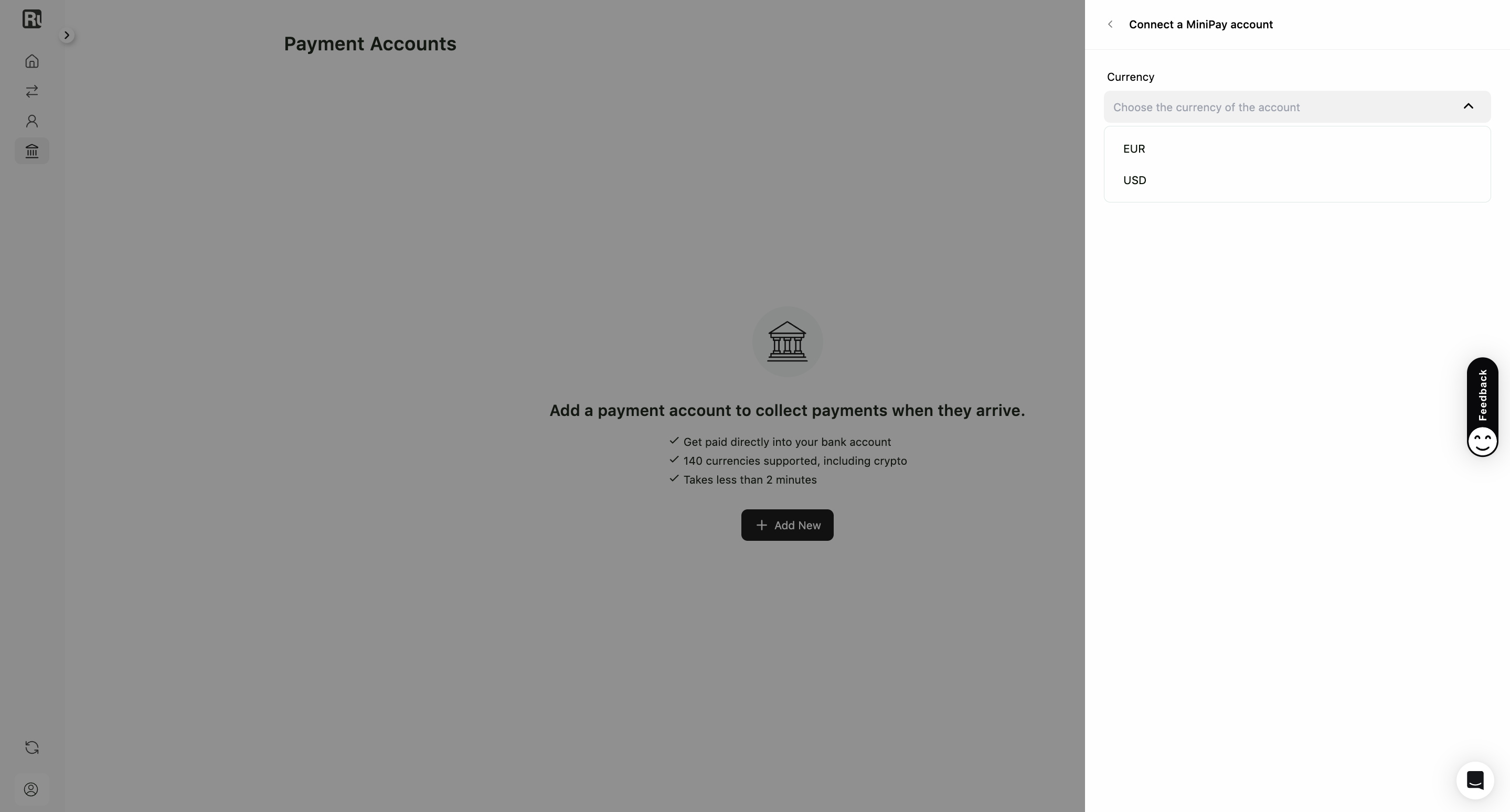
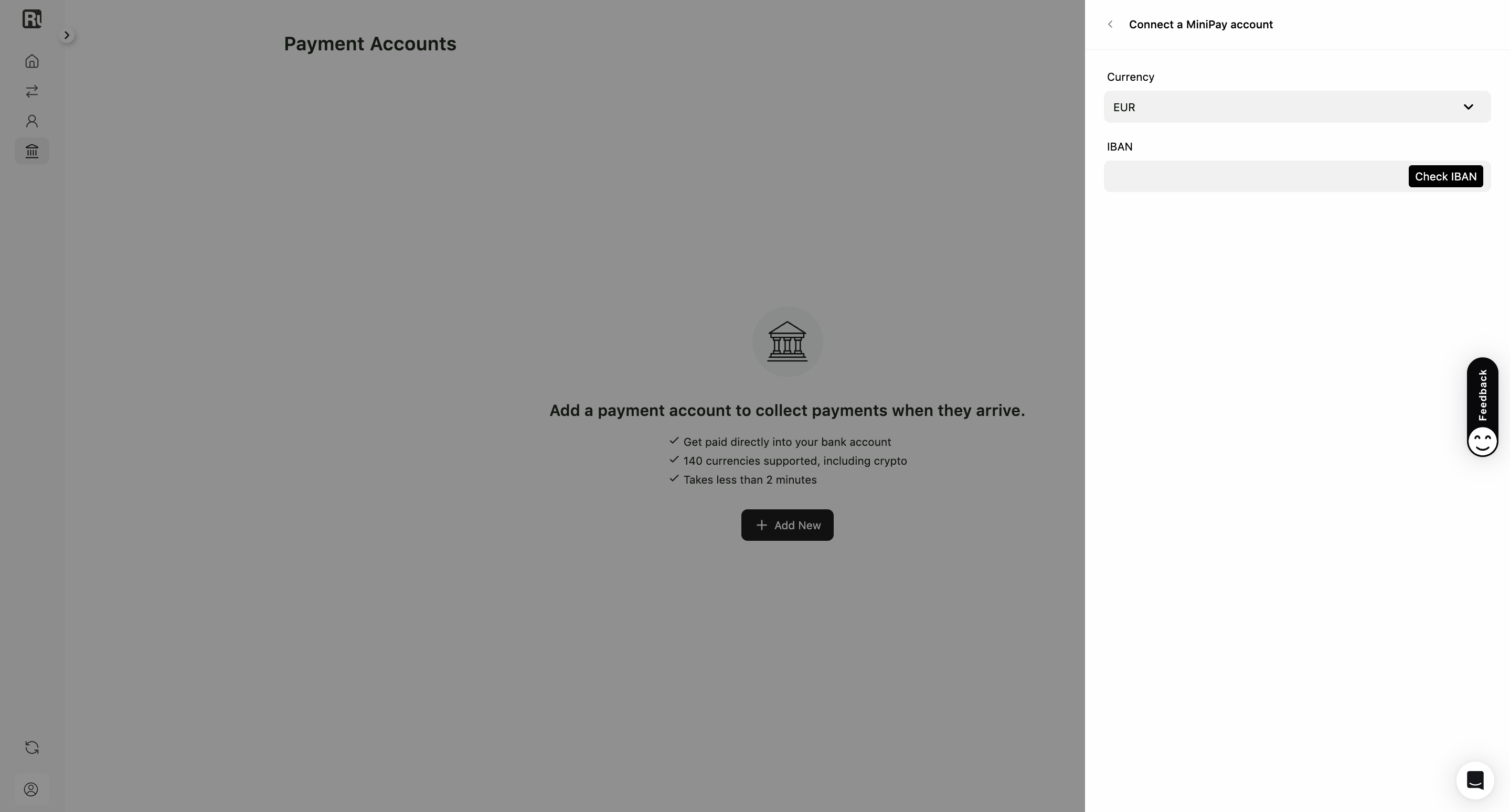
If you chose EUR
Enter your IBAN and click Check IBAN. A confirmation screen shows the country, currency, first name, last name and IBAN.
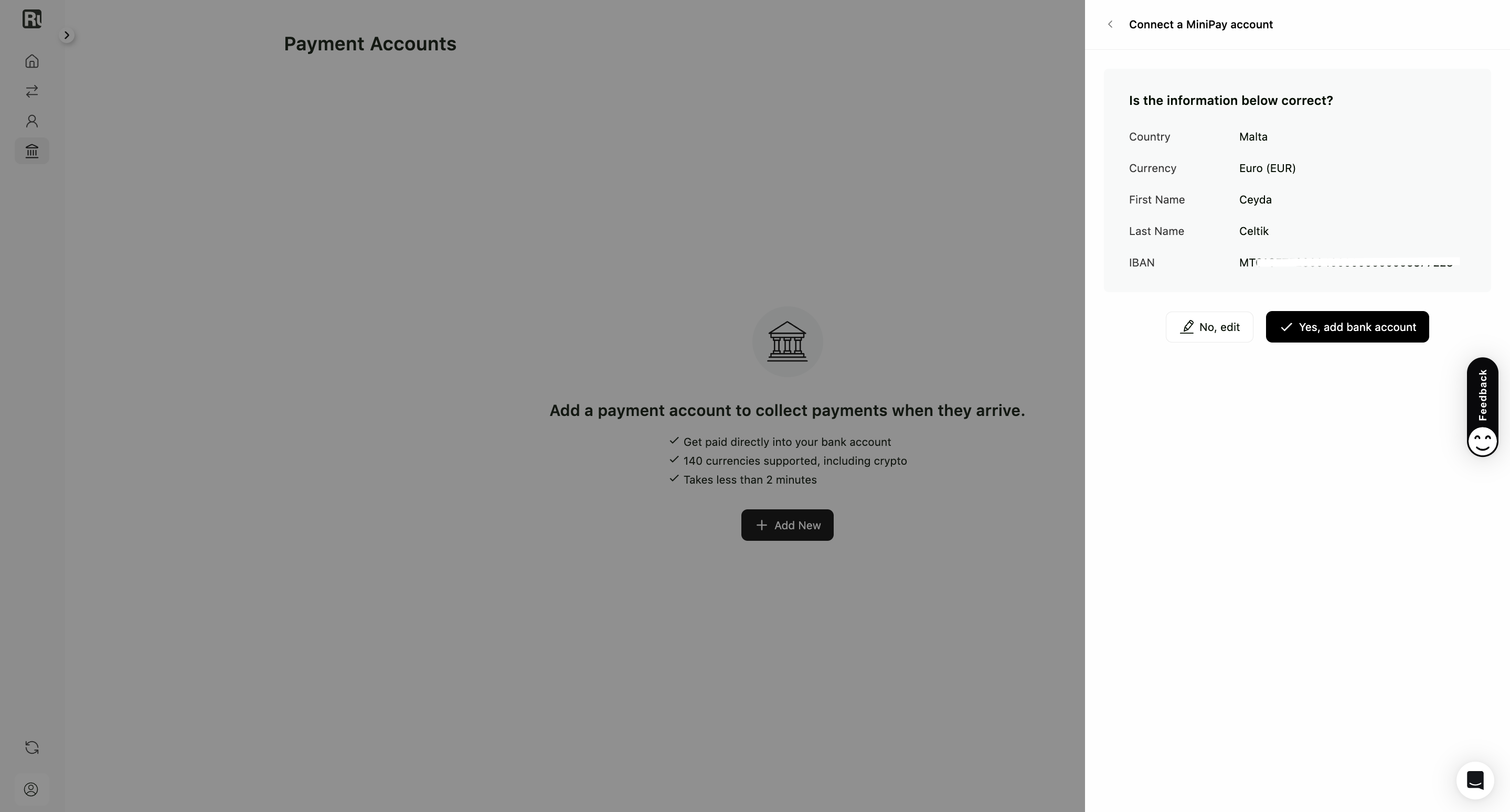
Click No, edit to change something, or Yes, add bank account to finish.
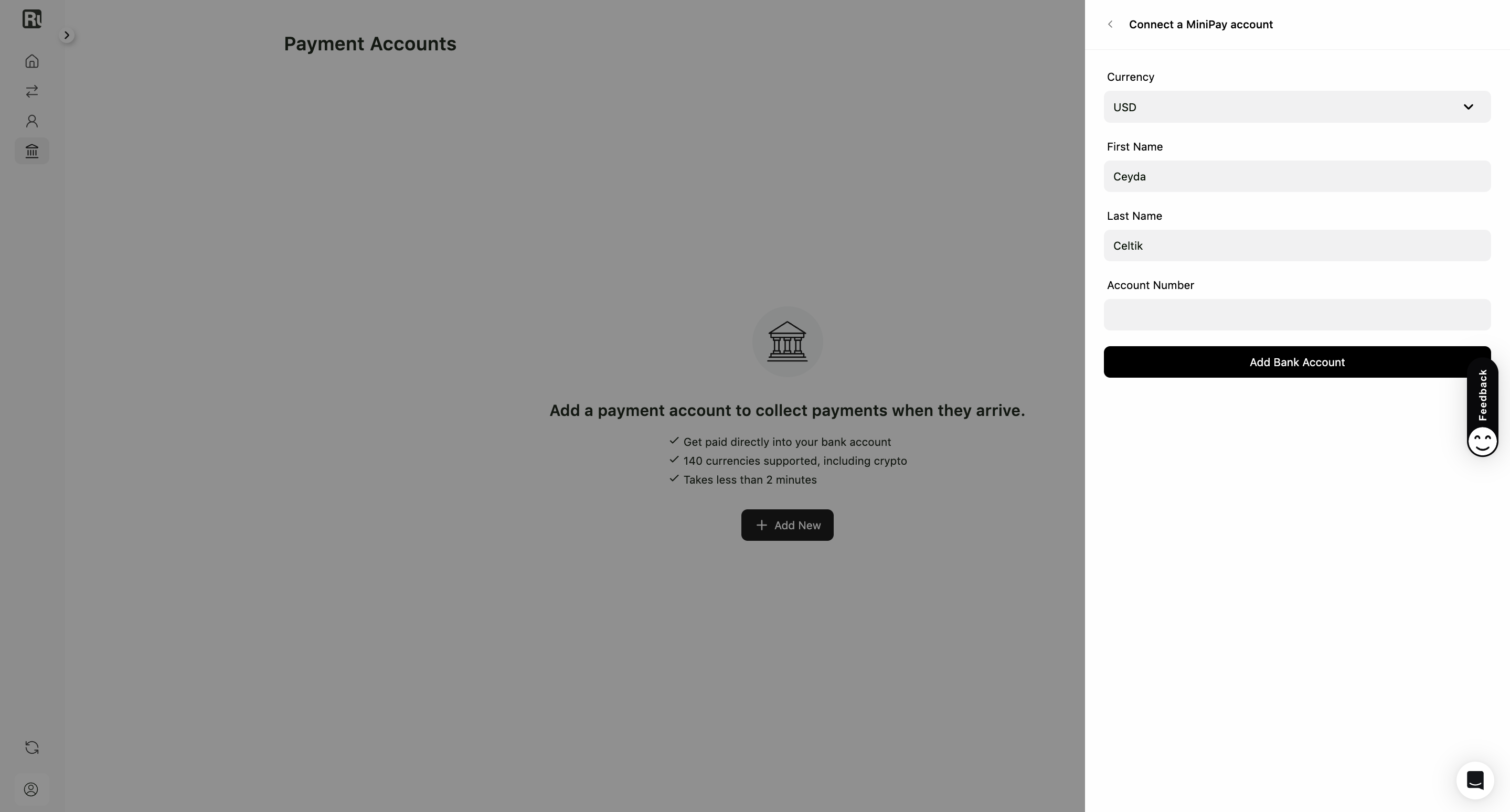
If you chose USD
Enter your First Name, Last Name and Account Number, then click Add Bank Account.
4. Done
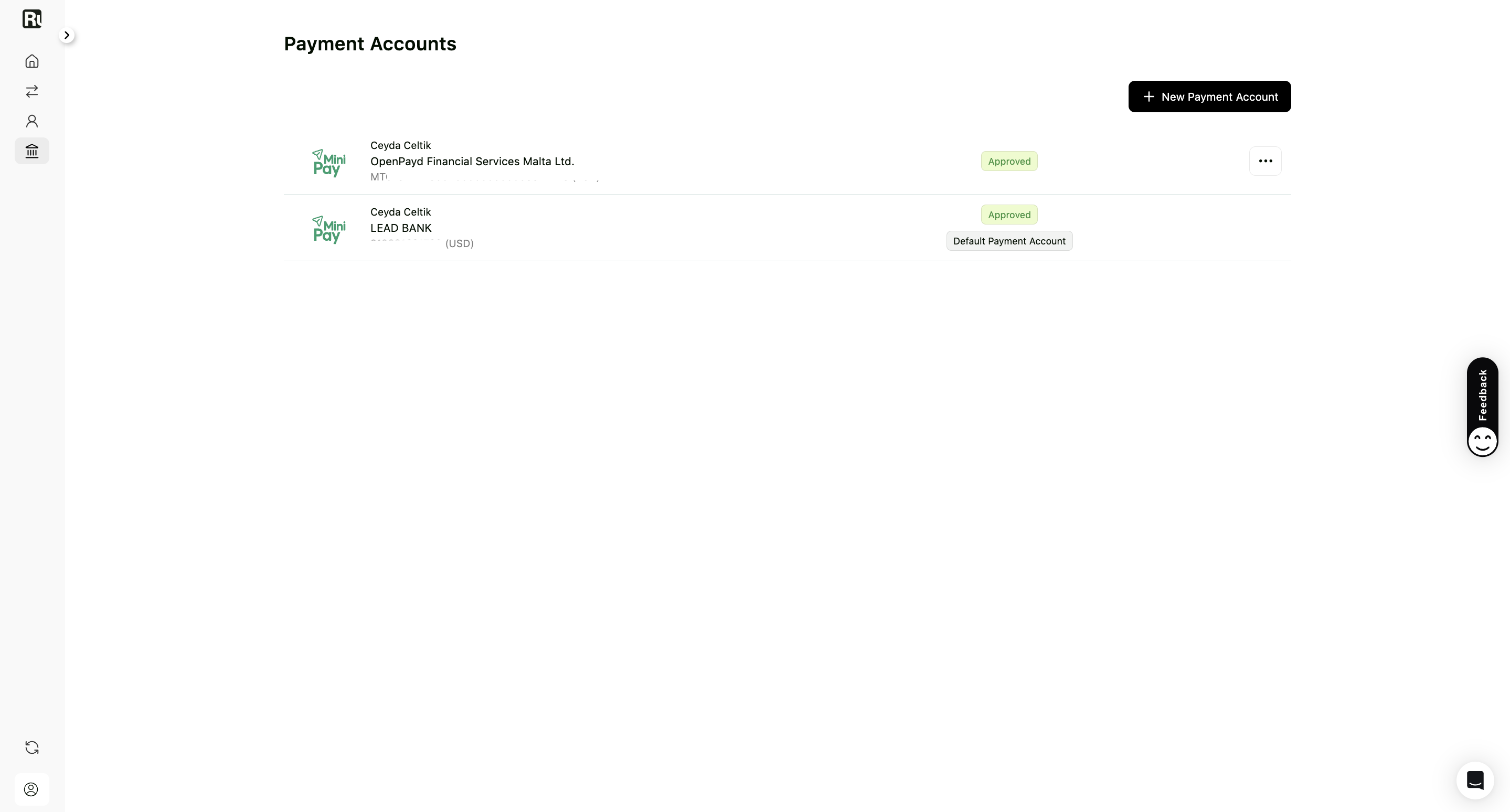
Your MiniPay account appears under Payment Accounts, ready to receive payouts in Digital Dollars (USDT).
Good to know
- Crypto payouts are currently available for invoices only.
- A crypto withdrawal carries an extra fee on top of the standard commission. See fees and pricing.
- You are responsible for declaring income received in cryptocurrency and for the tax rules that apply where you live.
Frequently asked questions
What are Digital Dollars?
A stablecoin balance, USDT, held in your MiniPay wallet. Your payout arrives there rather than in a traditional bank account.
Do I need the MiniPay app?
Yes. The virtual account is created inside MiniPay, so you download the app and set it up there before connecting it to Ruul.
What is a virtual account?
A EUR or USD account MiniPay gives you, with normal banking details. Ruul pays into it, and the money lands in your MiniPay wallet as Digital Dollars.
Can I use MiniPay for subscriptions?
Crypto payouts are currently available for invoices only.
Was this article helpful?
Thanks for the feedback! 🙌