

If more than one person in your company touches contractor payments, each of them gets their own login rather than sharing yours. The Team tab is where you add them and decide what they can reach.
Open Settings by clicking your name in the bottom-left corner, then go to Team.
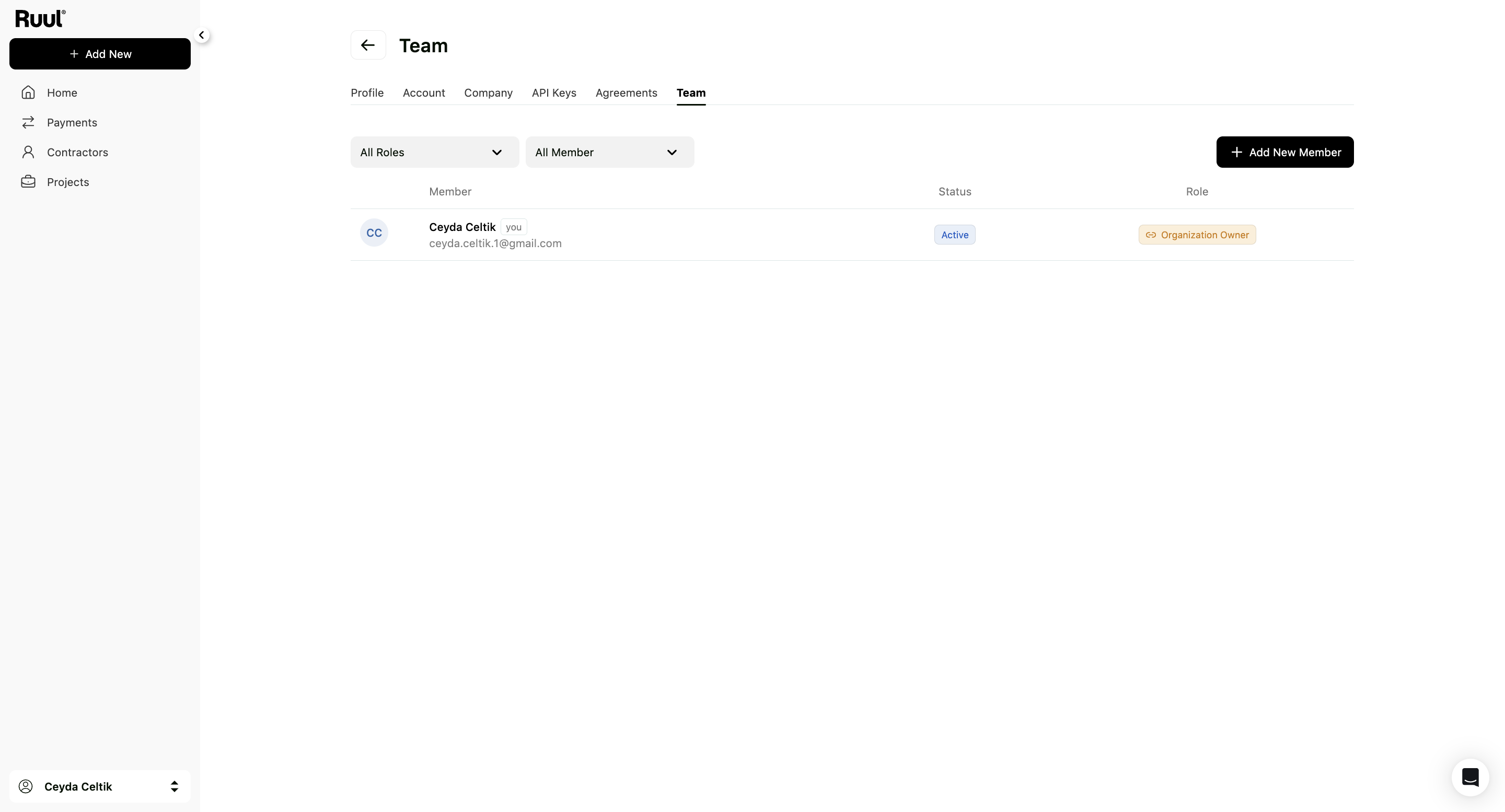
The team list
Everyone linked to your company appears here with their Status and Role. You can filter the list by role or by member using the dropdowns above it.
What each role can do
This is the part worth getting right, because it decides who sees whose payments.
| Role | Scope |
|---|---|
| Organization Owner | Full access to every company in the organization. Can view and manage all payments and all members. |
| Company Member | Limits someone to specific companies. It isn’t a level of access on its own: you then pick Admin or User for each company they belong to. |
| Company Admin | Full admin access inside the selected company. Can view and manage all of that company’s payments. |
| User | Personal access inside a company. Can only view and manage their own payments. |
A member can also show as Inactive, which means they’re listed but can’t currently use the account.
Adding someone
Click Add New Member and follow the steps. Once added, they appear in the list with their own status and role, and they sign in with their own credentials.
If your organization has more than one company, see managing multiple companies for how access works across them.
Good to know
- Give the User role to anyone who only needs to handle their own payments. It’s the narrowest option and the safest default.
- Roles control access, not notifications. Who receives payment emails is set separately on the Company tab. See your company details and payment emails.
Frequently asked questions
Can a colleague see payments they didn't create?
It depends on the role. An Organization Owner and a Company Admin see all payments in their scope. Someone with the User role sees only their own.
What is the difference between Company Member and Company Admin?
Company Member limits someone to specific companies, and within each one you then assign them either Admin or User. Company Admin is the full-access level inside a single company.
How do I add a colleague?
Open Settings, go to the Team tab, click Add New Member and follow the steps. They appear in the list with their own status and role.
Does everyone need their own login?
Yes. Each person signs in with their own account, which is what makes the roles and the audit trail meaningful.
Was this article helpful?
Thanks for the feedback! 🙌