

Because Ruul acts as your Agent of Record, a few documents are generated automatically as you work. Here’s what gets created and where to find it.
The documents Ruul generates
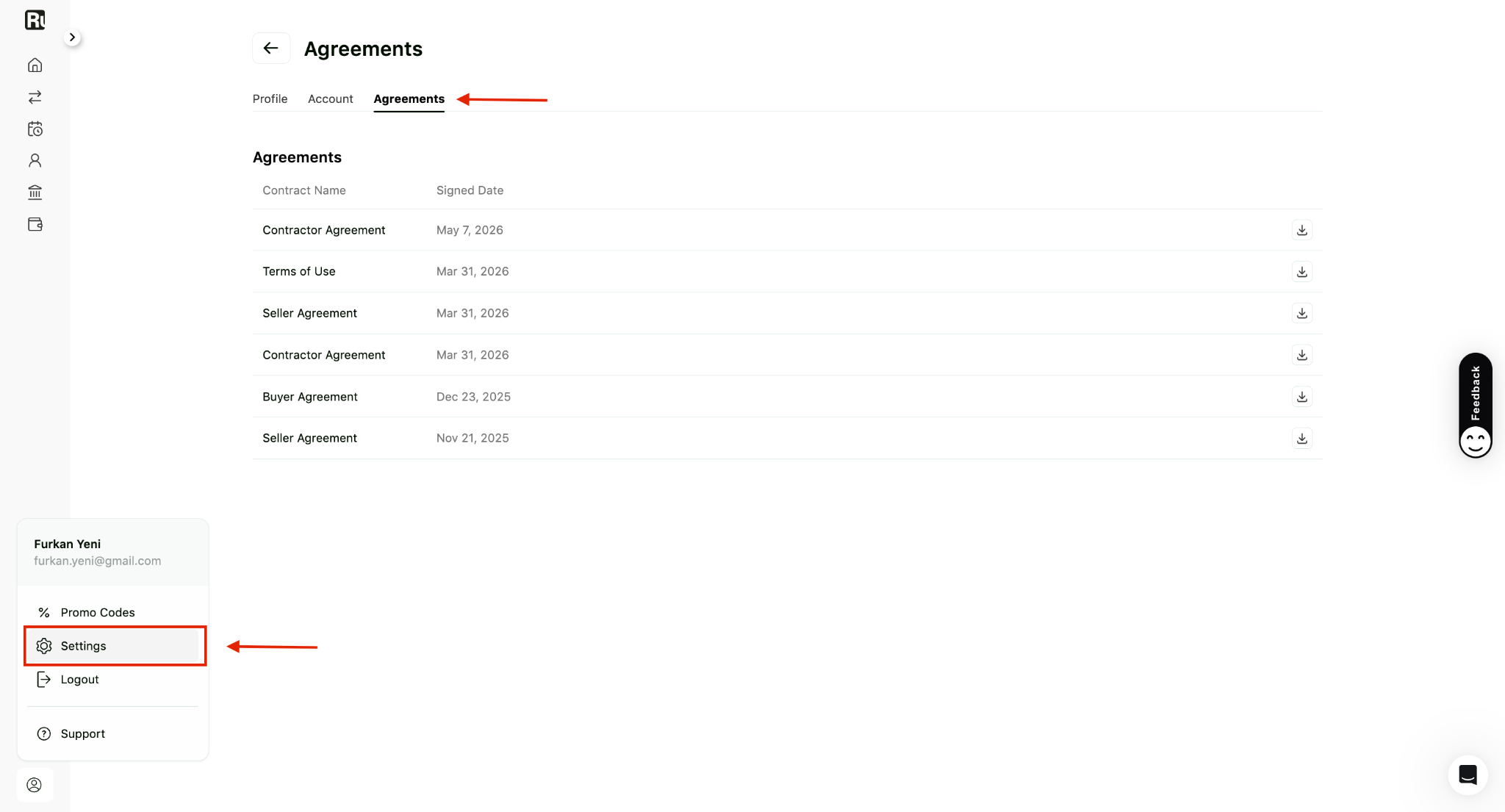
- Your agreements with Ruul. When you set up your account and add a payout method, you accept agreements such as the Contractor Agreement and Seller Agreement. These define the relationship between you and Ruul.
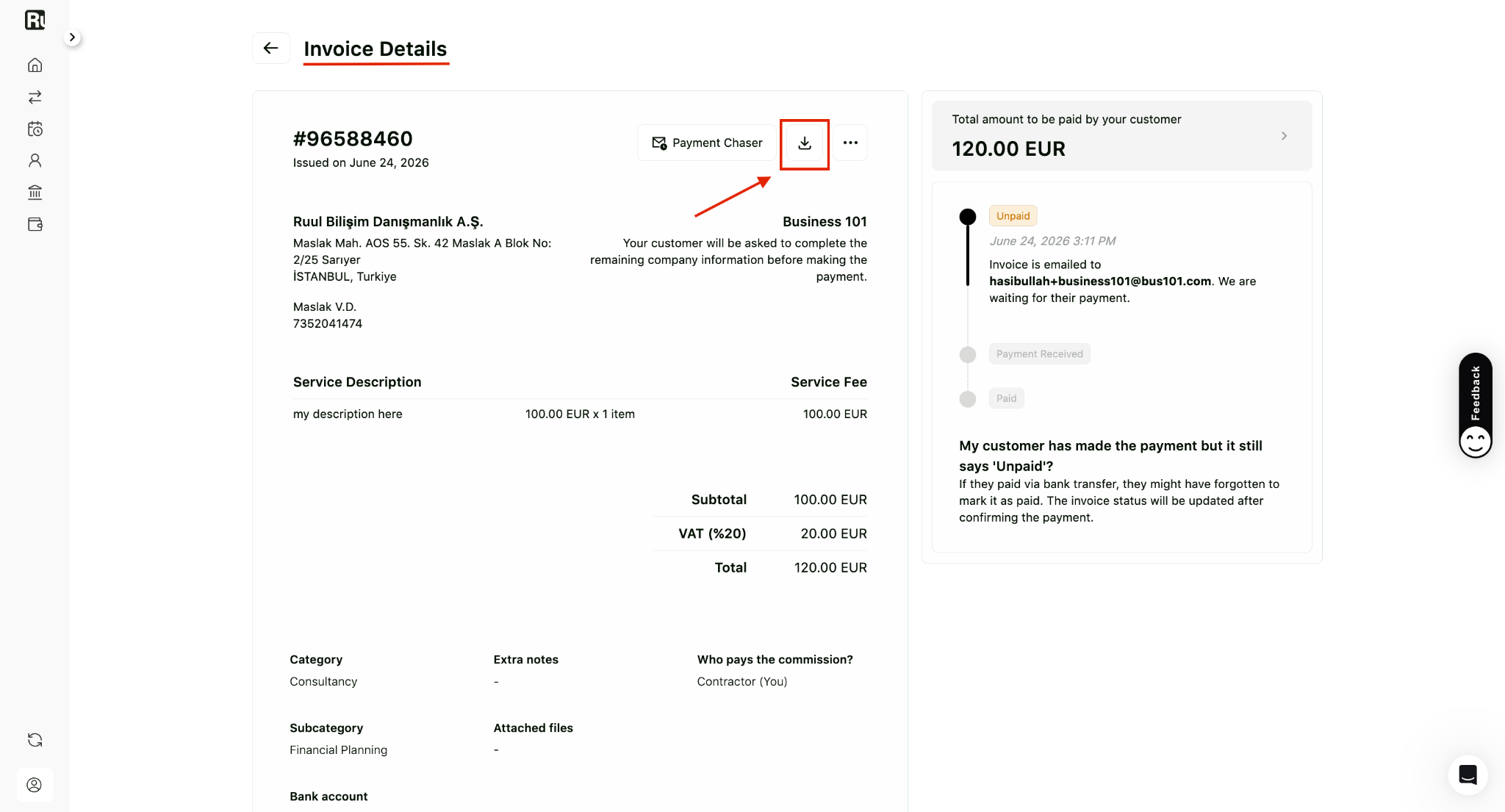
- Commercial invoices. Each time a client pays, Ruul issues its own commercial invoice to them for that transaction. A copy is emailed to you, and it’s also kept in your dashboard.
Where to find them
Per-transaction documents are available from each invoice’s Details page. Open the invoice from your Invoices tab and download the copy from there.
Your account agreements are accessible from your account Settings.
Keeping these in one place is also what makes tax time easier - see how Ruul helps you stay organized and tax-ready.
Can’t locate a specific contract or document? Start a chat with our team and we’ll point you to it or send a copy.
Was this article helpful?
Thanks for the feedback! 🙌