

When one of your contractors creates an invoice for their work and sends it to you through Ruul, you’ll be notified by email and can pay it directly - no need to create a new payment yourself.
How you receive the invoice
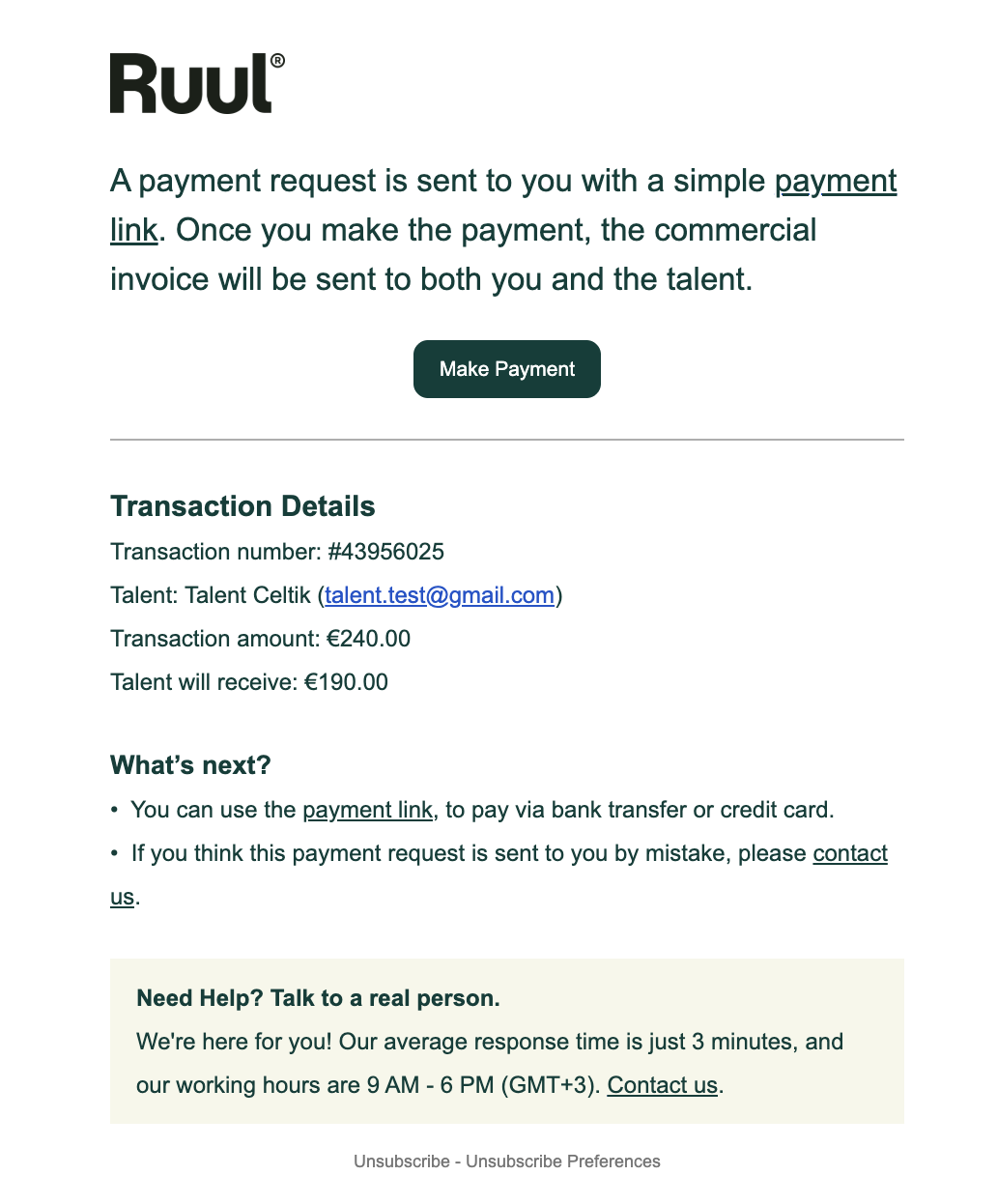
As soon as the contractor sends the invoice, you’ll get an email from Ruul with a secure payment link. The email includes the contractor’s name, the transaction number, the invoice amount and currency, and a Make Payment button.
There are two ways to pay: directly from the email link, or from your dashboard. Both lead to the same payment screen.
Method 1: Pay via the payment link (email)
The email shows the transaction details and a Make Payment button. You can also use the payment link in the “What’s next?” section to pay by bank transfer or credit card.
Verify your email
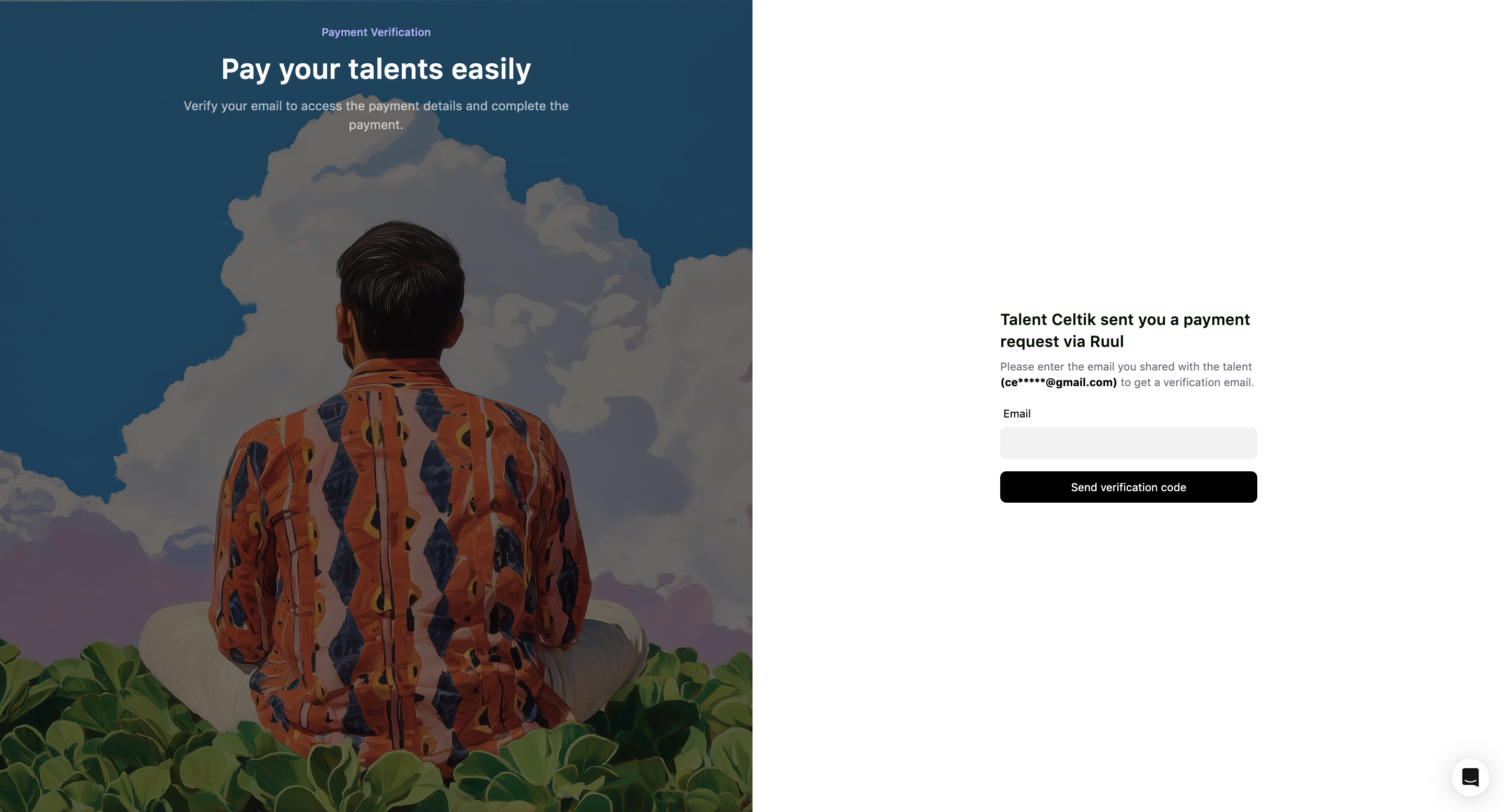
When you click to pay, you’re asked to verify your email address. Enter the email the contractor shared with you, then click Send verification code.
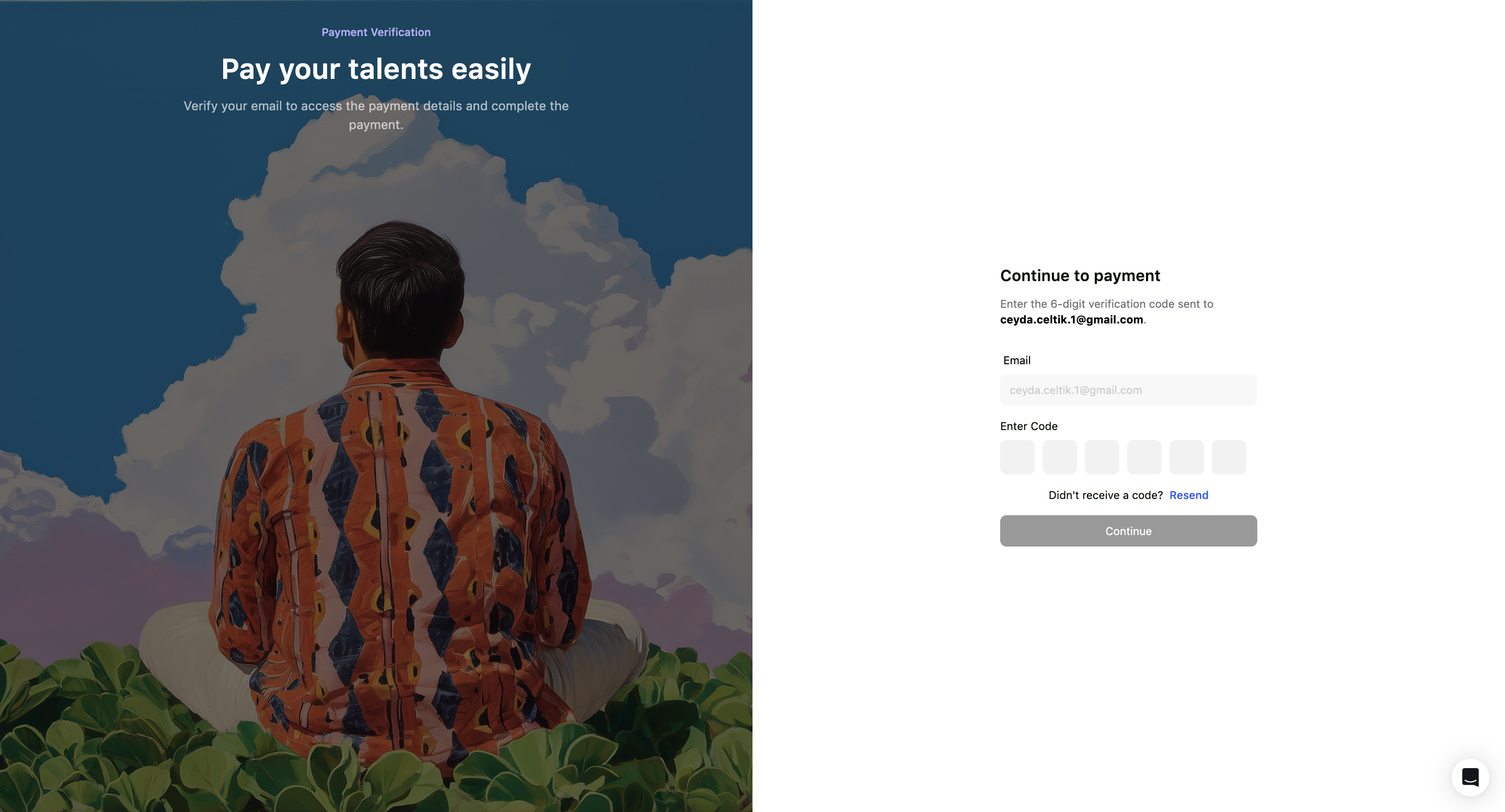
Enter the 6-digit verification code sent to your email, then click Continue. If you don’t receive it, use Resend.
Open the payment screen
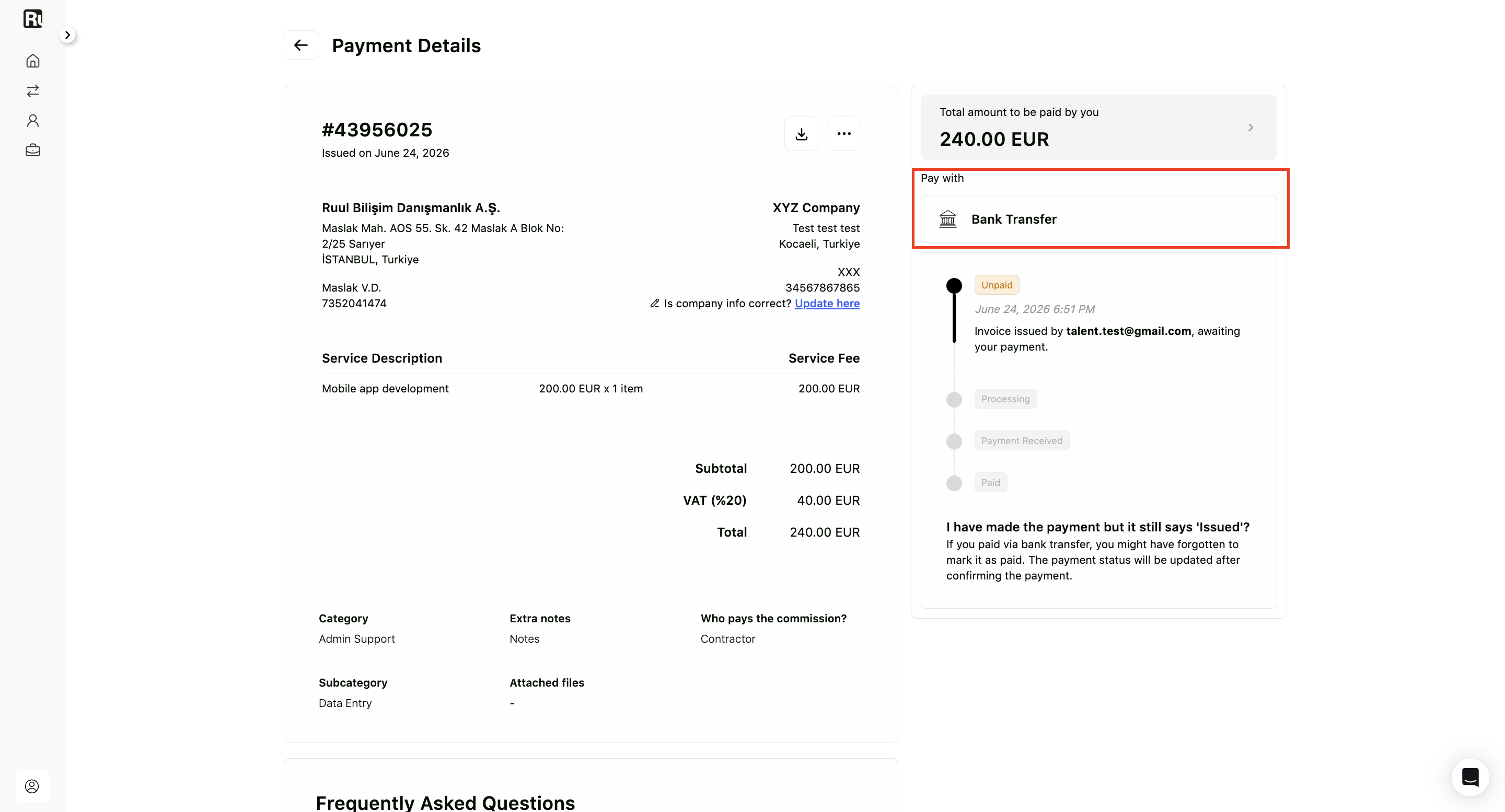
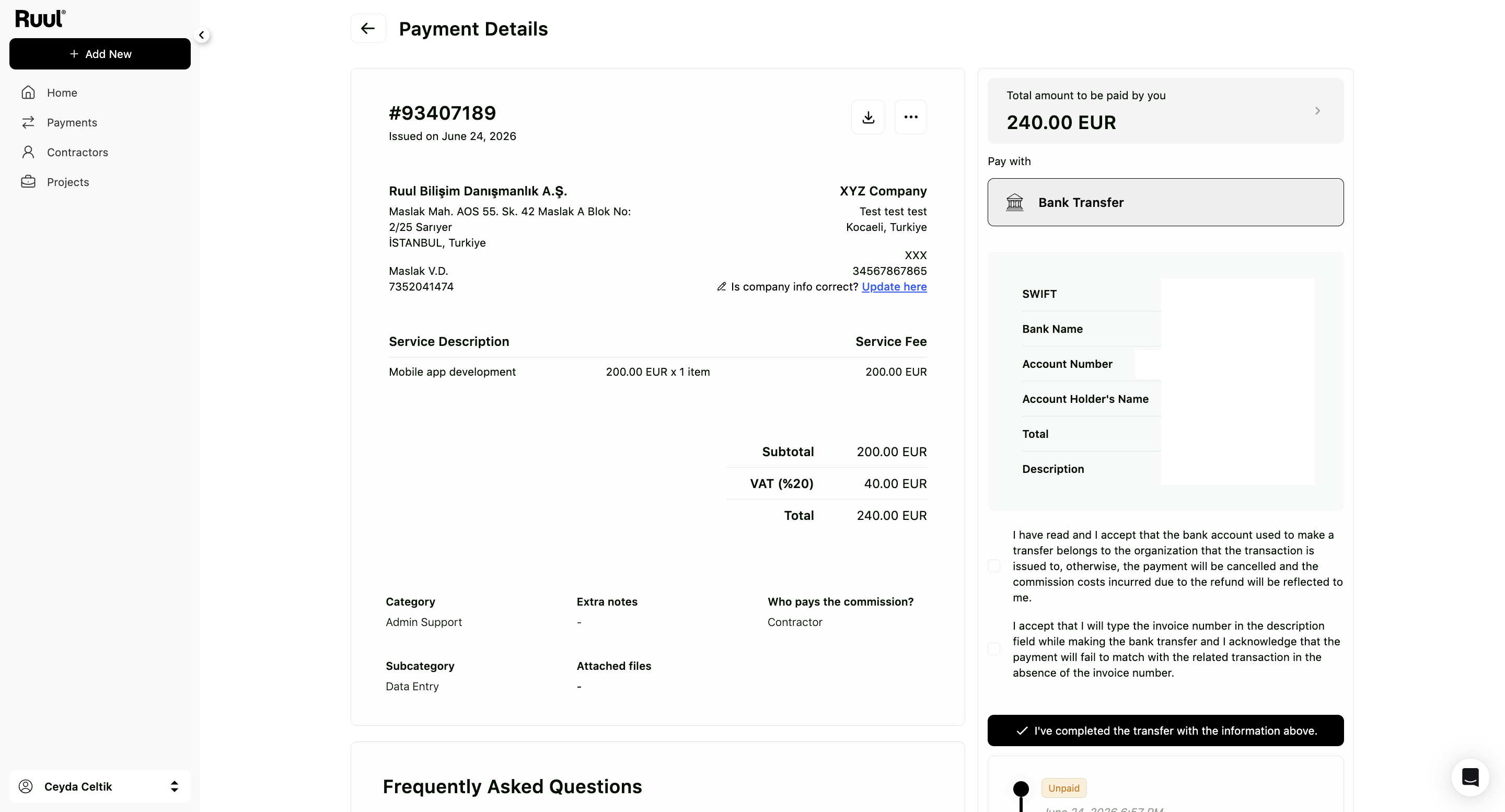
After verifying, you land on the Payment Details screen. It shows the invoice, the total amount to be paid, and the Pay with options. Choose Bank Transfer or credit card to continue.
If you pay by bank transfer, fill in the transfer fields (SWIFT, Bank Name, Account Number, Account Holder’s Name, and the amount), confirm the two acknowledgements, then click I’ve completed the transfer with the information above.
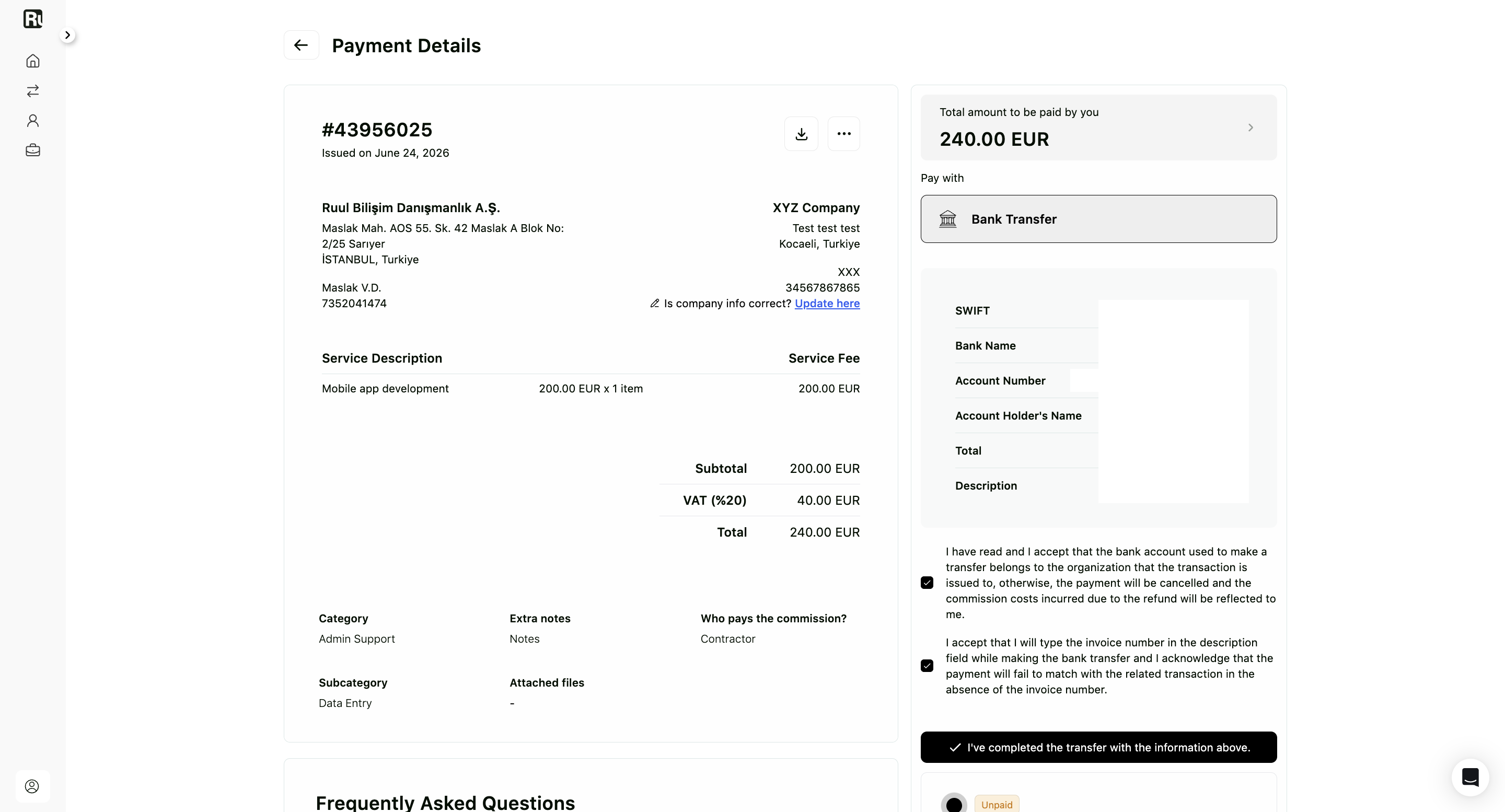
If your company information is incomplete, you’ll be prompted to fill out a short form. You can continue with payment immediately - you don’t need to wait for company verification to finish.
Method 2: Pay from your dashboard
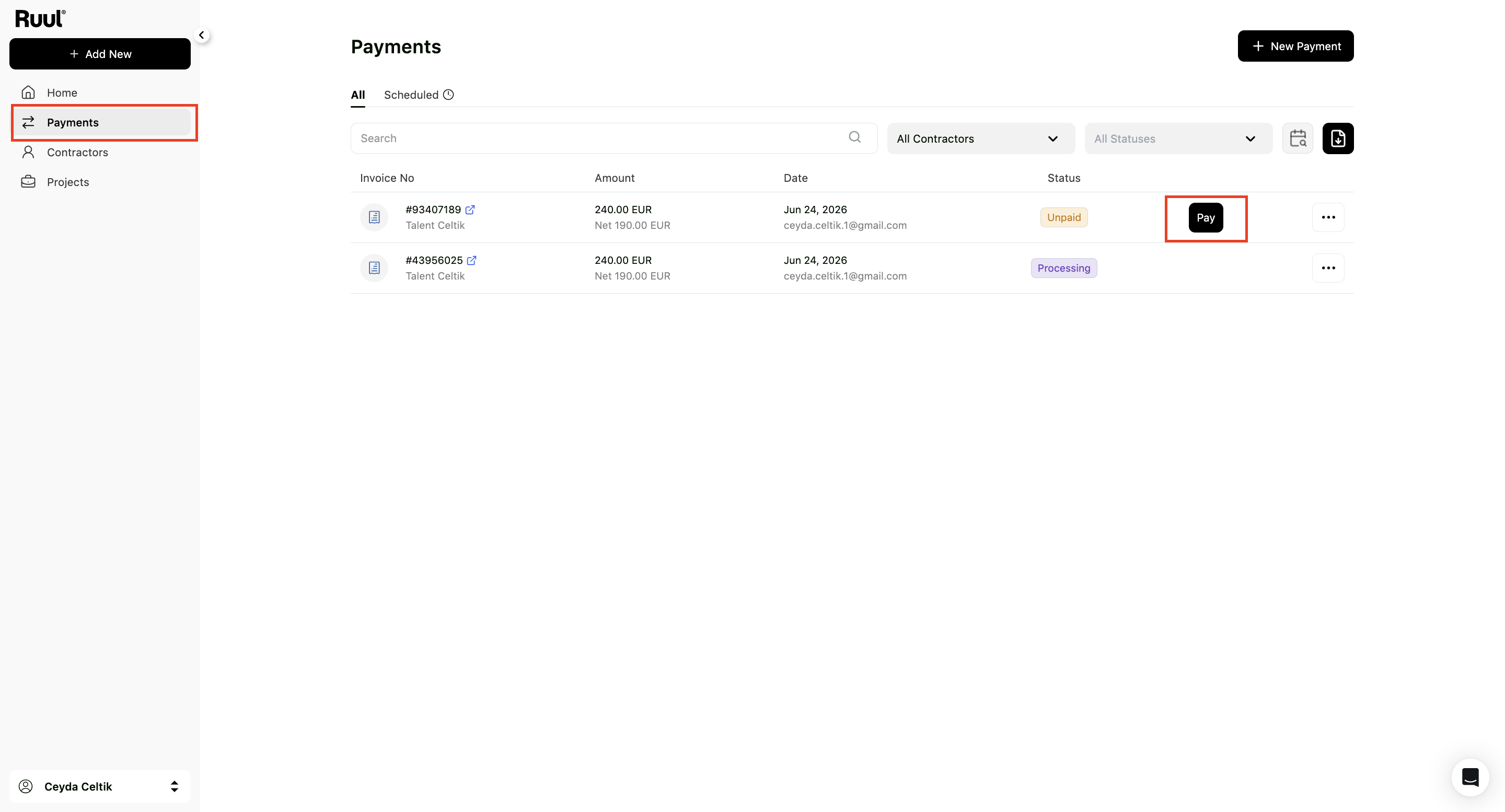
Log into your Business Dashboard and go to the Payments tab. Invoices received from contractors appear here alongside any payments you’ve initiated yourself, each with its status (such as Unpaid or Processing).
Find the invoice and click Pay to open the payment screen.
The Payment Details screen opens with the total amount and the Pay with options. Complete the payment the same way as above, by bank transfer or credit card.
Completing the payment
From the payment screen, you choose bank transfer or credit card. For the full step-by-step guide on each method, see how to complete a payment.
After you pay
Once Ruul receives and verifies your payment, it processes the payout to your contractor - usually within one business day. The invoice status in your dashboard updates to Paid once the funds have been sent.
For the full overview of statuses and what they mean, see how to manage contractor payments.
Frequently asked questions
Where do I find the invoice my contractor sent me?
Check your email for a payment link from Ruul, or log into your business dashboard and go to the Invoices tab - received invoices appear there alongside any you created yourself.
Do I need to take any action when I receive an invoice?
Yes. The invoice stays unpaid until you complete the payment. Your contractor will not receive their payout until the invoice is paid.
What payment methods can I use?
Bank transfer or credit card. Bank transfer requires a corporate account and the invoice number in the transfer description. Credit card may not be available on the first invoice for new companies.
What happens after I pay?
Once Ruul receives and verifies your payment, it releases the payout to your contractor - usually within one business day.
Was this article helpful?
Thanks for the feedback! 🙌